77
Radio mode
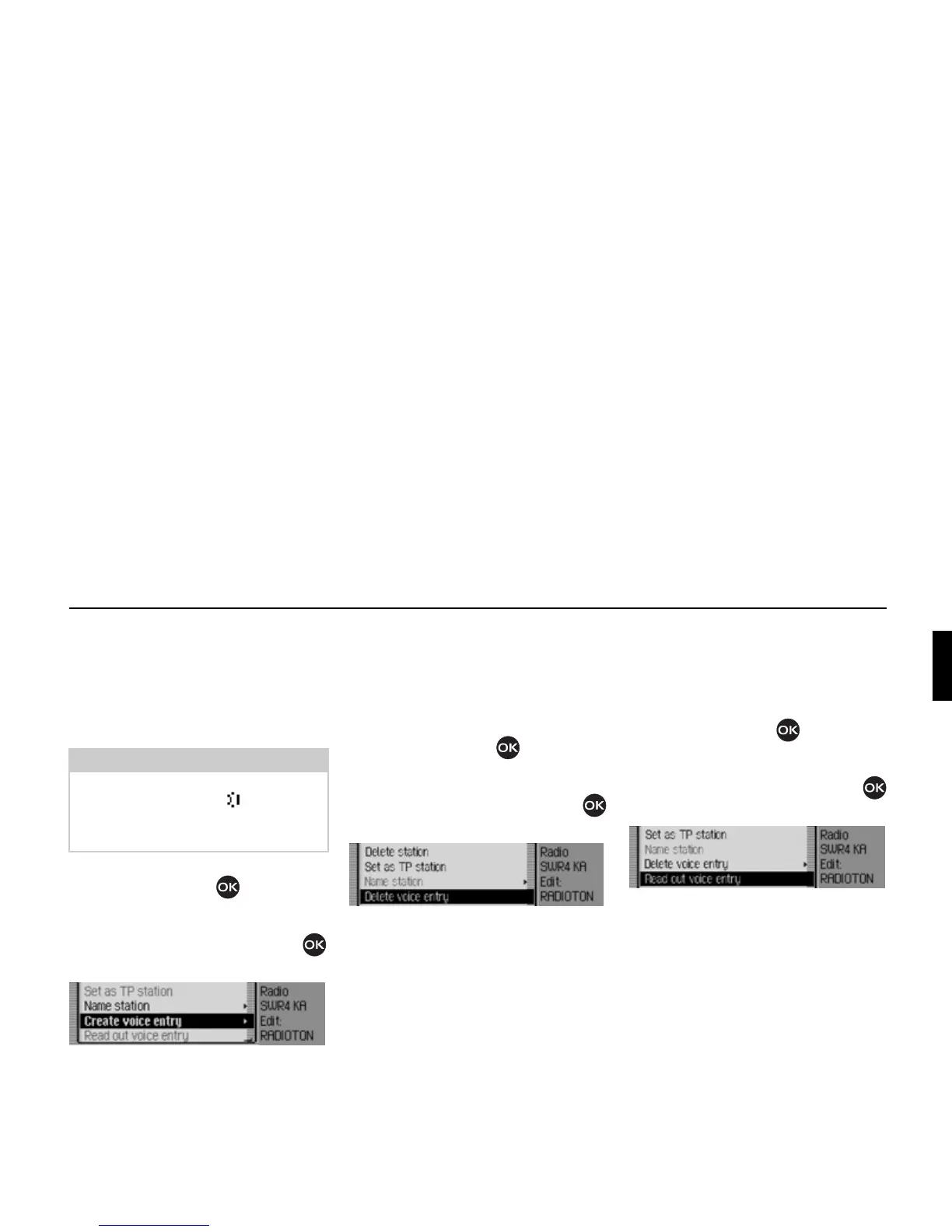
Creating/Deleting voice entries
You can create a voice entry/delete an
existing voice entry for a station stored
in the station memory.
Create
! In fast access mode, turn the rotary
control/push button to select the
station for which you wish to create a
voice entry.
! Press the rotary control/push button
until a menu appears.
! Select the ]reate voice entry entry.
The procedure for saving a voice entry is
launched.
Deleting
! In fast access mode, turn the rotary
control/push button to select the
station for which you wish to delete a
voice entry.
! Press the rotary control/push button
until a menu appears.
! Select the Delete voice entry entry.
A prompt appears for you to confirm if
the voice entry should really be deleted.
! Select Yes to delete the voice entry or
No to continue without deletion.
Reading out voice entries
You can listen to the voice entry for a
station stored in the station memory.
! In fast access mode, turn the rotary
control/push button to select the
station for which you wish to listen to
a voice entry.
! Press the rotary control/push button
until a menu appears.
! Select the Read out voice entry entry.
The voice entry is read out.
Note:
If a voice entry has already been
assigned to this station ( symbol) and
you wish to change it, you must first
delete it before assigning a new entry.
3024
3025
3026















 To Next Page