86
Media mode
! Push the CF memory card/micro-drive
carefully into the slot.
The CF memory card/micro-drive must
then be firmly anchored in the slot.
! Close the media slot as described in
“Closing media slot” on page 15.
or
! Wait until the media slot closes
automatically.
The micro-drive/CF memory card is
now ready for operation and, if MP3
tracks are located on the micro-drive/CF
memory card, the first track in the first
directory is played automatically.
If the content of the micro-drive/CF
memory card has not been changed since
it was last inserted, playback begins with
the last track played.
Removing micro-drive/CF memory
card
! Open the media slot as described in
“Opening media slot” on page 15.
! Pull the CF memory card/micro-drive
out of the slot.
! Close the media slot as described in
“Closing media slot” on page 15.
or
! Wait until the media slot closes
automatically.
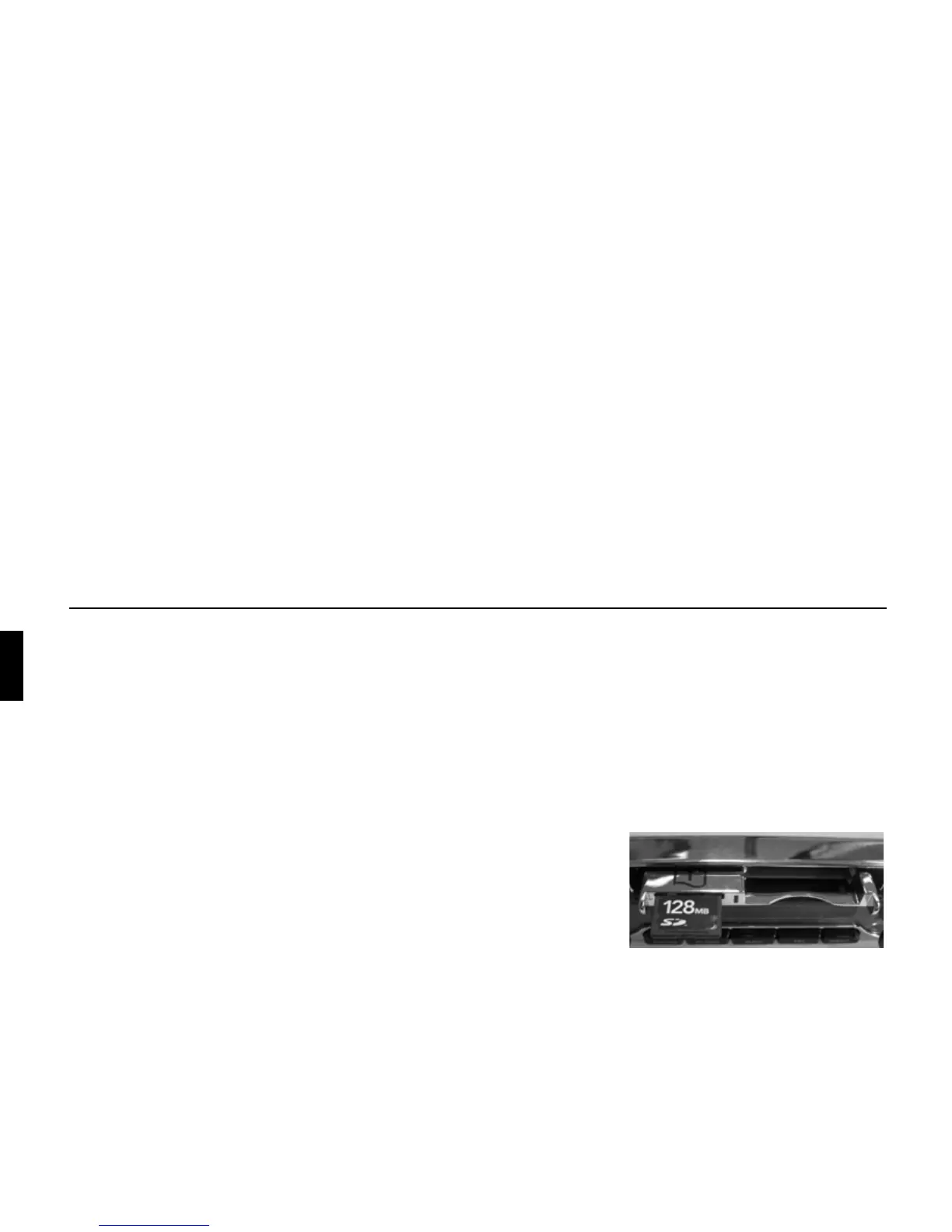
Inserting SD/MMC memory card
The slot for inserting the SD/MMC
memory card is located in the media slot.
! Open the media slot as described in
“Opening media slot” on page 15.
! Insert the SD/MMC card into the top
slot on the left-hand side. The contacts
of the SD/MMC memory card must
then be at the bottom and the slanted
corner of the card must be on the right.
! Push the SD/MMC memory card
carefully into the slot.
The SD/MMC memory card locks
noticeably into place.















 To Next Page