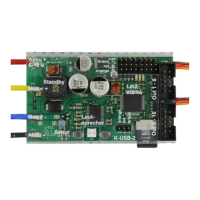
GB Double Sound Speed Controller SFR-1-D
01.03.2020 BEIER-Electronic 19
Sounds
All sounds are stored at the SFR-1-D with our software SFR-1-D Sound-Teacher, in
so called „slots".
You don’t have to use every slot. If you don’t want e.g. any starting-noise, just keep
the starting-noise slot free.
For “Idling noise“ and “FG1“ (engine sound) you should place a sound, otherwise no
sound in standing and driving is played.
Examples for sound slots:
Engine start sound coldstart / warmstart
Vehicle start sound (idling drive)
Vehicle stop sound (drive idling)
Engine sound FG1 - 5 (different types: slow down, normal and speed up)
Shift sounds between FG1 - FG5
Turn warning left / right
Engine sound 2: Engine start/stop sound, idle sound, vehicle start/stop, engine
sound
Sound from Servo 1 - 4 left/right
Tracks 1-30 for WAV-Player
The engine sound for driving backwards can be different from the sound driving
forward. You can put sounds in these slots, but you don’t have to. If the slot for driving
backward is empty, the sound module will play the normal engine sound. Using slots
for driving backward sounds only make sense if the sounds differ from driving
forwards.


 To Next Page