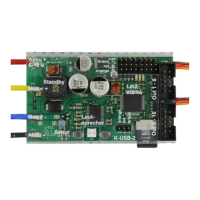
GB Double Sound Speed Controller SFR-1-D
94 BEIER-Electronic 01.03.2020
Firmware update
The sound-Teacher writes the firmware file automatically while saving the project
data onto SD card.
A firmware update of the SFR-1-D is always performed automatically when the
Sound-Teacher version is different from the current version of the SFR-1-D firmware.
The firmware update will be started after the supply voltage is switched on and it
takes 10 seconds. The red and blue LEDs flashes during this period a few times
alternating.
Never disconnect the sound module from power supply while updating!
A new firmware is mostly included if you are using a new version of the Sound-
Teacher. If you are using a new version of the Sound-Teacher, take care that on the
first turning on of your sound module, the firmware might be updated. Therefore the
voltage should not be turned off for at least 10 seconds!


 To Next Page