VAV – Module NMV-D2M
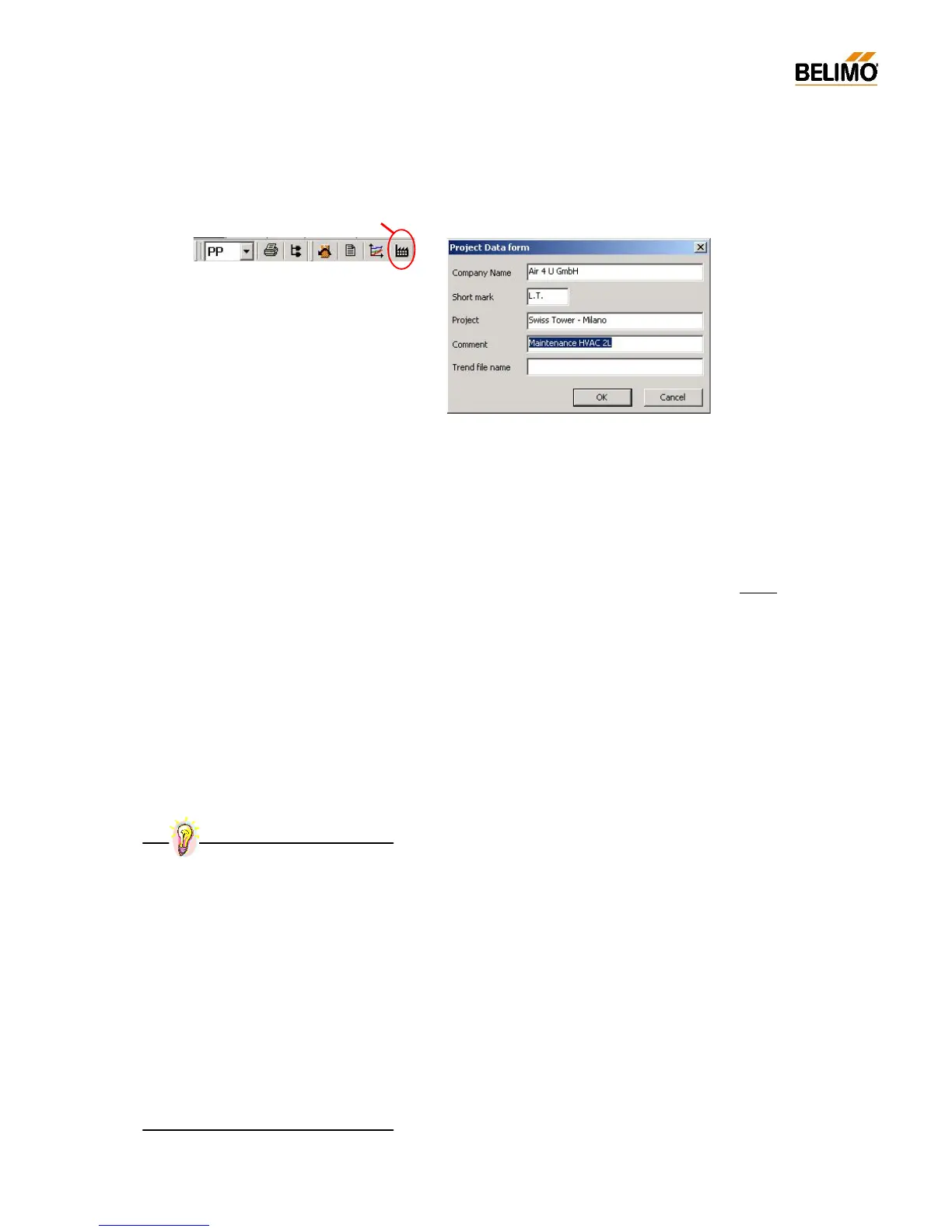
N-A7 Project Data form <F4>
This screen mask is used for entering project-specific and trend-specific
data such as file names. The data is used by the log, print, trend and test
functions.
N-A7.1 Data fields
- Company Company name, e.g. ‘Air 4 U GmbH’
Entered once.
- Initials User’s initials
these are only changed if there is more than one
person using the same PC.
- Project name Usually entered once per visit to an installation, at
the start of work.
- Comment Entered when necessary before each trend and
test recording or jointly for a series of tests, for ex-
ample.
- Trend file name When this function is being used an entry is made
in this field for each trend and test recording. If this
function is not being used a default name is used
instead.
N-A7.2 Procedure
Project data must be entered before execution of printout, trend re-
cording, etc.
The data given remains valid until it is changed or deleted.
When the entry screen mask is called the ‘Comment’ field is highlighted,
i.e. an entry can be made directly without having to select the field. This
is very helpful when carrying out series of tests.
Blank fields are permitted.
Project Data form <F4>
Practical tip – Project data for servicing
Start work: Press <F4>:
- Company / Initials / Enter project name
Step 1:
Connect PC to NMV-D2M
Step 2:
a) Press <F4>, open input screen form
b) Enter remarks, e.g.:
‘Function test with new fan setting’
c) Close screen mask with ‘OK’
Step 3:
Start Live Trend or Test
Steps 2 and 3 must be repeated to repeat a
test or for the next VAV-box.



 To Next Page