Parts of the display and their functions28
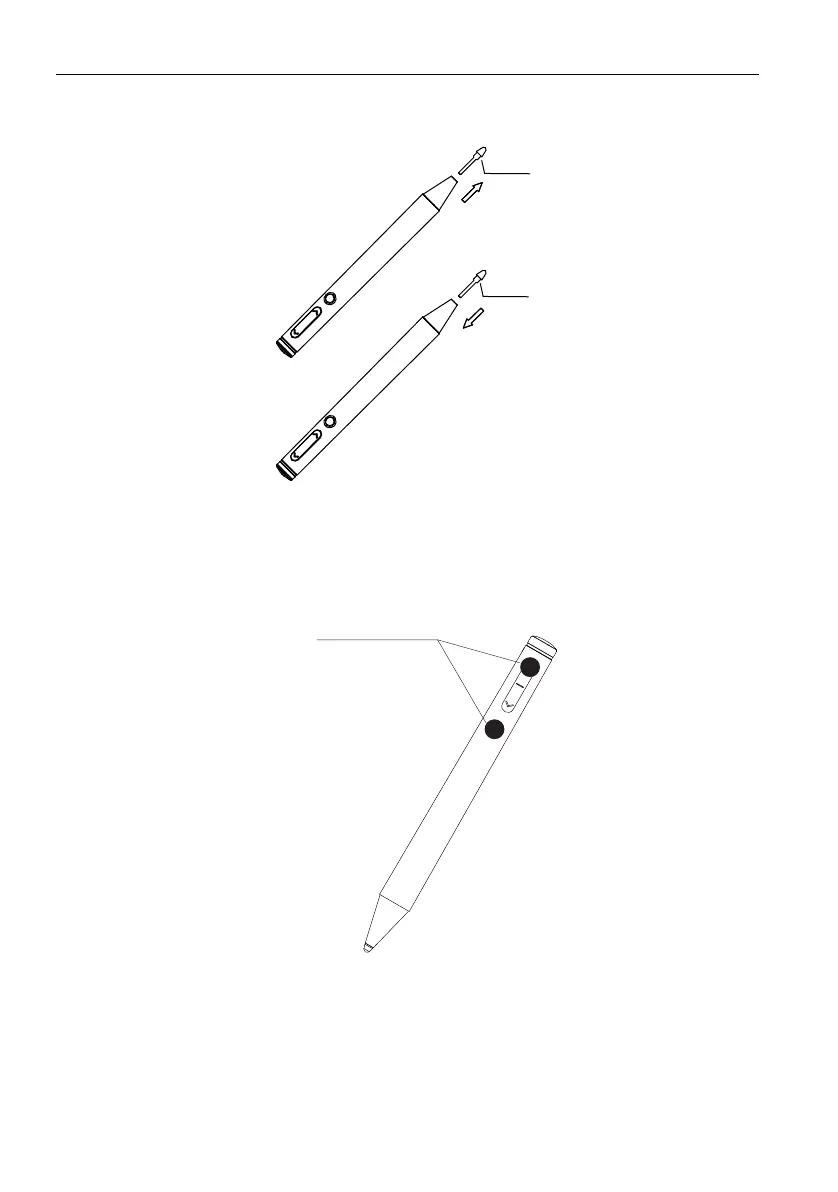
Pen nib installation
1. Pull out the old pen nib with force in the direction shown below.
2. Install the new pen nib in the direction shown until the pen nib cannot continue to
press down.
Pairing & unpairing
1. Pairing
• Pairing succeeded: Insert the USB receiver into the interactive flat panel for 1 minute,
and long press “Previous page” button and “Function button” of the active pen at the
same time. The indicator light flashes in white and orange alternately until the indicator
lights flicker in orange five times in a row.
• Pairing failed: If the white light and orange light flash alternately over 30 seconds, the
active pen pairing fails. Please repair it.
pen nib
pen nib
Pull out
Install
Long press
“Previous page”
button and
“Function button”
at the same
time.
Pairing



 To Next Page