Working with Android OS 85
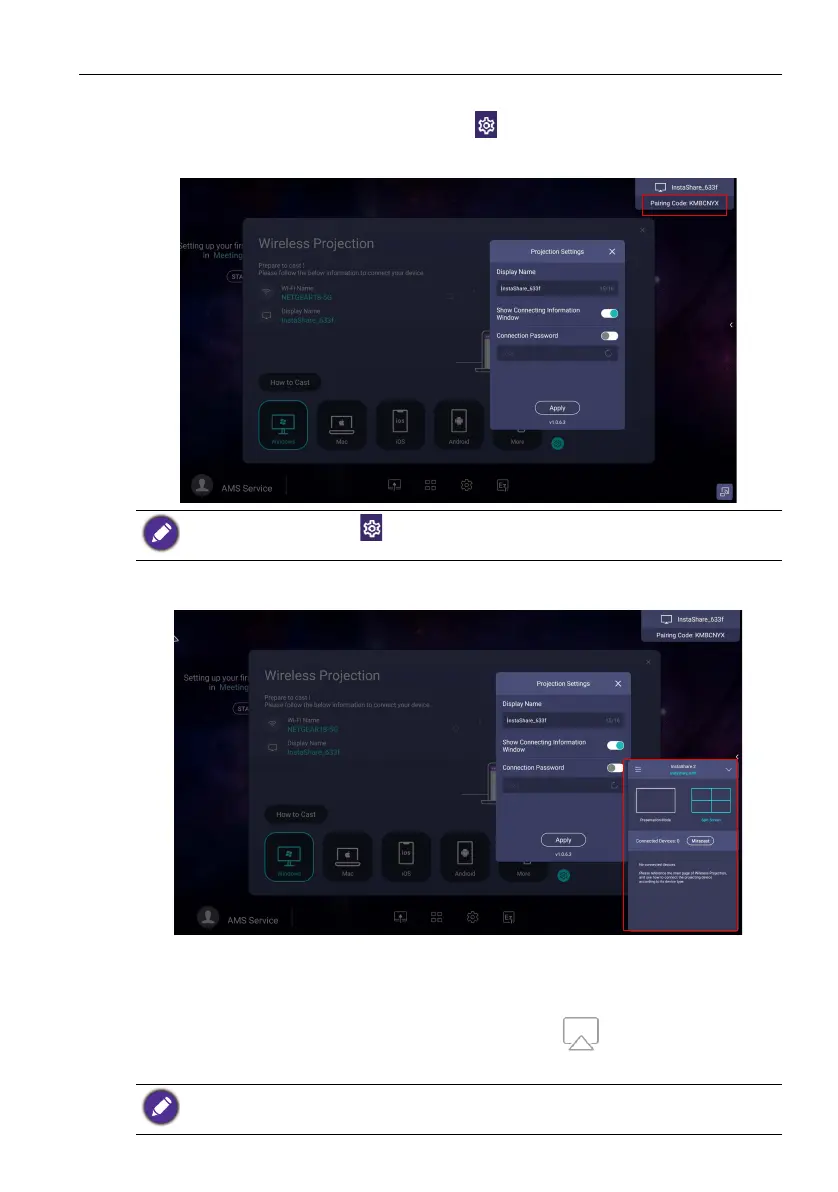
4. Enter the connect code shown on the upper right corner of the display or you can
also find the connection code in Setting ( ). Click Allow on the display to
confirm the connection.
5. Up to four devices can be simultaneously share their screens to a display.
6. Once connected you can:
- Mirror the display's screen on your mobile device by clicking Screen Mirroring
on your mobile device.
- Mirror the device’s screen on the display by clicking on your mobile device.
- Operate the display by using your mobile device as a remote control.
Yo u c a n al s o cl i c k Setting () to modify the settings for InstaShare 2, such as the
InstaShare 2 ID name, connect code, or mirroring confirmation message.
Once connected, any operations on the display or mobile device will also show up on your
mobile device and display.



 To Next Page