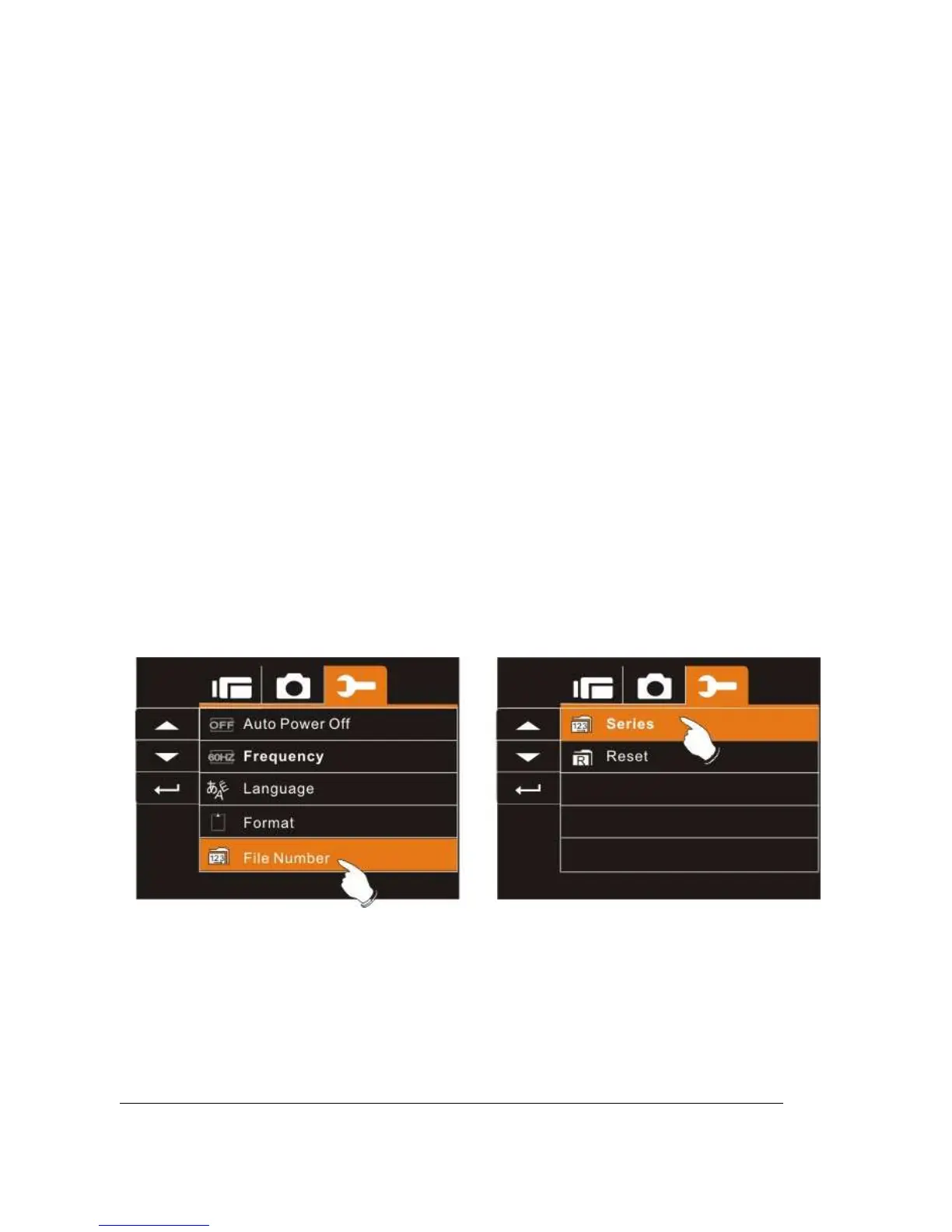
6.5.10 File Number(Default: Series)
This setting allows you to name the files.
If “Series” is selected, the file name will follow the latest stored file
consecutively.
If “Reset” is selected, the next file name will start from 0001 even
after formatting, deleting or inserting a new memory card.
1. Turn on the power of Digital Video Camera and switch to
SET Mode.
2. Press
Up/Down
Button to highlight File Number item.
Press the
Recording
Button to display submenu; or touch
the screen to select the item.
3. Use
Up/Down
Button to select Series or Reset. Press
the
Recording
Button to confirm; or touch the screen to
select the item.



 To Next Page