Setting up the display 11
Setting up the display
Mounting the display
You can install the display on a vertical surface with a suitable wall mounting bracket or
on a horizontal surface with the optional desktop stands. Please pay attention to the
following notes during installation:
• This display should be installed by at least two adult persons. Attempting to install this
display by only one person may result in danger and injuries.
• Refer the installation to qualified technicians. Improper installation may cause the
display to fall or malfunction.
Installing the display on a wall
1. Place a clean, dry and lint-free cloth on a flat, horizontal and object-free surface.
Make sure that the size of the cloth is larger than the display.
2. Gently lay the display on the cloth with the LCD screen facing down.
3. Remove the desktop stands from the display if installed.
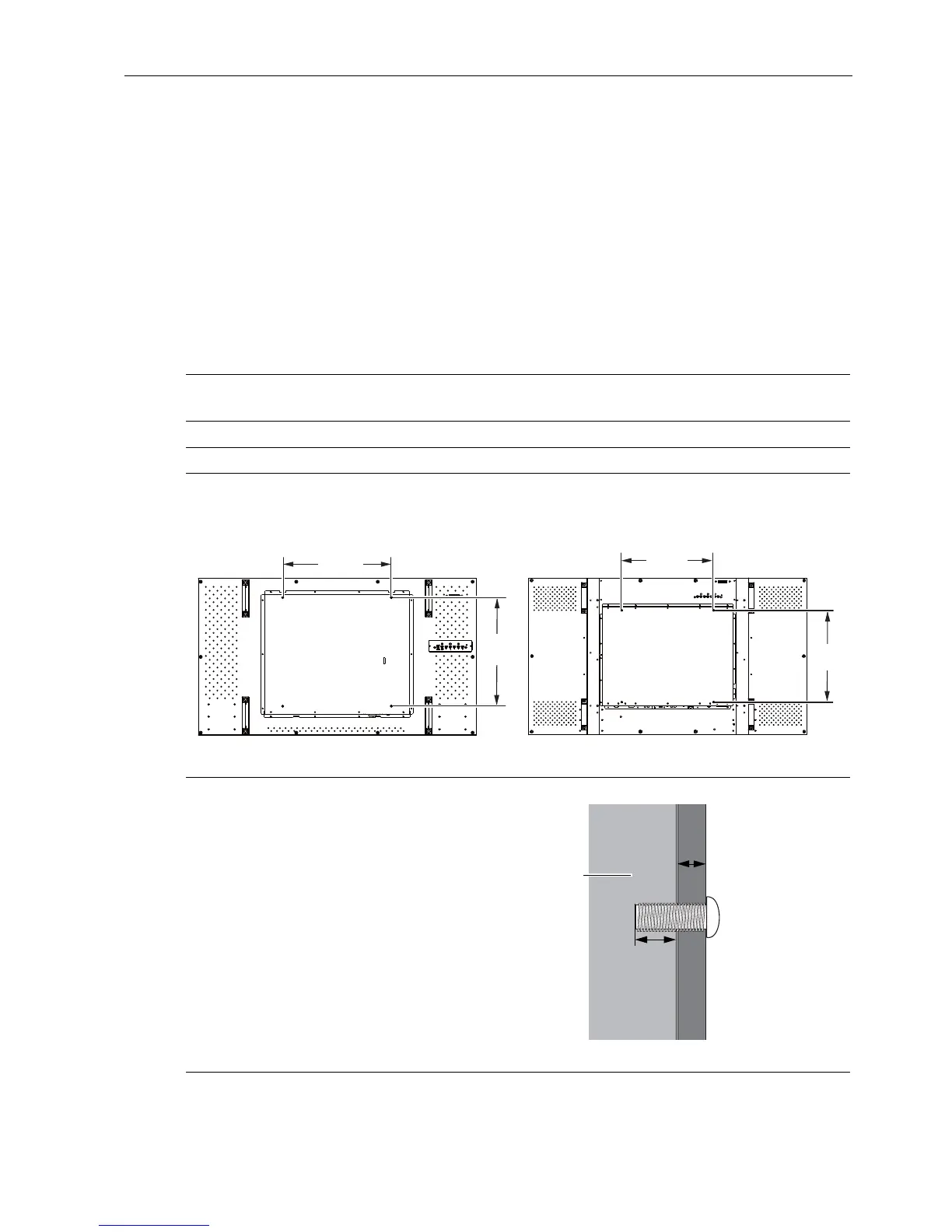
4. Identify the wall mounting screw holes on the back of the display as shown in the
illustration.
5. Install the wall mounting bracket
on the display and attach the
display to the wall according to
the mounting bracket’s
instructions. The length of the
screw should exceed the
thickness of the wall mounting
bracket by at least 10 mm. Make
sure that all screws are
tightened and secured properly.
(Recommended torque: 470 -
635N•cm). The mounting means
should be strong enough to bear
the weight of the display.
400mm
(15.75”)
400mm
(15.75”)
400mm
(15.75”)
400mm
(15.75”)
*Screw type: M6
PH460/PL460 PH550
Thickness of the
wall mounting
bracket
10 mm
(0.39")
LCD display



 To Next Page