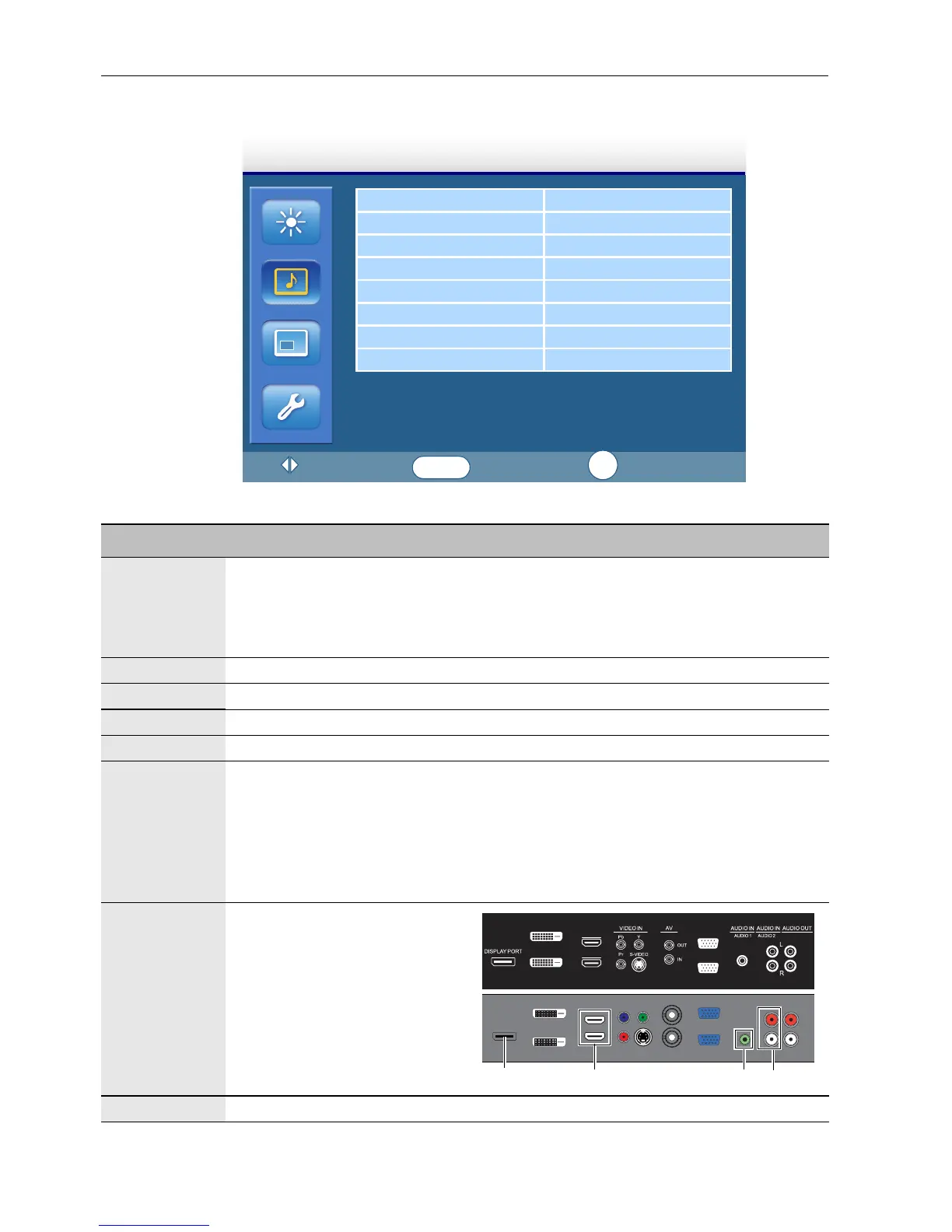
The OSD (On-Screen Display) menu32
Sound menu
Sound Mode Standard
Treble 0
Bass 0
Balance Center
Surround Off
Speaker Internal
Audio Source Audio1
Reset
Sound
:Move
:Enter
:Exit
ENTER
EXIT
Name Description
Sound Mode Adjusts the sound output from the speakers.
Dynamic: Enhances treble and bass.
Standard: Flat settings.
Custom: Recalls the customized settings.
Treble Adjusts the audio treble.
Bass Adjusts the audio bass.
Balance Adjusts the audio balance.
Surround Turns the surround mode on or off.
Speaker Sets the audio source.
Line-Out: Selects the audio output source from AUDIO OUT (R/L) on the
rear connector panel.
External: Selects the audio output source from SPEAKERS (R/L) on the
rear connector panel.
Internal: Select the audio output source from the internal speakers.
Audio
Source
Sets the audio input source.
Reset Resets all settings in the Sound menu.
DVI-OUT
DVI-IN
HDMI-2
HDMI-1
VGA OUT
VGA IN
Audio1DisplayPort
Audio2
HDMI1/HDMI2



 To Next Page