Parts of the display and their functions 13
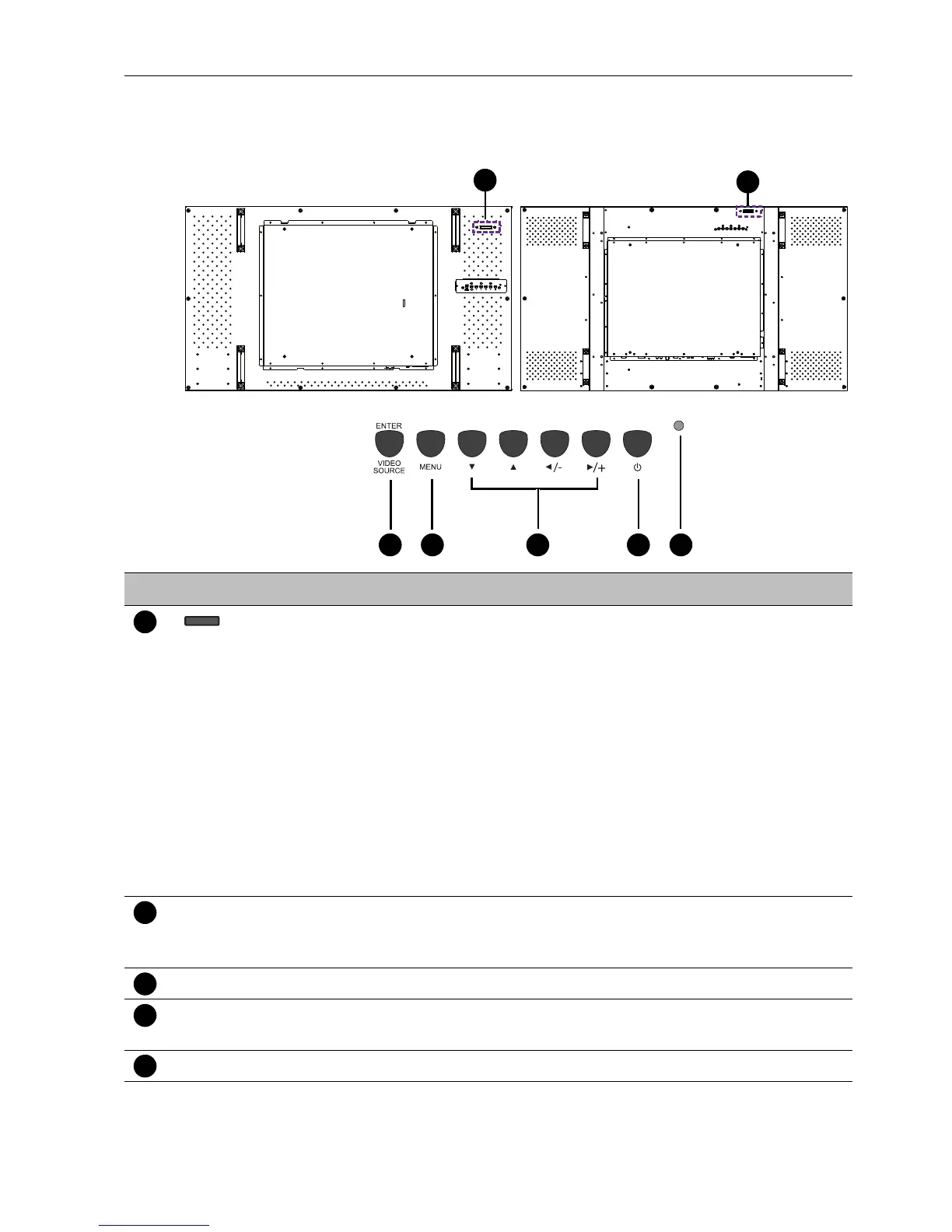
Parts of the display and their functions
Rear panel
No. Name Description
Remote control sensor /
Ambient light sensor /
Power indicator
• Receives command signals from the remote control.
• Detects ambient lighting conditions around the display and
adjusts screen brightness automatically when the Ambient
Light Sensor function is activated.
• Indicates the operating status of the display:
- Lights up green when the power is turned on.
- Lights up red when the display is turned off.
- Lights up red when the display is in Power Save High
mode.
- Flashes red when the display is in Power Save Low
mode.
- Off when the main power is turned off.
ENTER/VIDEO
SOURCE
• Selects a video source.
• Confirms your selection or enters a submenu in the On-
Screen Display (OSD) menu.
MENU Opens or closes the OSD menu.
, , /-, /+ • Scrolls through settings and options in the OSD menu.
• /-, /+: Hot keys for audio volume adjustment.
Power button Turns the display on or off.



 To Next Page