Important safety instructions8
Notes on moving the display
The display has limited mechanical strength. To prevent the display from performance
failure caused by line defects, front bezel bending, glass scratch/broken, light leakage, etc,
it must be handled with care.
• Always move the display by at least two (2) adults.
• When you want to move the display, make sure the four (4) handles are held.
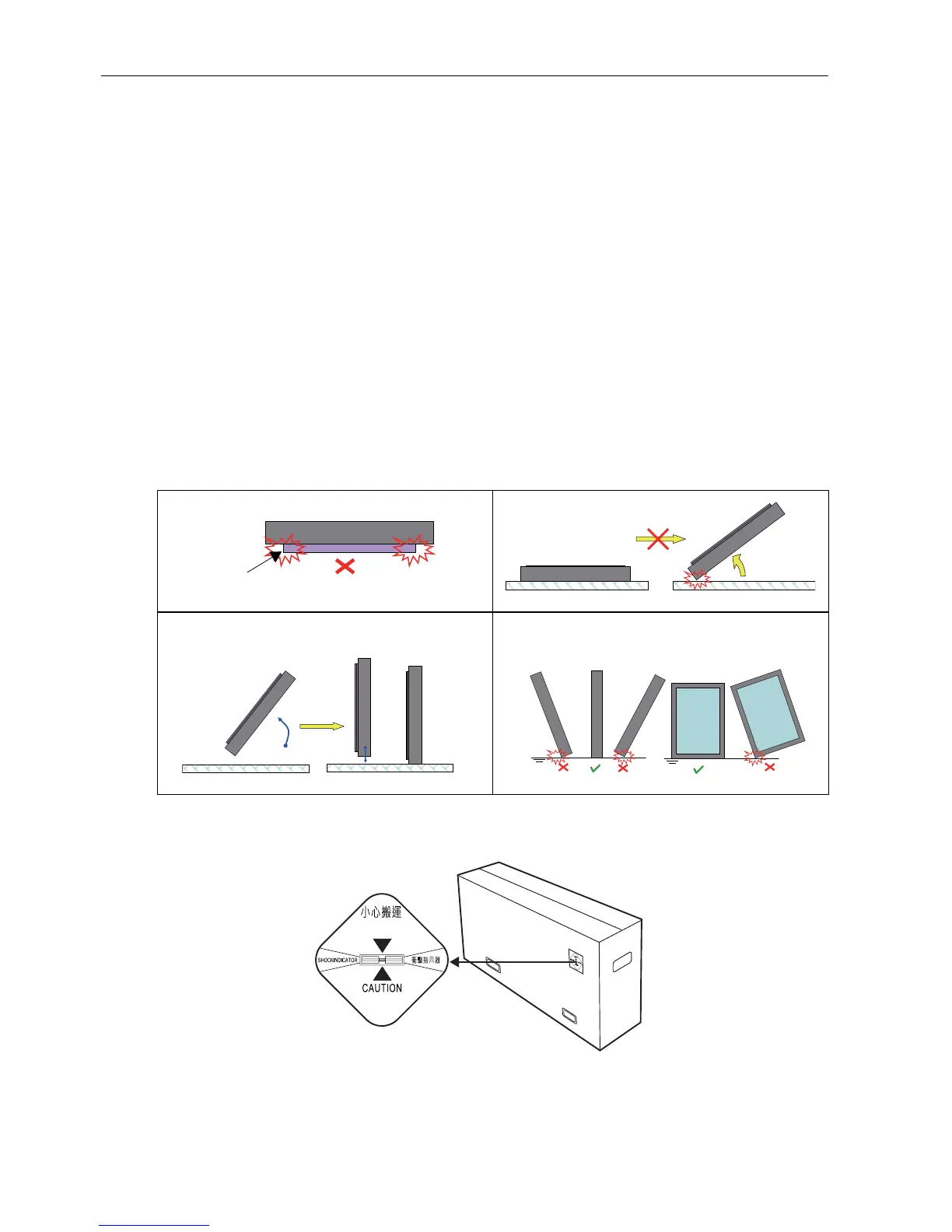
• When you want to place the display face down:
- Prepare a flat and horizontal surface that is larger than the display and spread a
thick protective sheet on it. (Fig. 1)
- Lay down the display gently and horizontally.
• When you want to upturn the display:
- Lift the display up horizontally by holding the four (4) handles. Do not lift the
display against its corner. (Fig. 2)
- Be careful not to scratch any parts of the display when upturning the display. (Fig. 3)
- Stand the display vertically to make sure the its weight spread evenly on the
surface. (Fig. 4)
• Check the shock label on the outside of the product carton. The shock indicator on the
label will turn red if the display/package is improperly handled.



 To Next Page