The OSD (On-Screen Display) menu34
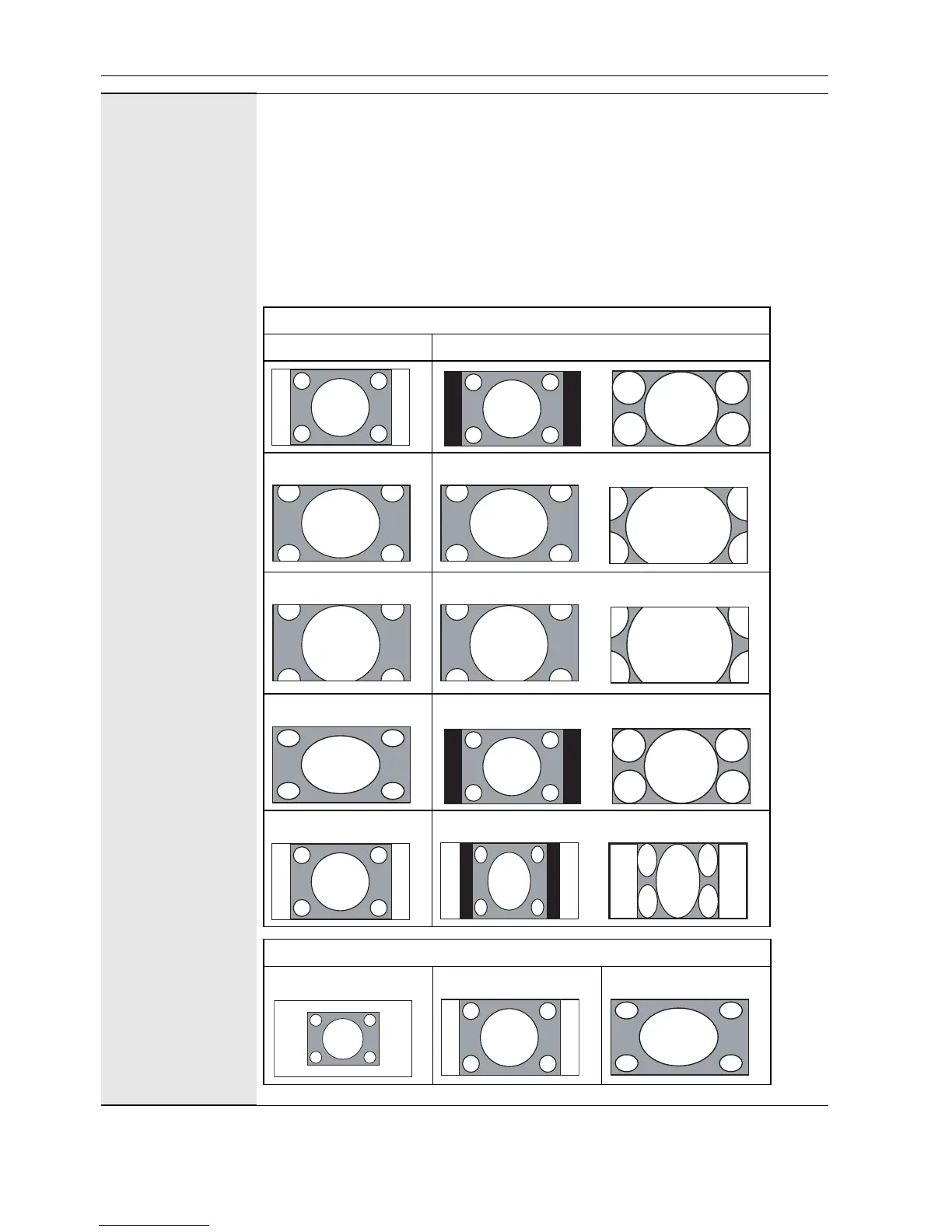
Aspect
(continued)
• Full: Enlarges the picture horizontally to fill the screen when the picture
source is 4:3 (Standard definition). When the picture source is 16:9 (High
definition), it displays in the same 16:9 aspect ratio.
• 4:3: Displays all picture source in 4:3 aspect ratio.
• Full 1: Enlarges the picture to fill the screen in the vertical direction,
keeping the same aspect ratio. A black frame may appear around the
picture.
• Full 2: Enlarges the picture to fill the screen.
• Real: Displays the picture in its original number of dots.
For video signal inputs
4:3 original source 16:9 Original source
Wide Zoom Wide Zoom
Zoom Zoom
Full Full
4:3 4:3
For PC signal input
Real Full 1 Full 2



 To Next Page