Parts of the display and their functions12
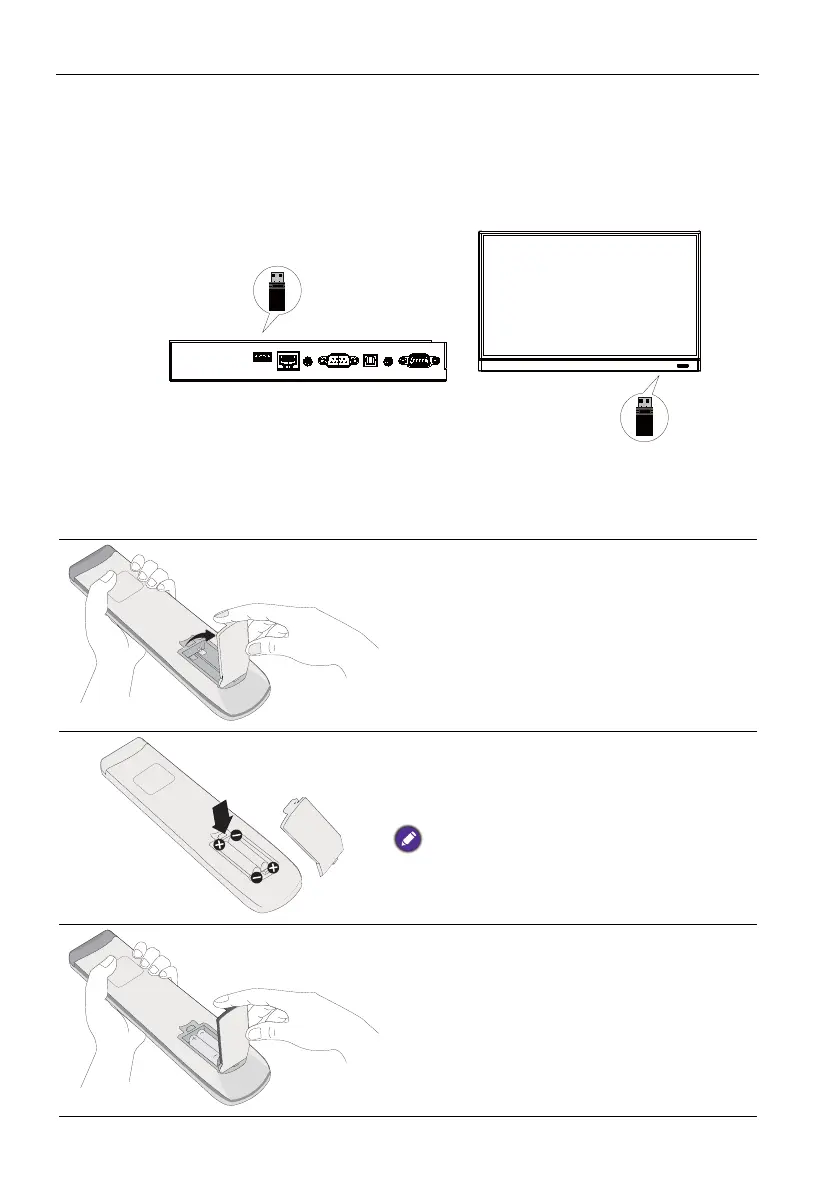
Remote control important notice
1. This remote control applies only to a specific models and/or operating systems. Con-
tact your reseller if any question.
2. The function keys can work only when the enclosed dongle is inserted to the BenQ
IFP.
3. The remote control and the enclosed dongle have been paired in default.
Using the remote control
Installing remote control batteries
1. Open the remote control battery compart-
ment cover.
2. Insert the supplied batteries ensuring that
the positive and negative marked battery
terminals match the (+) and (-) marks in the
battery compartment.
The supplied batteries are provided for your
convenience so that you can operate the display
straight away. You should replace them as soon as
possible.
3. Refit the battery compartment cover.



 To Next Page