Basic operations30
Supported by specific
applications
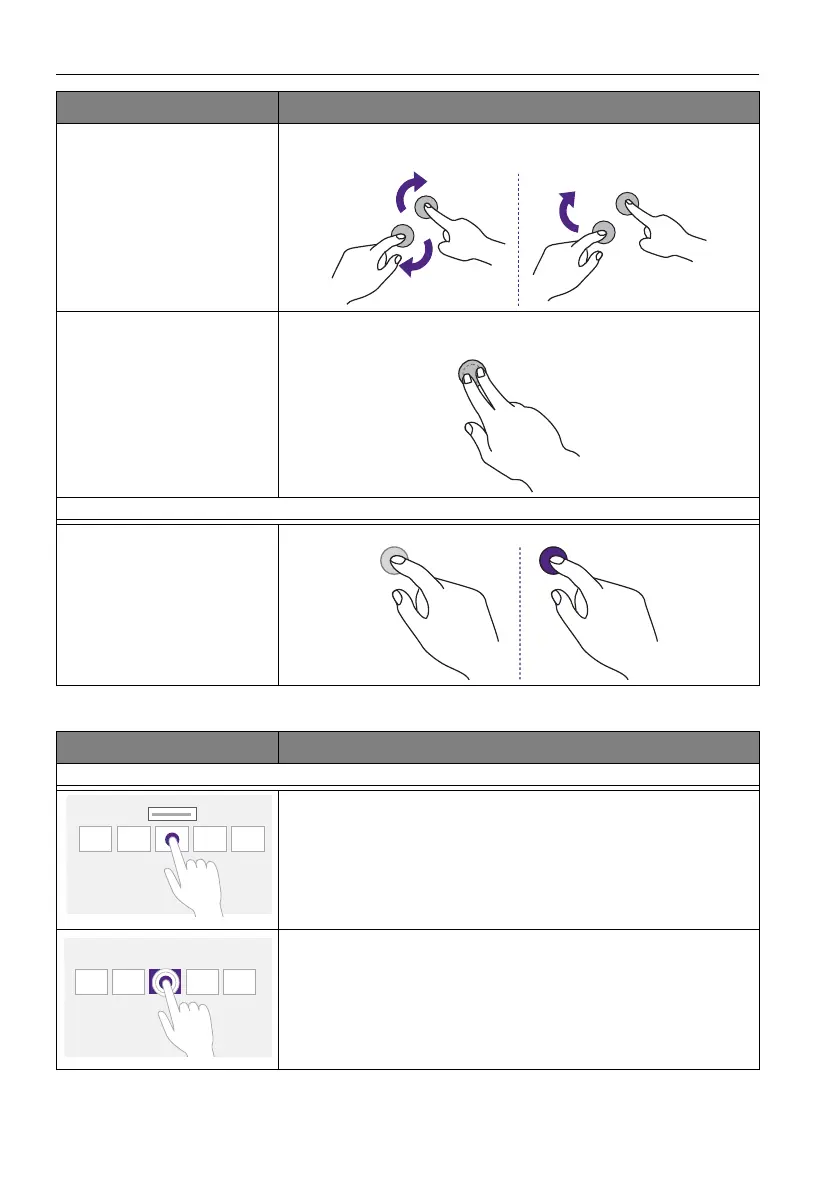
• Move two fingers in opposing directions.
• Use one finger to pivot around another.
Supported by specific
applications
Tap two fingers simultaneously.
The target should be the midpoint between the fingers.
For Windows XP and Windows 7
Wakeup from Windows
sleep mode (S3)
Press and hold for 4 seconds.
OS functions Gesture actions
Gesture Description
For Windows 8
Press and hold to learn
This touch interaction causes detailed information or teaching
visuals (for example, a tooltip or context menu) to be displayed
without a commitment to an action. Anything displayed this way
should not prevent users from panning if they begin sliding their
finger.
Tap for primary action
Tapping on an element invokes its primary action, for instance
launching an application or executing a command.



 To Next Page