Operation 45
English
Personalizing the projector menu display
The On-Screen Display (OSD) menus can be set according to your preferences. The
following settings do not affect the projection settings, operation, or performance.
• Menu disp
lay time in the SYSTEM SETUP: Basic > Menu Settings menu sets the
length of time the OSD will remain active after your last key press. The time length
ranges from 5 to 30 seconds in 5-second increments. Use / to select a suitable time
frame.
• Menu position in the SY
STEM SETUP: Basic > Menu Settings menu sets the OSD
position in five locations. Use / to select a preferred position.
• Language in the
SYSTEM SETUP: Basic menu sets your familiar language for the OSD
menus. Use / to select your language.
• Splash Screen in th
e SYSTEM SETUP: Basic menu sets a preferred logo screen to be
displayed during projector start-up. Use / to select a screen.
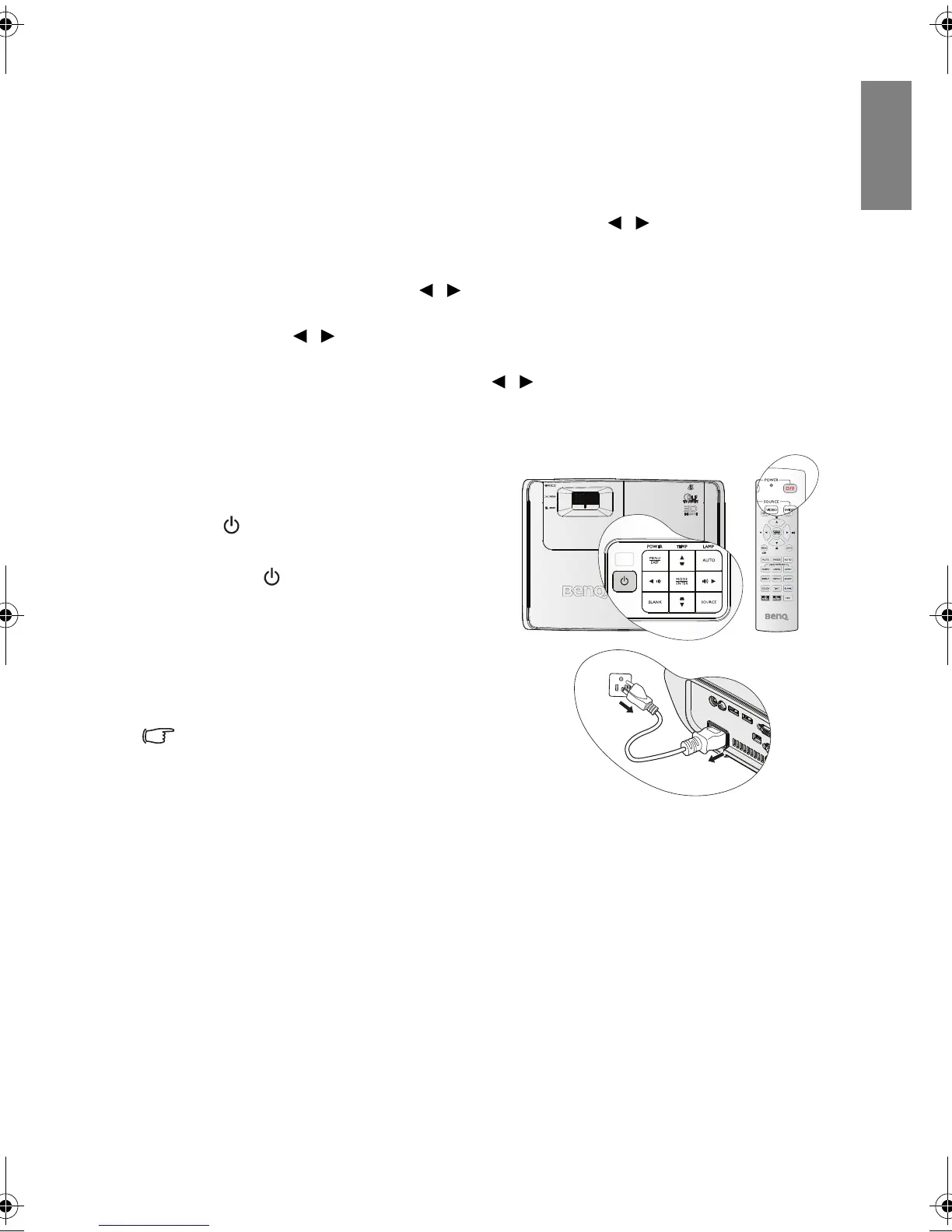
Shutting down the projector
1. To turn the projector off, press POWER
OFF on the remote control to turn
projector off directly. Or you can press
POWER on the projector and a
warnin
g message appears.
Press POWER agai
n.
2. Once the cooling process finishes, the
POWER ind
icator light is a steady
orange and fans stop.
3. Disconnect the power cord from the
wall so
cket if the projector will not be
used in an extended period of time.
• To protect the lamp, the projector will not
respond to any commands during the
cooling process.
• To shorten the cooling time, you can also
activate the Quick Cooling function. See
"Quick Cooling" on page 51 for details.
• If the projector is not properly shut down, to protect the lamp, when you attempt to re-start
the projector, the fans will run for a few minutes to cool down. Press POWER again to start
the projector after the fans stop and the POWER indicator light turns orange.
• Lamp life results will vary depending on environmental conditions, and usage.
BenQ W703D.book Page 45 Friday, November 25, 2011 9:49 AM



 To Next Page