41 Web management
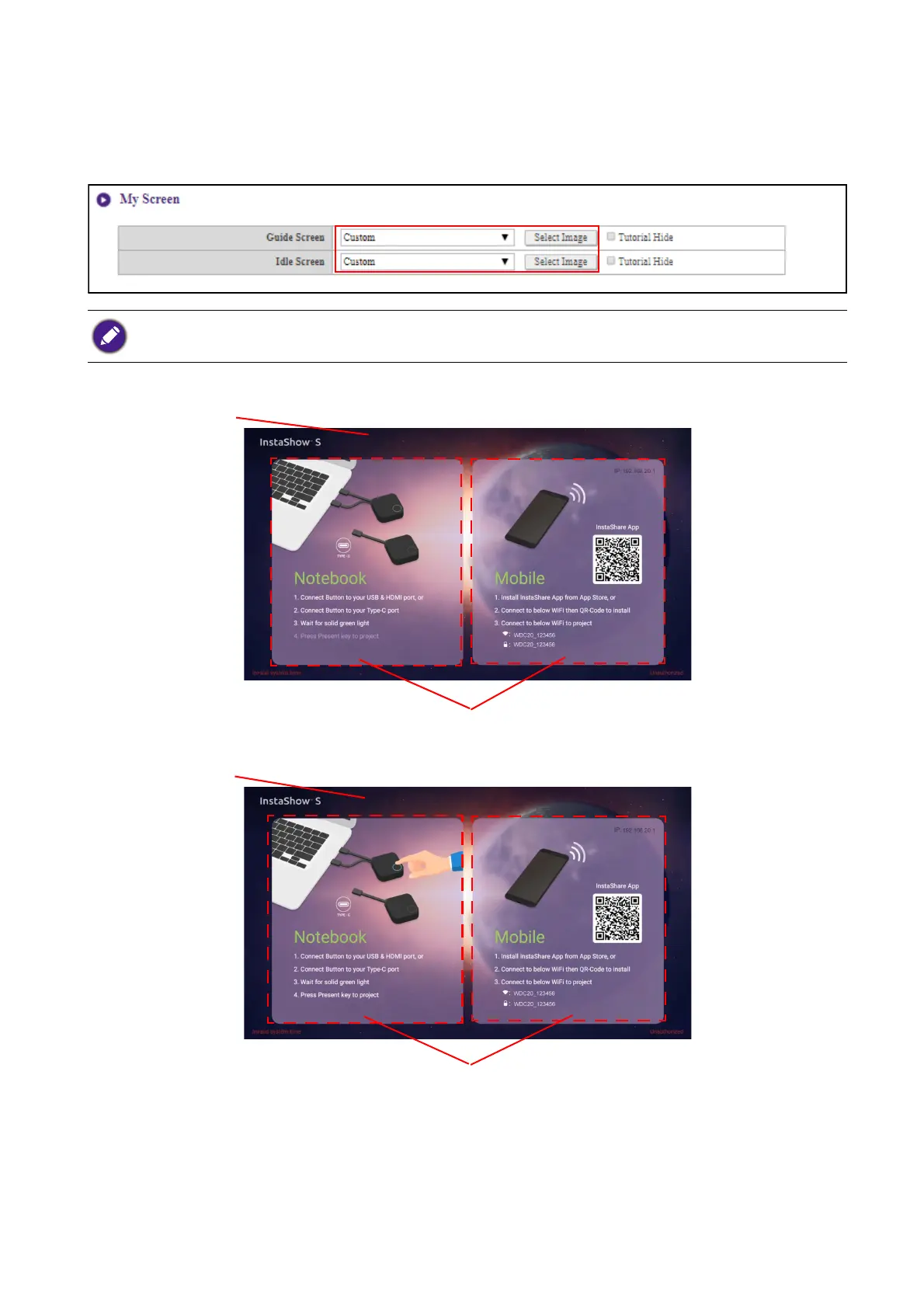
You can change the background image for the Host’s guide screen and/or idle screen by selecting
Custom in the Guide Screen or Idle Screen fields, then clicking the Select Image button that
appears, and then navigating to and selecting the image file on your local folder you want as either the
Hosts Guide Screen or Idle Screen.
• To hide the tutorial boxes on either the Guide Screen or Idle Screen, check the Tu t o r i a l H i d e box.
• To revert to the default Guide Screen or Idle Screen, select Original in the respective screen’s field.
Tu t o r i a l B o xe s
Guide Screen
Background Image
Tu t o r i a l B o xe s
Idle Screen
Background Image



 To Next Page