40 Web management
Main column
The main column shows the detailed content from the function bar.
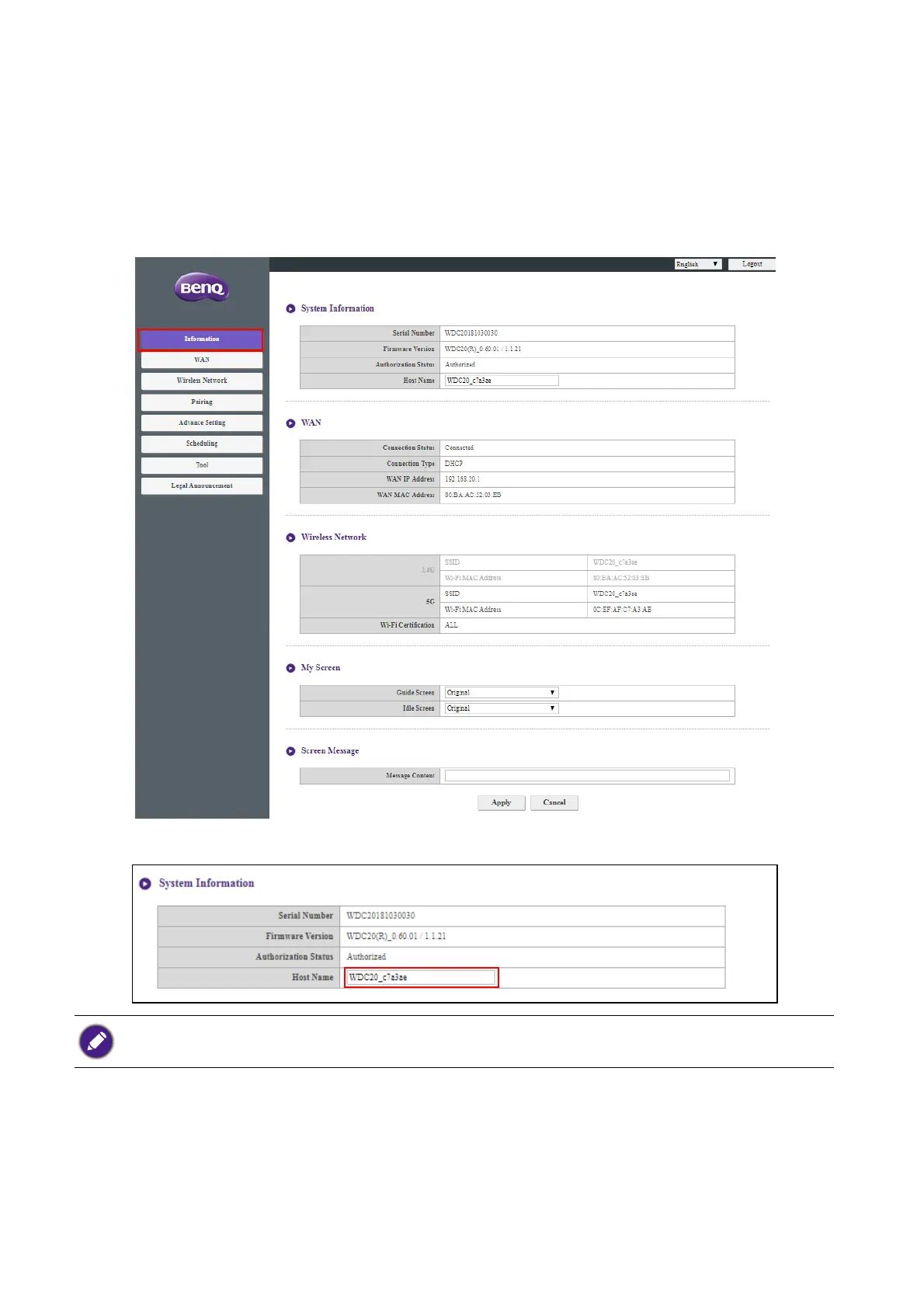
Information
Click Information and you will see detailed information for System Information, WAN,
Wireless Network, My Screen, and Screen Message.
You can change the Host Name under System Information.
If the SSID (host name) is changed, you need to pair the Button(s) to the Host again.



 To Next Page