43 Web management
Wireless Network
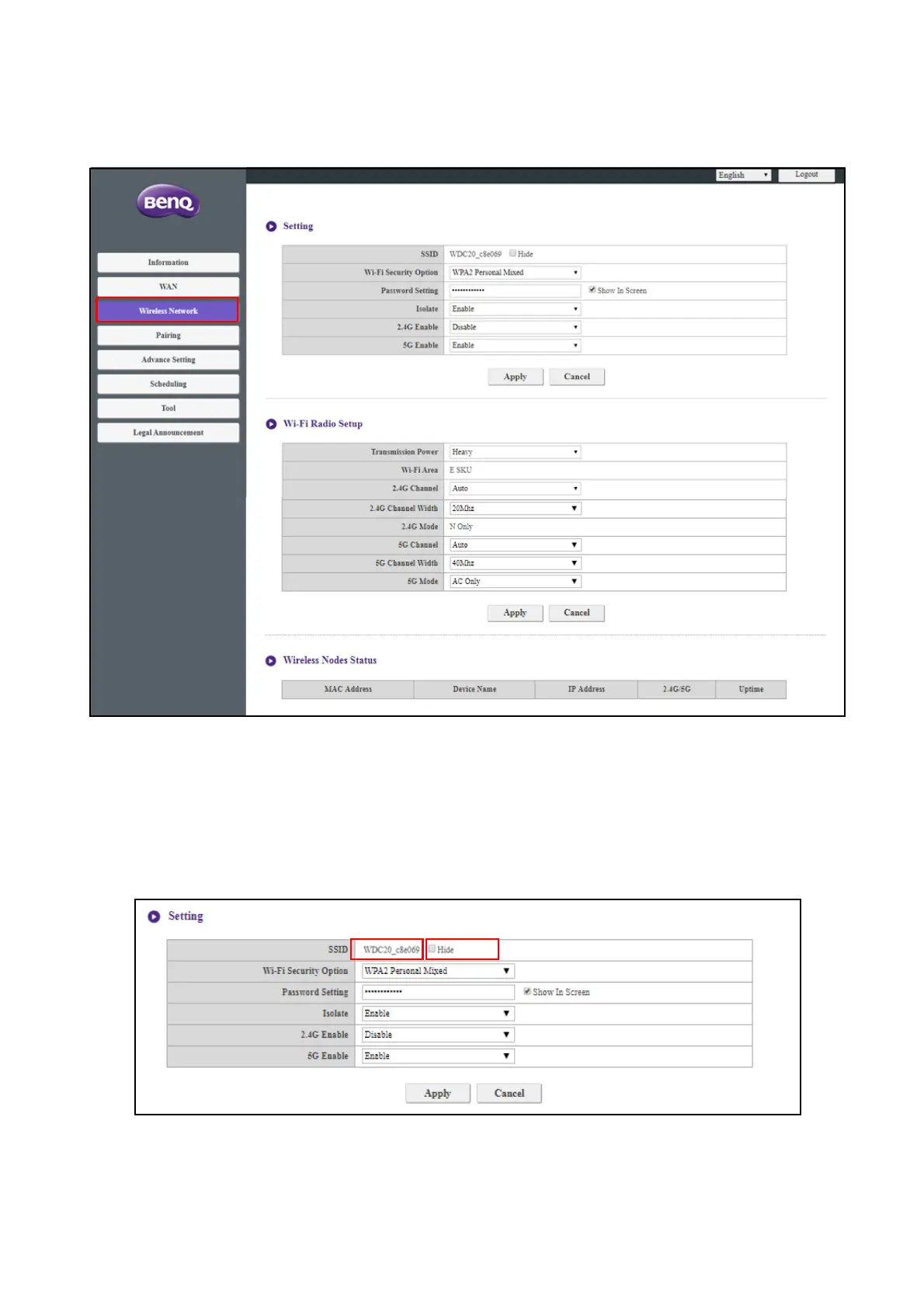
Click Wireless Network and you will see the Setting, Wi-Fi Radio Setup, and Wireless
Nodes Status menu for the Host.
Setting
The Wi-Fi SSID for the Host is displayed in the SSID field. The SSID for the Host is based on the
Host Name set in the Information > System Information menu, to change the SSID for the
Host use the Host Name field in the System Information menu.
If you prefer not to show SSID and password, check Hide.



 To Next Page