9 Introduction
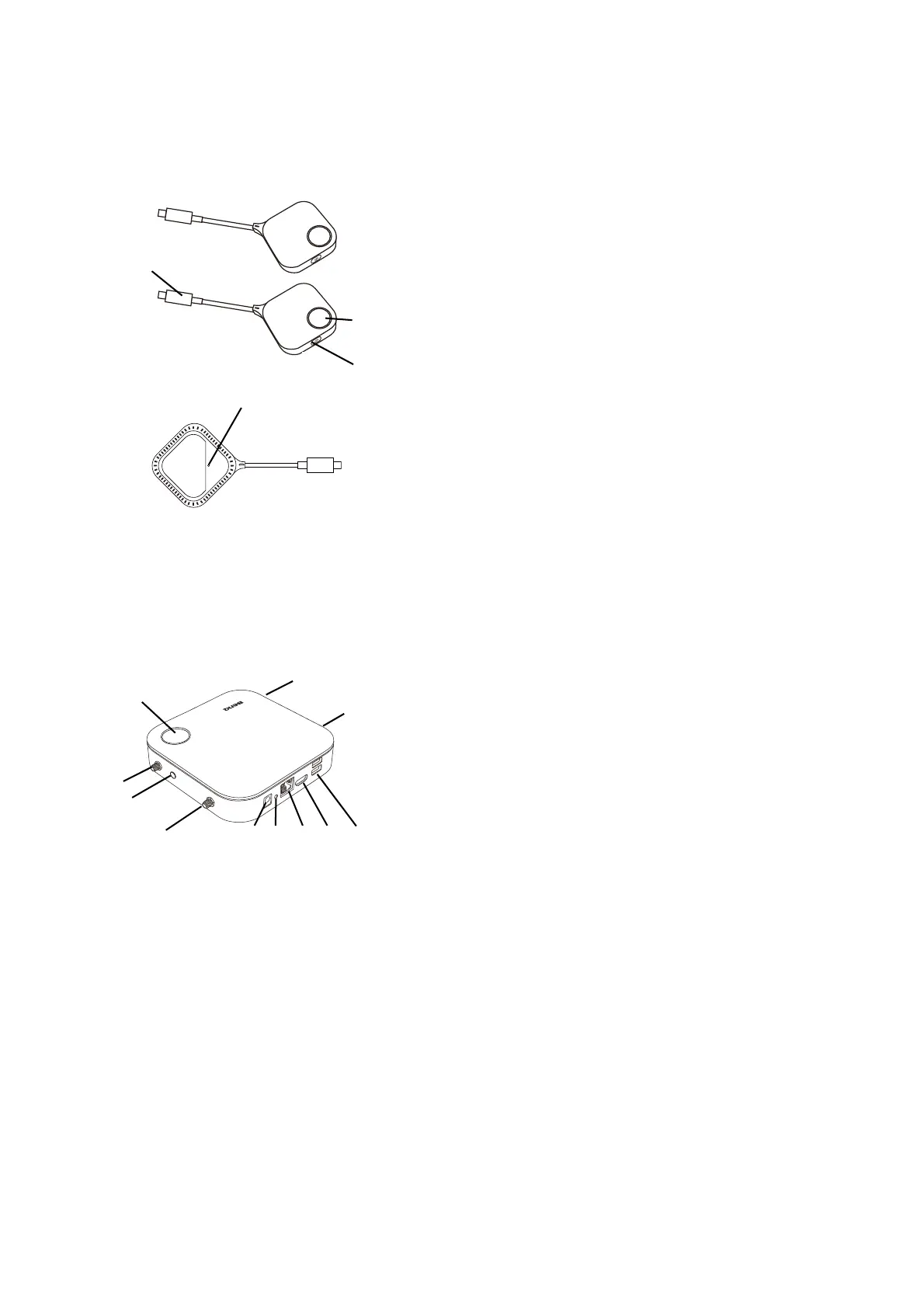
Overview
Button
Host
1. Present key with LED indicator
Press to start or stop presenting. Refer to LED
indicators of the Button and the Host on page 10 for
more information.
2. Split screen key
Press to enable split screen presentations.
3. USB-C™ connector
Connect to a computer or laptop.
4. RESET
Poke the RESET hole to reset the device if the
device stops responding. Refer to Resetting a Host
on page 25 for more information.
1. Fixture parts for the Antennas
Refer to Assembling the Host on page 12 for more
information.
2. USB-A Ports
Connect to a touchscreen display, mouse, or
keyboard, to control the projected screen.
3. HDMI port
Connect to a display using a Cable HDMI A(M) to
A(M).
4. LAN port
Allows users access to the web management
interface through a direct or network connection.
5. RESET
Poke the RESET hole to reset the device if the
device stops responding. Refer to Resetting a Host
on page 25 for more information.
6. DC 2A port
Connect to the supplied adapter extender power
cable and adapter to power the Host.
7. PAIRING key
Press to pair with a Button.
8. Standby button with LED indicator
Press to turn the Host on and off.



 To Next Page