42 Web management
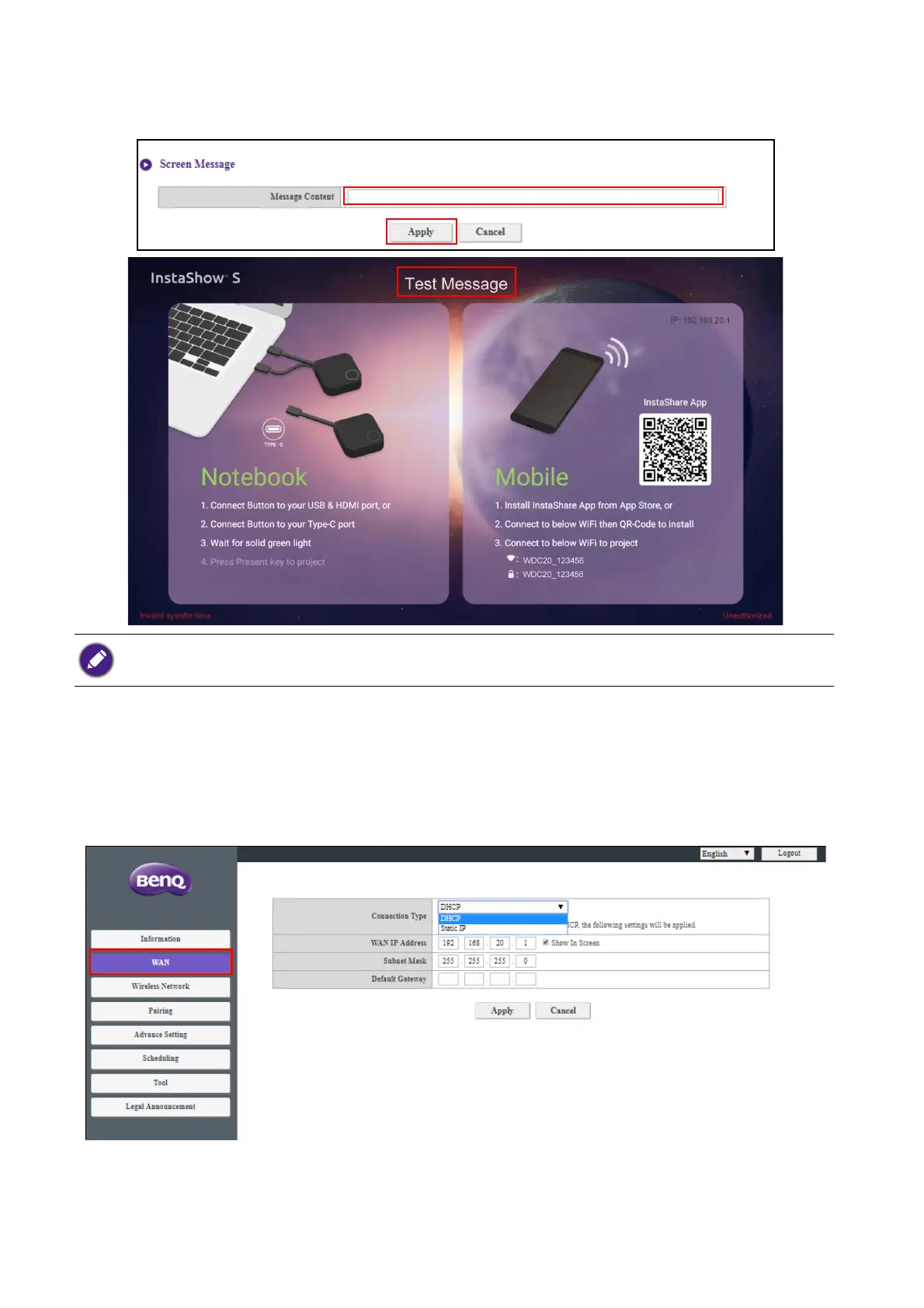
You can enter messages under Screen Message. After filling in a message, press Apply to proceed.
Your message will be shown at the top of the Guide/Idle Screen.
WAN
Click WAN and you will see the default WAN IP Address of the Host. The default connection
type is DHCP which acquires the IP Address from your DHCP server of your network. If you want to
change your WAN IP Address, choose Static IP under WAN Connection Type. Press Apply
after changing the WAN IP Address.
For Screen Message, the maximum lines allowed is 1 line, and the maximum number of characters allowed per
line is 100 characters (alphanumeric or Chinese).



 To Next Page