45 Web management
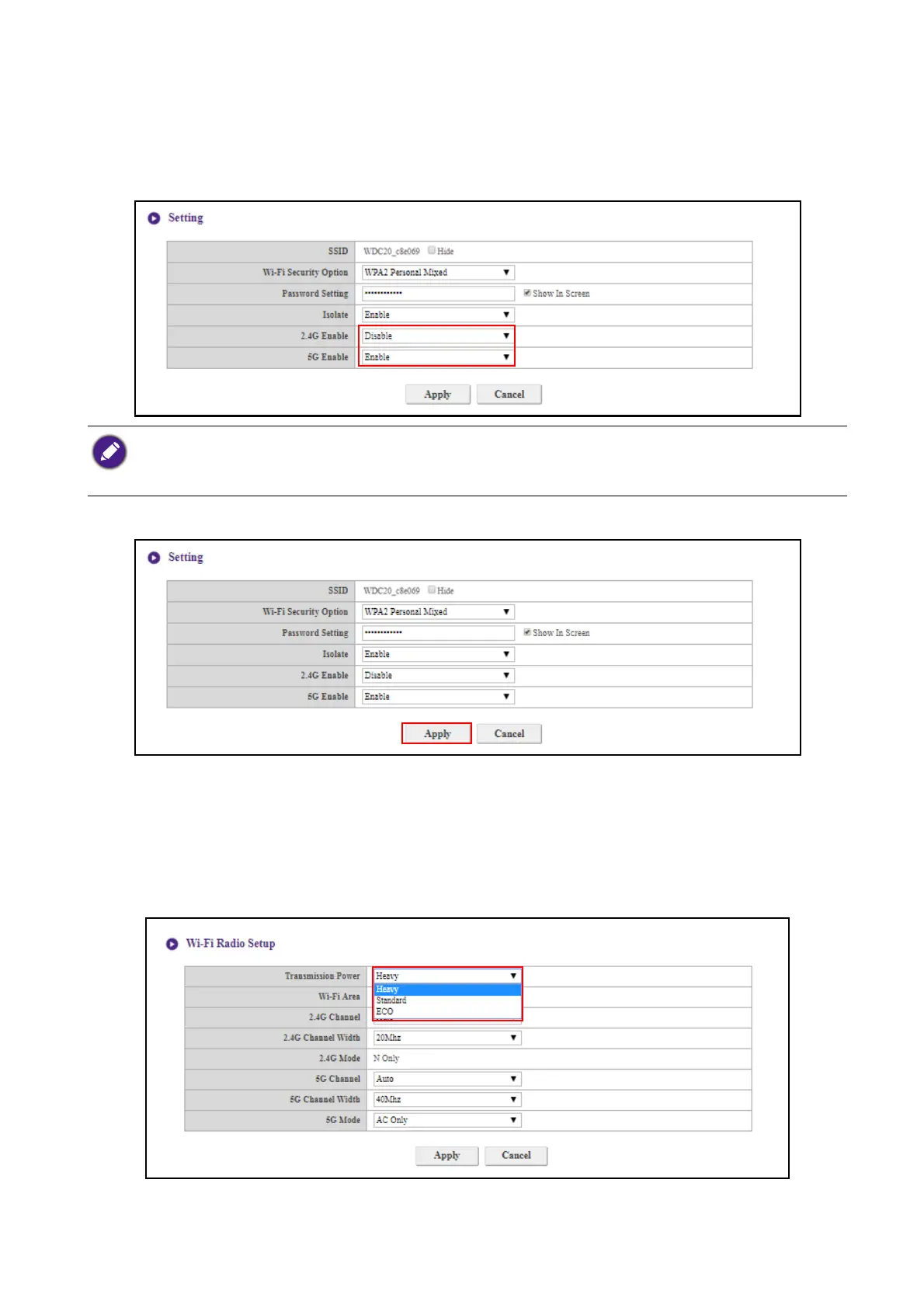
You can choose the available frequencies for the Host’s Wi-Fi signal in the 2.4G Enable and 5G
Enable fields. A 2.4G Wi-Fi signal is a signal that features a larger coverage range but slower data
speeds and is more commonly used by older mobile devices, while a 5G Wi-Fi signal features faster
data speeds at a smaller range. To enable or disable either 2.4G or 5G Wi-Fi signals by selecting
Enable or Disable in the 2.4G Enable and/or 5G Enable fields.
After you configure all the Wireless Network > Setting items, press Apply to proceed.
Wi-Fi Radio Setup
In the Tr a n s m i s s i o n Powe r field you can set the strength of the Wi-Fi signal with the available
options being of Heavy for a strong Wi-Fi signal (20 dbm for 2.4G; 15 dbm for 5G), Standard for a
standard Wi-Fi signal (18 dbm for 2.4G; 12 dbm for 5G), and ECO (15 dbm for 2.4G; 10 dbm for
5G) for a weaker, energy saving signal.
• Certain mobile devices are unable to access 5G Wi-Fi signals due to hardware limitations. If your mobile device
is unable to connect to the Host via Wi-Fi, select Enable in the 2.4G Enable field.
• Both 2.4G Enable and 5G Enable can be enabled at the same time.



 To Next Page