Submenu preset frequencies
TAB1
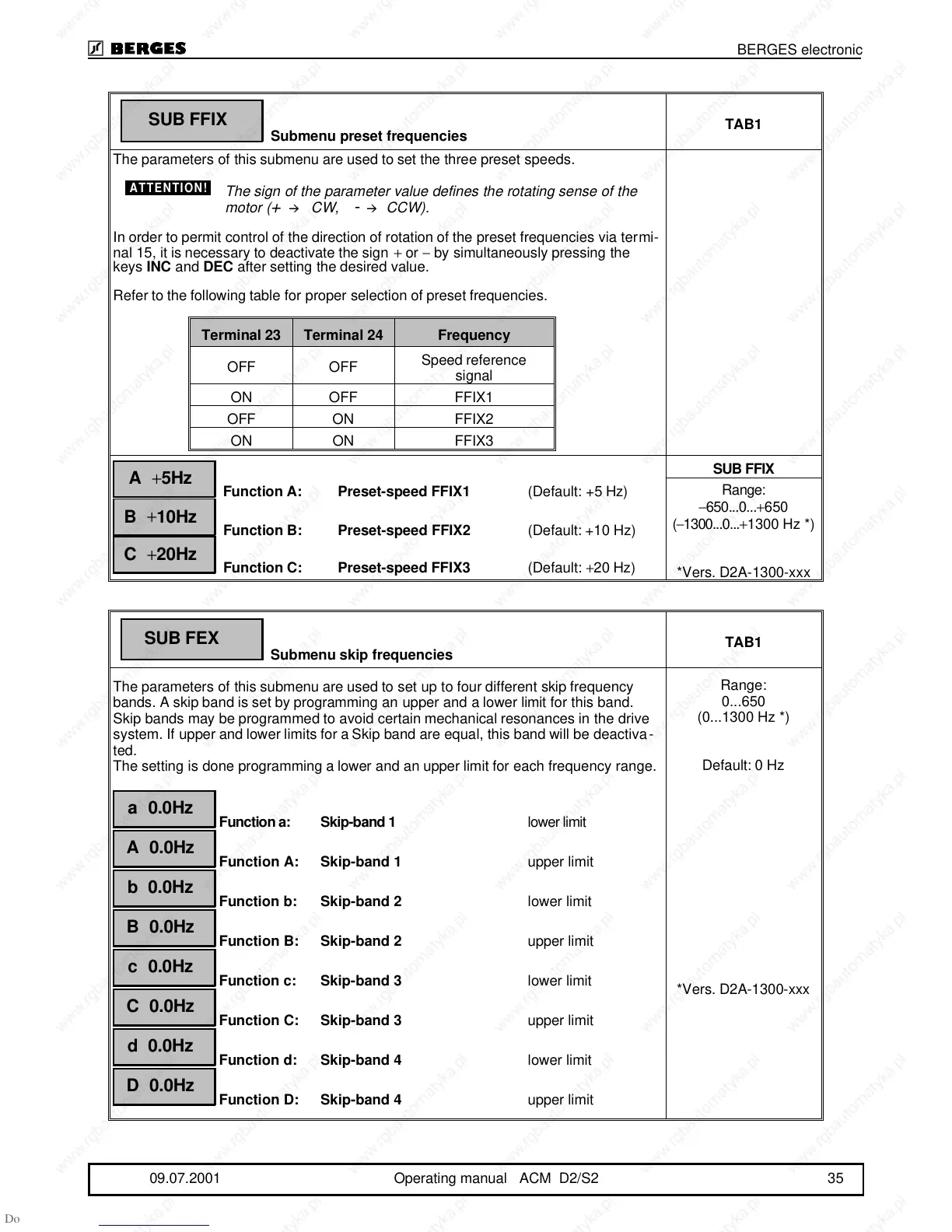
The parameters of this submenu are used to set the three preset speeds.
The sign of the parameter value defines the rotating sense of the
motor (
+
CW,
-
CCW).
In order to permit control of the direction of rotation of the preset frequencies via termi-
nal 15, it is necessary to deactivate the sign + or − by simultaneously pressing the
keys INC and DEC after setting the desired value.
Refer to the following table for proper selection of preset frequencies.
Function A: Preset-speed FFIX1 (Default: +5 Hz)
Function B: Preset-speed FFIX2 (Default: +10 Hz)
Function C: Preset-speed FFIX3 (Default: +20 Hz)
SUB FFIX
Range:
−650...0...+650
(−1300...0...+1300 Hz *)
*Vers. D2A-1300-xxx
Submenu skip frequencies
TAB1
The parameters of this submenu are used to set up to four different skip frequency
bands. A skip band is set by programming an upper and a lower limit for this band.
Skip bands may be programmed to avoid certain mechanical resonances in the drive
system. If upper and lower limits for a Skip band are equal, this band will be deactiva-
ted.
The setting is done programming a lower and an upper limit for each frequency range.
Function a: Skip-band 1 lower limit
Function A: Skip-band 1 upper limit
Function b: Skip-band 2 lower limit
Function B: Skip-band 2 upper limit
Function c: Skip-band 3 lower limit
Function C: Skip-band 3 upper limit
Function d: Skip-band 4 lower limit
Function D: Skip-band 4 upper limit
Range:
0...650
(0...1300 Hz *)
Default: 0 Hz
*Vers. D2A-1300-xxx
SUB FFIX
ATTENTION!
Terminal 23 Terminal 24 Frequency
OFF OFF
Speed reference
signal
ON OFF FFIX1
OFF ON FFIX2
ON ON FFIX3
A
+
5Hz
B
+
10Hz
C
+
20Hz
SUB FEX
a 0.0Hz
A 0.0Hz
b 0.0Hz
B 0.0Hz
c 0.0Hz
C 0.0Hz
d 0.0Hz
D 0.0Hz
BERGES electronic
09.07.2001 Operating manual ACM D2/S2 35



 To Next Page