Model H79
28
Sew the Design
Now that you have the hoop positioned where you want the design to
start you are ready to sew the design.
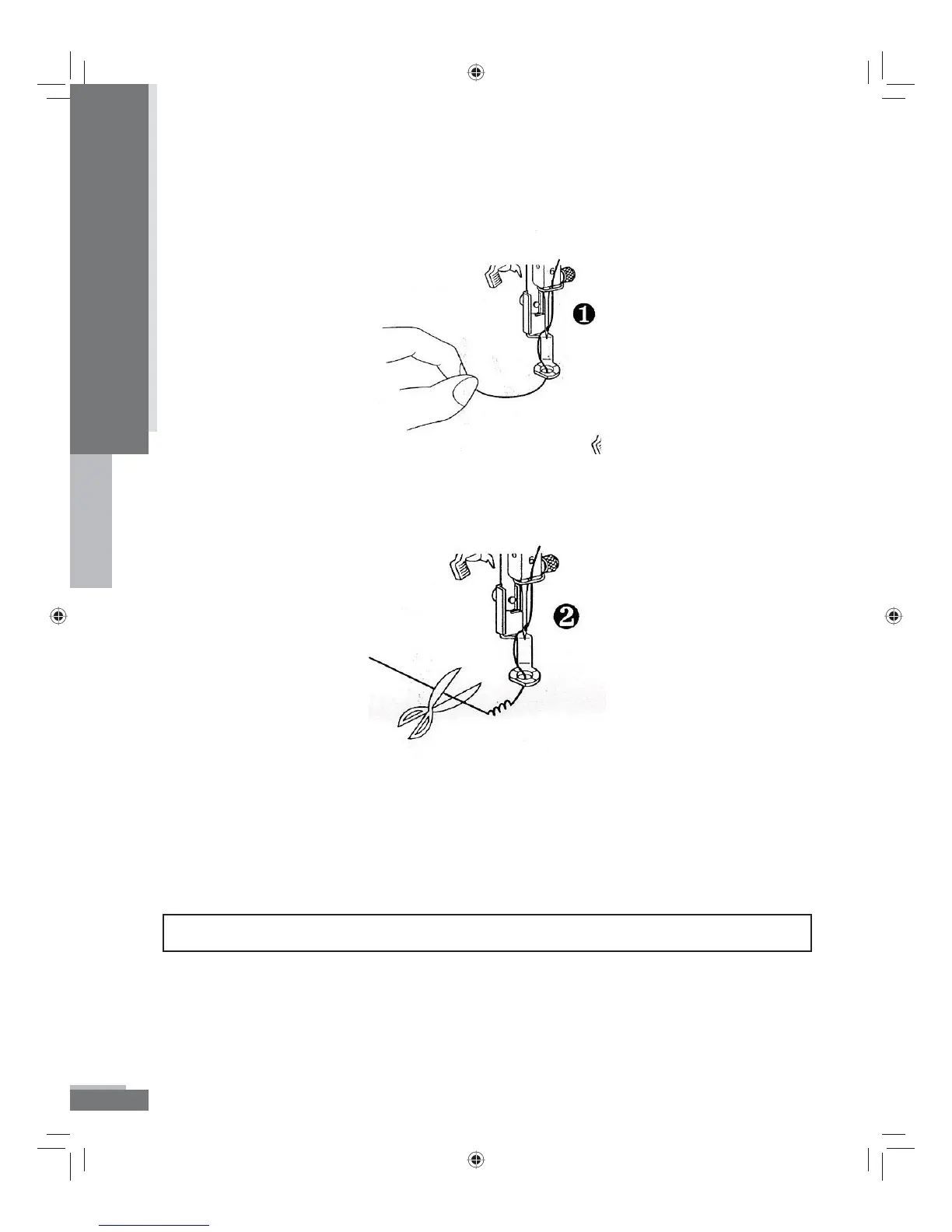
1. After threading the needle, place the thread through the hole in
the presser foot from top to bottom and gently pull the end of the
thread (See gure 1 above).
2. Lower the presser foot and hold the thread in your left hand. If you
do not hold the thread taut, you may get a thread break error (E13).
Press the START/STOP button to start the machine. After sewing
5-6 stitches, stop the machine by pressing the START/STOP button
and raise the presser foot again. Clip the beginning thread tail
close to the fabric. Do this when starting each color.
TIP: Make sure you are trimming the thread tail and not the sewing thread closest to the needle.
Operation
H79_Manual.indd 28H79_Manual.indd 28 10/6/2008 4:29:10 PM10/6/2008 4:29:10 PM



 To Next Page