24
Functions
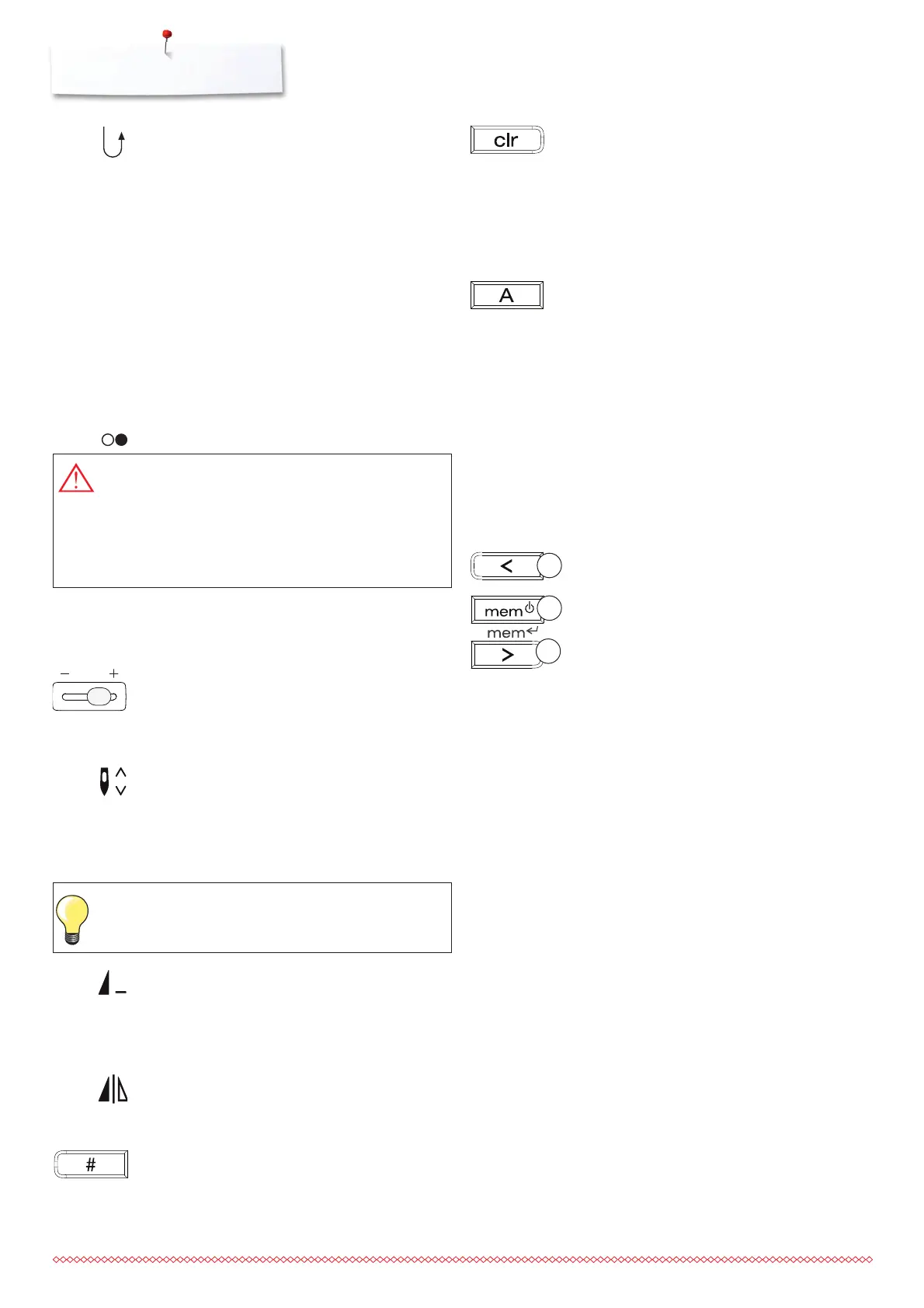
Quick reverse
temporary:
⦁
press the button
⦁
the sewing computer sews stitch pattern in
reverse until button is released (max. stitch
length 3mm)
Application:
⦁
programs buttonholes
⦁
programs darning length
⦁
for switching when in the straight stitch
securing program
⦁
manual securing (seam begin and end)
continous reverse:
⦁
press button quickly twice
⦁
the sewing computer sews the chosen stitch
in reverse
⦁
press button once to cancel
Start/Stop button
⦁
starts and stops the sewing computer when
operating it without foot control - the
connected foot control is idle
Speed control
⦁
to infinitely adjust the speed control when
operating the sewing computer via start/stop
button
Needle stop
Basic setting is needle stop up (arrow points up)
⦁
press the button
⦁
arrow points down = sewing computer stops
with needle down (needle in the fabric)
⦁
press button again
⦁
arrow points up = sewing computer stops
with needle up
Pattern end
⦁
press the button
⦁
sewing computer stops at the end of a single
stitch pattern or stitch combination (in
Memory)
Mirror image button (B 335 only)
⦁
press the button
⦁
selected stitch pattern will be sewn in mirror
image
#-button
Button for selecting stitch patterns (see p. 23)
3
1
2
DANGER!
Risk of injury from unintentional starting of the
machine.
If the start-stop button is pressed, the machine starts
even when the foot controller is connected.
«clr» (clear) button
⦁
press button = reverts to basic settings
⦁
other selected functions are cleared
Exception:
⦁
needle stop up/down
⦁
press «clr» button twice to clear altered basic
settings of the auto-length buttonhole
Letters, numbers and characters (B 325
block alphabet only)
⦁
press Alphabet button
⦁
one of the fonts will appear on the screen
⦁
select desired font by pressing the alphabet
button
⦁
press the right button to scroll letters and
numbers forwards (A B C ...)
⦁
press the left button to scroll letters and
numbers backwards (@ Ç ? ...)
Alphabet contents
ABCDEFGHIJKLMNOPQRSTUVWXYZ
ÄÖÜÅÆŒØÑÈÉÊÀÂ
1234567890_-.’&? Ç@
Memory
⦁
press the button 2
⦁
«mem» will appear on the display
⦁
the number of available memory spaces
(capacity of 30) and the cursor blink
⦁
use the left 1 and right arrow buttons 3 to
scroll patterns, letters and numbers
⦁
use the right arrow button 3 to save
Temporary altered stitch Memory
⦁
any stitch length or width alterations will be
saved automatically
For example:
⦁
sew an altered stitch, e.g. zig-zag
⦁
select and sew another stitch, e.g. straight
stitch
⦁
return to zig-zag, your alterations are still
active
Return to basic settings
⦁
individual stitch patterns can be reverted to
basic settings manually
⦁
all altered settings are lost when the «clr»-
button is pressed or when the sewing
computer is turned off
Application:
⦁
for all stitch patterns
⦁
particularly useful for switching between
different applications
Press button a bit longer = the needle will go
automatically up or down.






 To Next Page