Functions
23
Functions
Functions
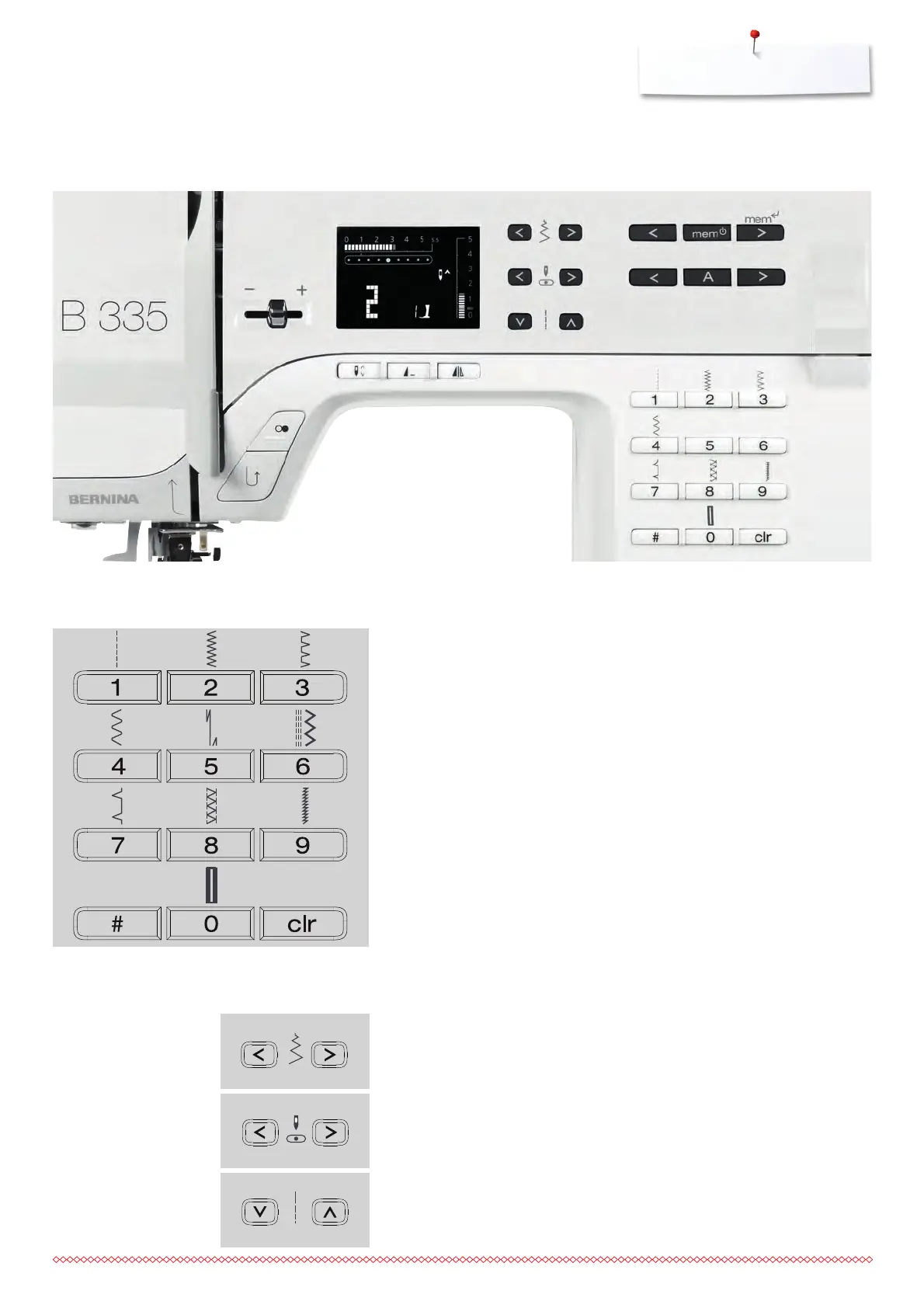
Function Buttons on the Sewing Computer
Stitch Selection
⦁
for stitch patterns 1-10:
press the number button of your choice; stitch number and default width
and length settings appear
⦁
press «0» to select stitch number 10 (standard buttonhole)
⦁
for stitch patterns 1-99 (B 335) / 1-40 (B 325):
press #-button and enter desired stitch number
⦁
for stitch patterns 100 and beyond (B 335):
press #-button twice and enter desired stitch number
Altering stitch width
⦁
left button = narrow the stitch width
⦁
right button = widen the stitch width
⦁
the basic settings of the chosen stitch blink constantly
Altering needle position
⦁
left button = needle to the left
⦁
right button = needle to the right
Altering stitch length
⦁
left button = shortens the length
⦁
right button = elongates the length
Customizing Stitch Settings






 To Next Page