MASTERING YOUR BERNINA
®
1/04/02 700D/800DL/11
BERNINA
®
700D/800DL
MASTERING
YOUR
BERNINA
®
• Owner’s manual pg.___
• Fold the fabric in half to be 3” x 6”.
• Divide and mark the fabric into three equal sections along the folded edge.
• Adjust the stitch length dial to 2.5 (normal).
• Thread the serger for a 4-thread overlock stitch.
• Fine tune the tensions for a balanced overlock stitch (3-5).
• Rotate the upper knife up.
• Adjust cutting width to 3.
• Rotate the upper knife down into cutting position.
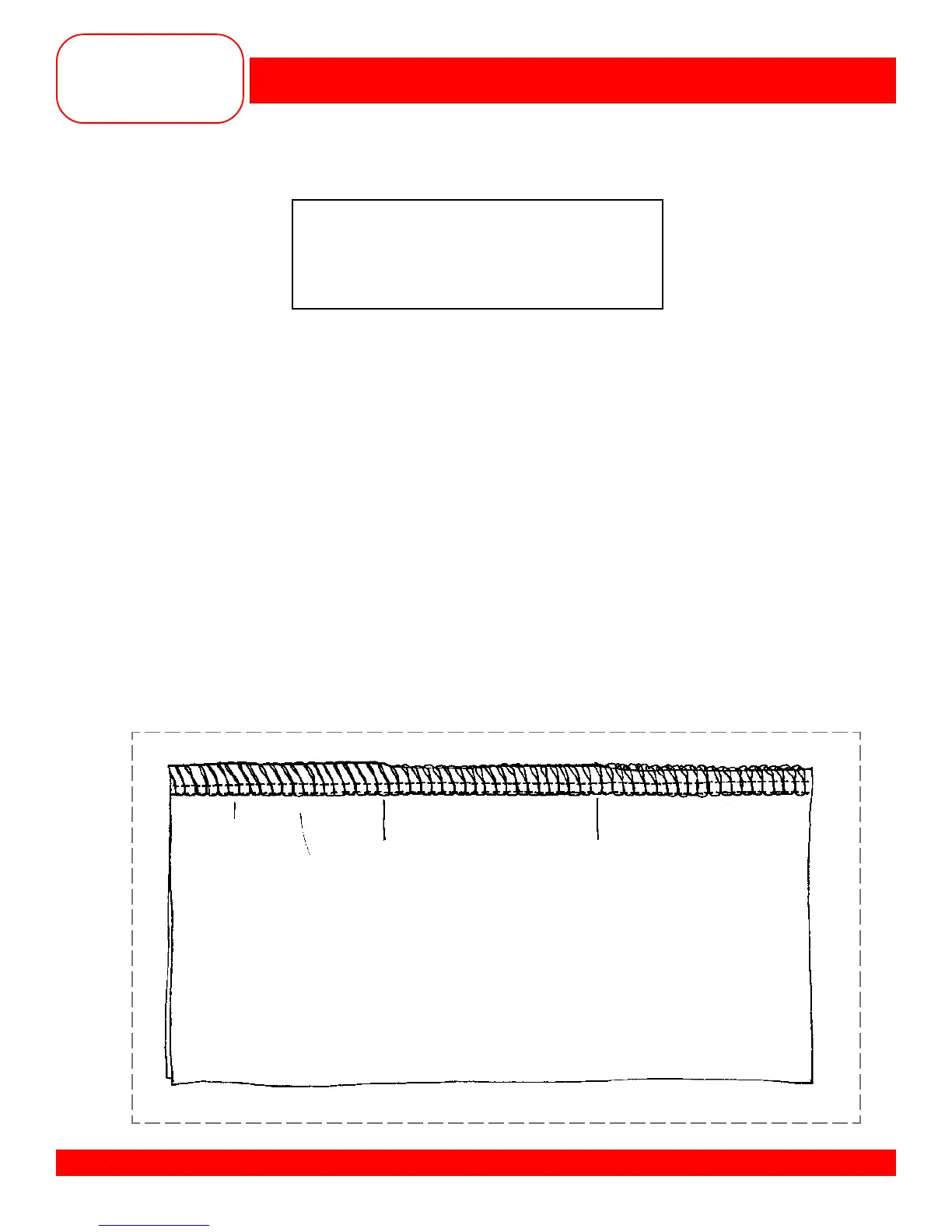
• Serge to the first mark on the fabric, stopping when the knife edge is on the mark.
• Adjust cutting width to 2mm and serge to the second mark.
• Adjust the cutting width to 1mm and serge to the end of the fabric.
• Mark the cutting width settings on the sample.
• Rotate the upper knife up.
• Adjust cutting width to 2mm (normal).
• Rotate the upper knife down into cutting position.
• Compare the cutting width sample to the balanced 4-thread sample to see how cutting width
affects the balance of the overlock stitch.
CUTTING WIDTH ADJUSTMENT
Fabric: Firm fabric, 6” x 6”
Needle: 80/12 Universal
Thread: 4 cones of serger thread
(yellow, red, green, blue)
Presser Foot: Standard
3mm 2mm 1mm



 To Next Page