Machine settings
79
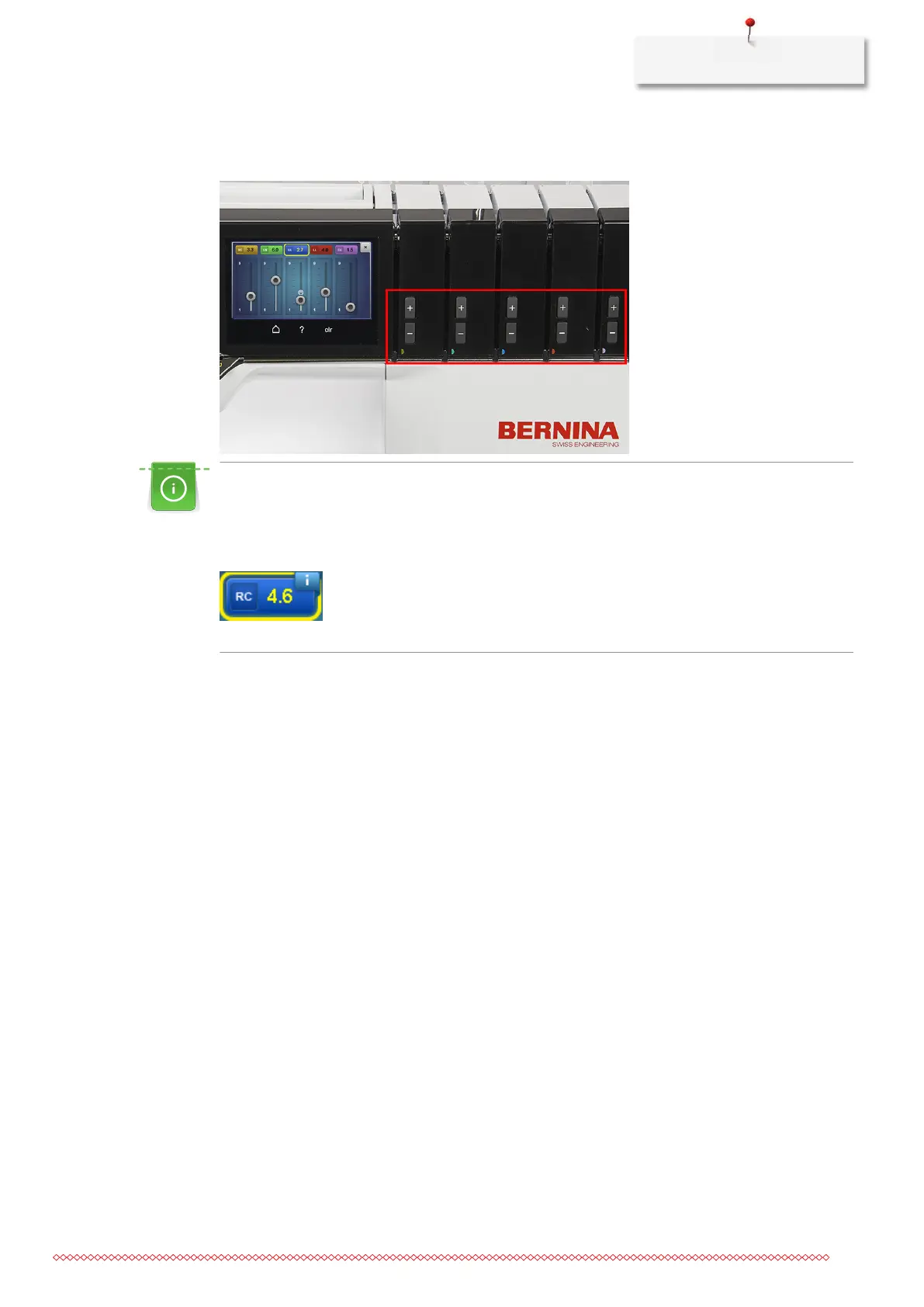
> Each individual thread tension can be adjusted between 1 and 9 using the fine adjustment keys «+/-».
The alteration of the thread tension is visible on the screen.
Optimizing the thread tension for cover stitches
The thread tension should be reduced in the smallest possible steps from the basic value.
A blue ribbon indicates that the set value is in the experimental range. In rare cases this may lead to
skipped stitches.
The stitch elasticity can also be increased by reducing the stitch length.
Resetting to default value
> Select yellow outlined field
– Thread tension is reset to the default value.
> Touch the icon «clr»
– All alterations on this screen are reset to the default value.



 To Next Page