Programme selector PCD
1003090-EI-2.0 Issued 2006-12-21 13
7.0 Programme selector PCD
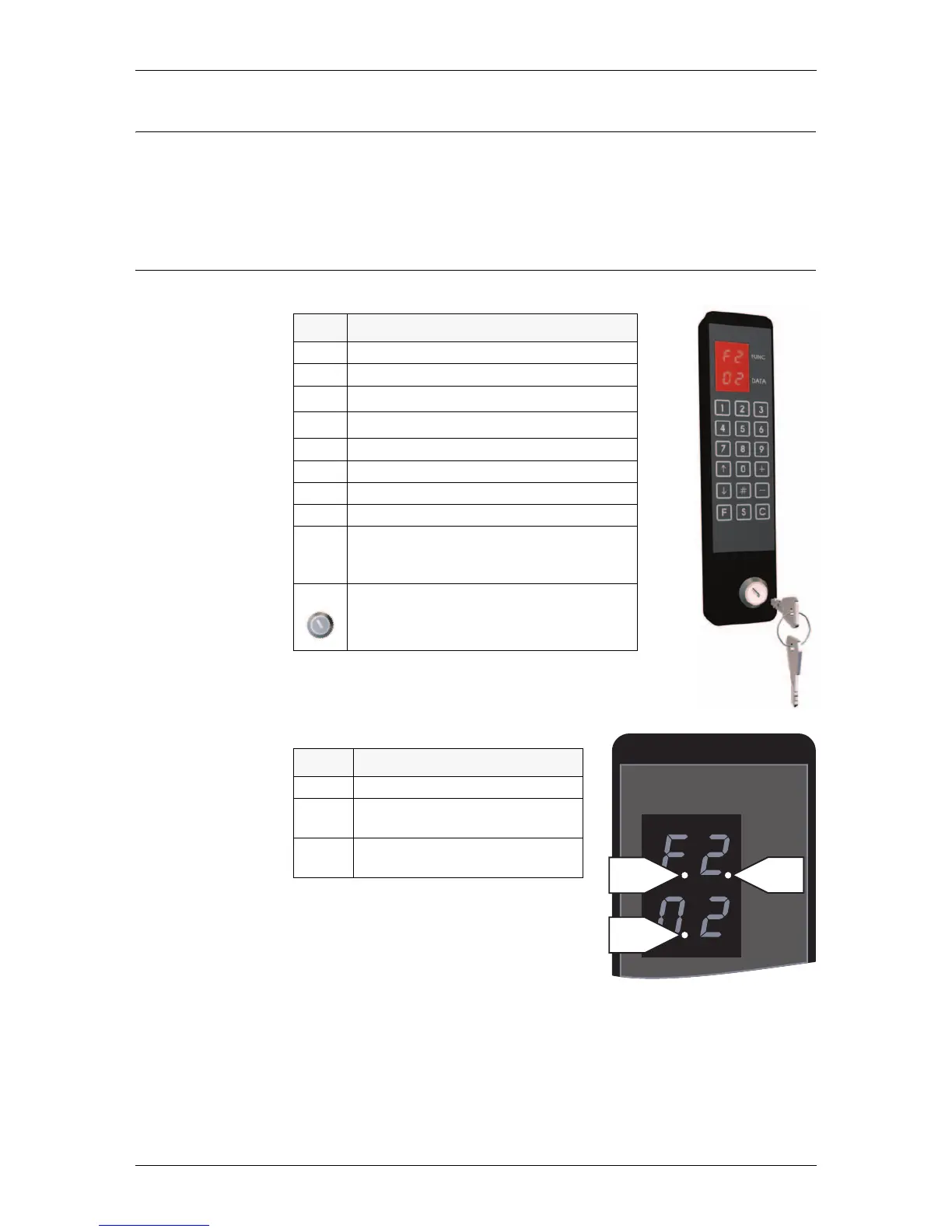
As option the RD3/RD4 can be equipped with programme selector PCD (pro-
gramme control device) with access codes to operate the door.
7.1 General information
Information prompts on the display
The door has a lot of configurations, which
shall be left to Besam Service.
Key Function
0-9 Numeric inputs
# Confirm access code input
K
Setpoint selection upwards
L
Setpoint selection downwards
+ Setpoint value change upwards
- Setpoint value change downwards
F Function selection
S Setpoint confirmation and storage
C Error reset
Clear display
Leave menu
ON/OFF switch
Prompt Description
P1 ON/OFF switch in OFF position
P2 Service request. Call Besam for ser-
vice
P3 Real time operation ON, see “Real
time operation” on page 17
EAA154A
FUNC
DATA
ILL-00184
P1 P2
P3



 To Next Page