Programme selector PCD
1003090-EI-2.0 Issued 2006-12-21 15
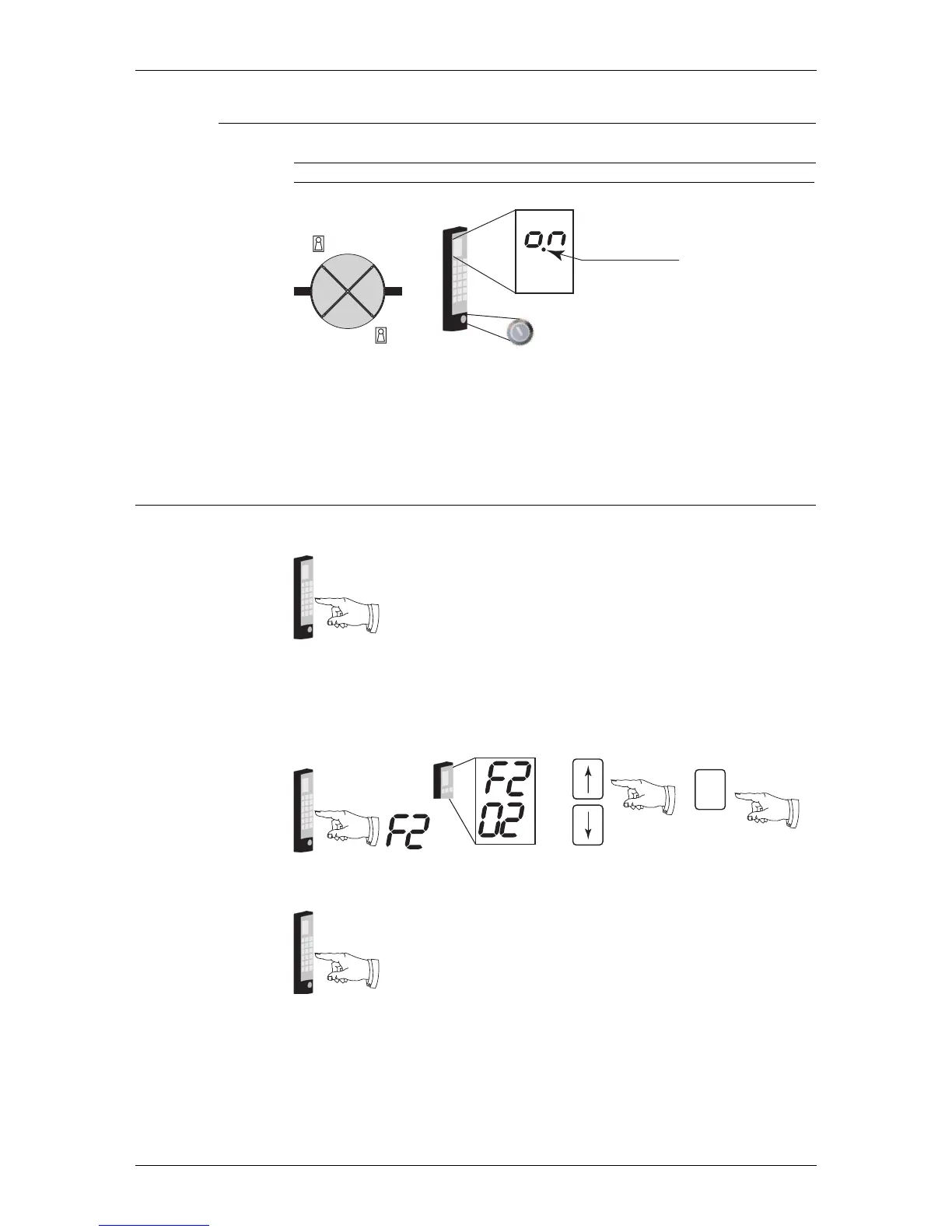
7.2.4 The ON/OFF switch
The ON/OFF switch can be used in any operating mode (except manual mode). If
the door is locked with this switch (OFF), the prompt P1 is shown on the display.
If the door is locked with the ON/OFF switch it can be opened with a key impulse
switch (ask your local Besam Service). When the key impulse switch is activated,
the door unlocks, runs 360° and locks again.
7.3 Changing operating mode
1. Login to the PCD.
2. Type F2. The display shows F2 plus current operating mode.
3. Use the up or down arrow to change the operating mode.
4. Confirm the change and exit the operating mode selection function by typing
S.
5. Logout from the PCD (automatically Logout after 10 min)
ILL-00175
Key impulse switch
Key impulse switch
ON/OFF switch
Locked
ILL-00177
#Access code#
ILL-00182
S
ILL-00177
#Access code#



 To Next Page