INSTALLATION COMFORT AIR CURTAIN
24
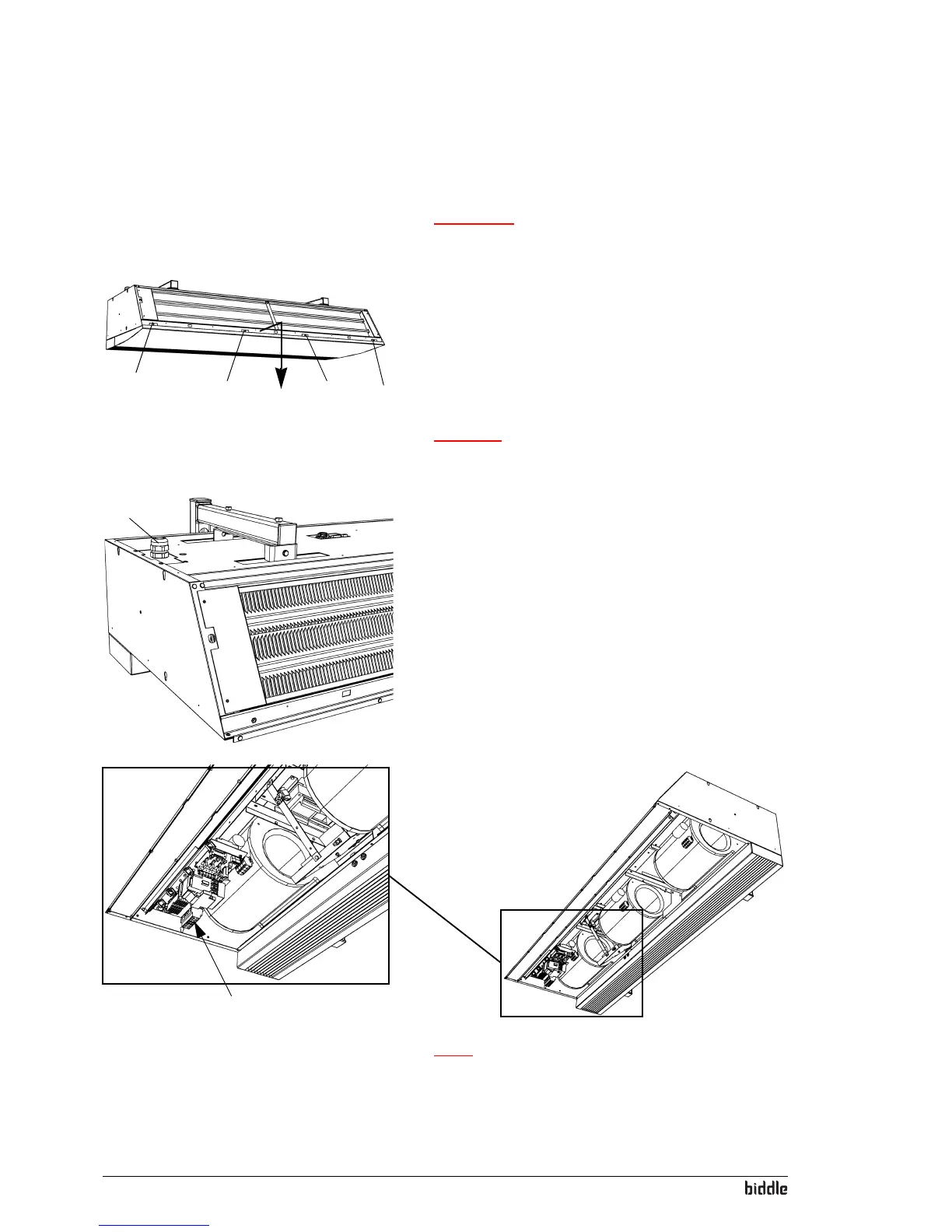
Connect the unit
Warning:
w Make sure that the power supply you are working
on is switched off.
1
1
1
1
1. Fit the isolation switch and connect it to the power supply.
2. Remove the inspection panel:
- Remove the screws 1.
- Pull the panel a little forward and take it away.
Caution:
c The whole panel will come loose when you pull it forward:
Take care it does not fall down.
2
3. Fix the cable gland 2 to the unit.
4. Lead the power supply cable through the cable swivel.
5. Connect the cable to the terminal 3 in the unit according
to th
e wiring diagram.
3
Note:
n The design in your unit may differ from the illustration.



 To Next Page