MANUAL OPERATION
Version: 6.1 (05-12-2011) 39
3.5 Faults
ä
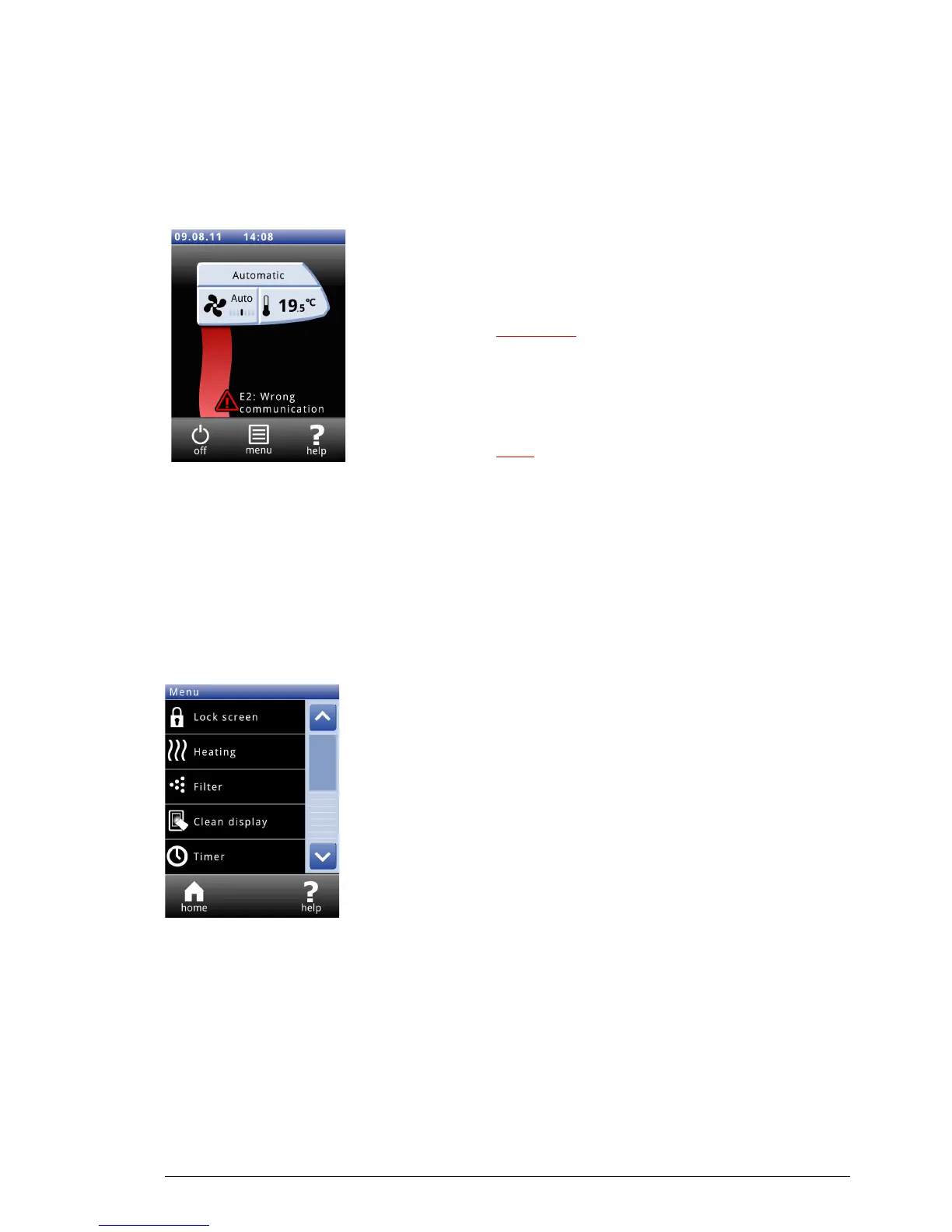
The symbol ä indicates that there is a fault. The fault message
is displayed alongside.
• Touch this message for further inf
ormation on the fault and
for instructions as to how to react.
Warning:
w Some faults may cause damage or danger for
persons if they are disregarded. If ä is displayed,
f
ollow the instructions as to how to react shown on
the operating panel.
Note:
n The symbol ä and the fault message remain displayed as
long as the fault has not been remedied.
If a fault has remedied itself, a corresponding message will be
displa
yed. Touch this message to display the
Error history and
to read out the last five faults and the times of their
occu
rrence. This list can also be read out by touching
Menu>Maintenance>Error history.
3.6 Main menu
To u c h Menu to call up the main menu. Here you can set up a
number of frequently occurring functions and make settings in
sub-menus to adapt the function of the air curtain to your
specific situation.
To u c h
Home to return to the Home screen again.
v and x allow you to scroll through the list.
If the control panel is not operated for some time, it returns
autom
atically to the Home screen without saving the changes.
Lock the screen Select
Lock screen to prevent unauthorised access. The # icon
appears on the screen
Unlocking
Touch the screen for 5 seconds to unlock.



 To Next Page