HR MANUAL INSTALLATION
Manual version 4.1 (26-07-2018)
en-23
en
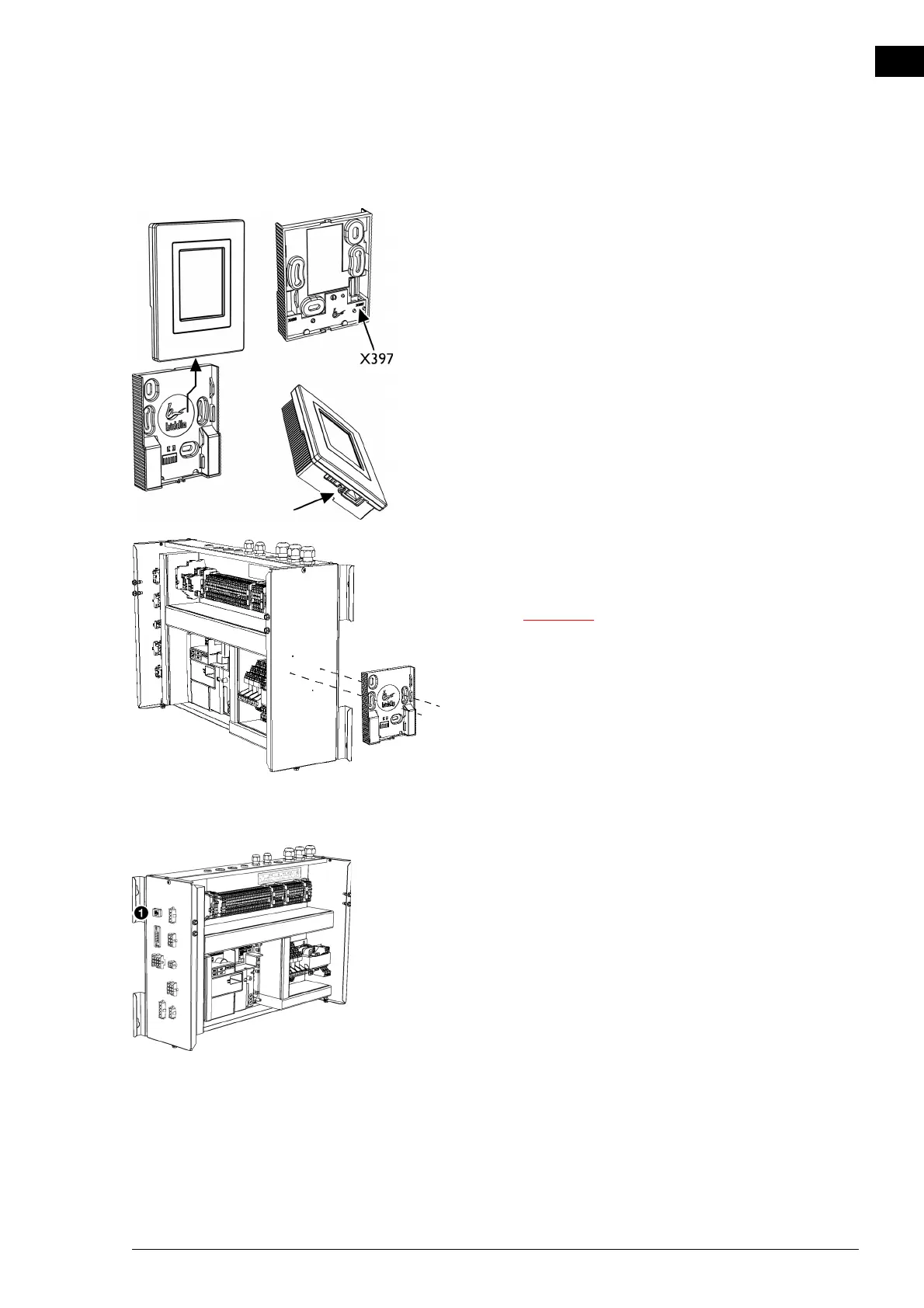
2.8.2 Mounting and connecting the control panel
1. Lay the control cable.
2. Slide the control panel out of the wall holder.
3. Connect the control cable to terminal X397.
4. Screw the wall holder onto the electronics module, the
junction box or against the wall.
c Ensure that the wall behind the wall holder is even.
2.8.3 Connecting the b-touch panel to the unit
1. Connect the control cable to the electronics module 1
according to the wiring diagram.



 To Next Page