Manual version 4.1 (26-07-2018)
en-59
en
5. . Errors
d All work on the inside of the unit may only be
carried out by personnel who are technically
qualified to do so.
w Before you begin: read the safety instructions.
See also:
1.5 "Safety instructions" on page 11
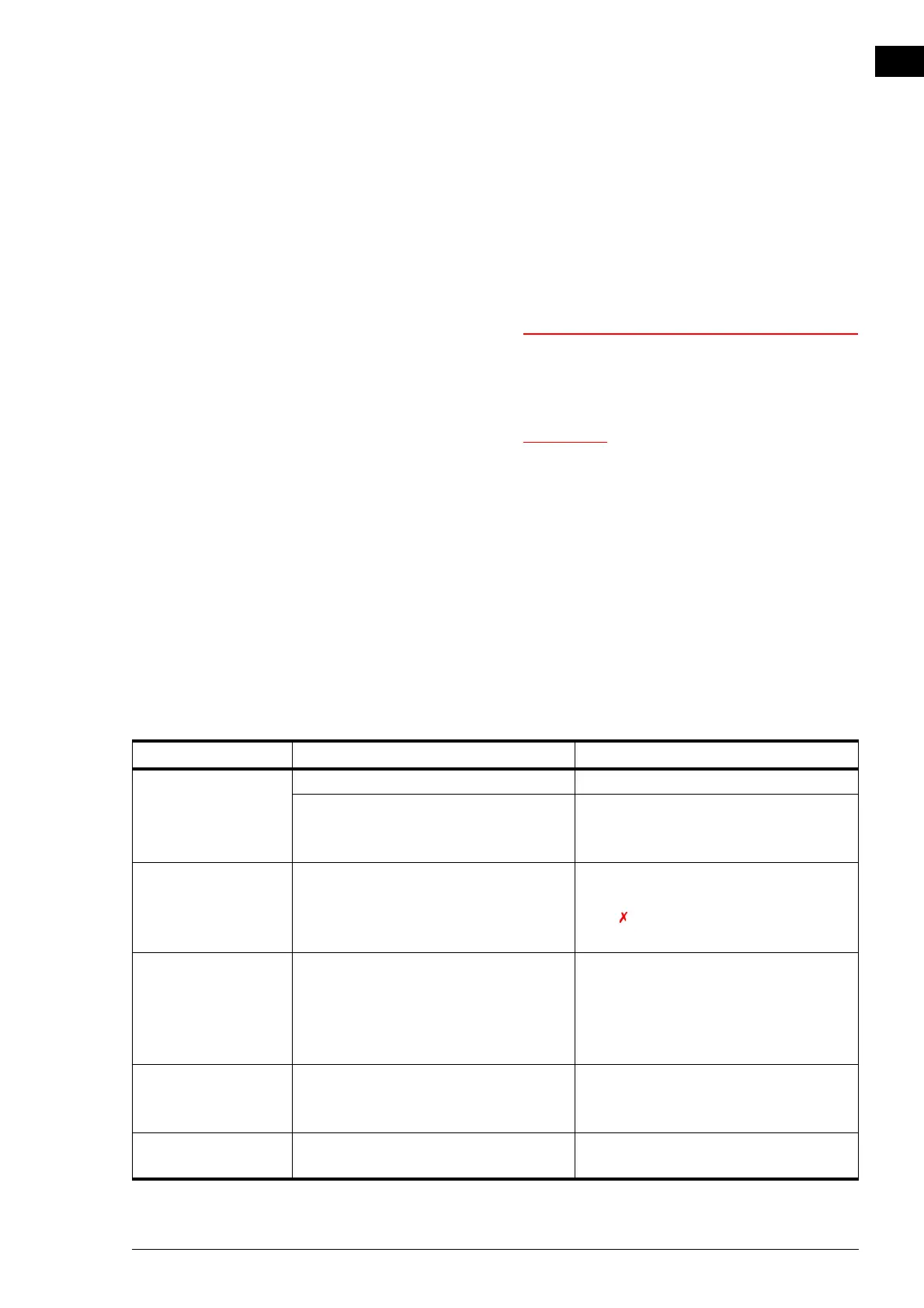
5.1 Resolving simple problems
If you suspect an error, first try to resolve the problem using
the table below. You do not need to be an expert for this.
If this fails to resolve the problem, there may be a fault; in that
case, alert the installer.
P
ROBLEM PROBABLE CAUSE WHAT TO DO
The unit does not
work.
The unit has not been switched on Turn the unit on
The unit has no power supply. Check the mains supply:
•isolation switch;
• unit has power.
The unit does not
respond to changes in
the b-touch control
panel.
The unit is running in test mode. Stop the test mode: in
menu > Maintenance > Reset system click
stop .
The unit only moves
air from the inside to
the outside.
The unit is running in defrost mode. When the pressure different across the
plate heat exchanger is once again correct,
defrost mode will remain active for
another ten minutes. The unit will then
run in the last activated mode.
The unit functions dif-
ferently from expecta-
tions.
The unit is operating in a special mode. • Check which mode the unit is operat-
ing in. (Register address 221 or b-
touch menu ...)
The unit is not circu-
lating enough air.
One of the inlet sections and/or the con-
nected ventilation units is blocked.
Remove obstacles to the inlet and dis-
charge section.



 To Next Page