OPERATION VIA B-TOUCH HEAT RECOVERY UNIT
en-38
en
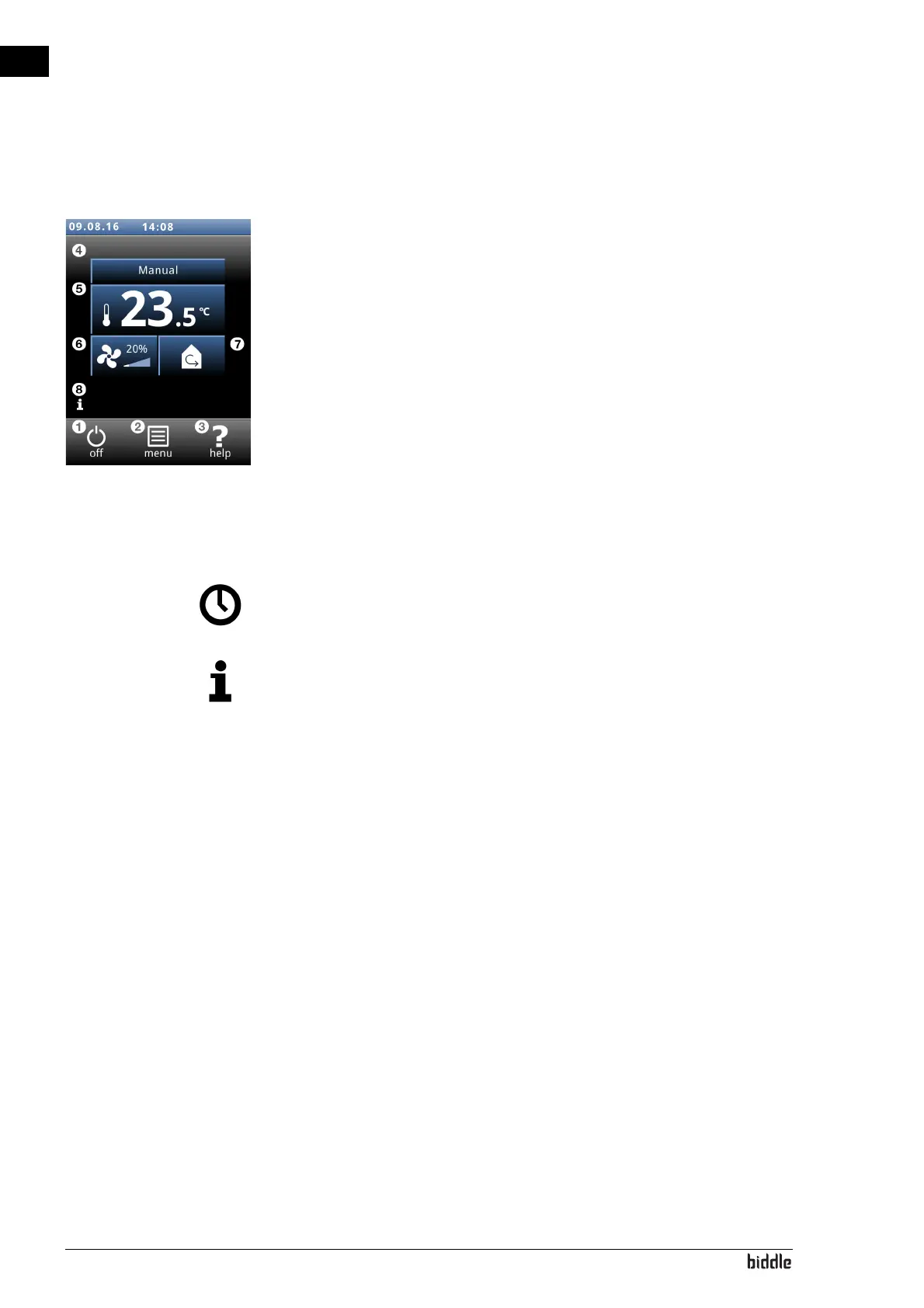
3.2 The Home screen
On the home screen, information can be read and entered by
touching the symbols:
• 1 on/off
• 2 main menu
• 3 extra information about the current point in the con-
trol panel.
• 4 manual or automatic control
• 5 temperature
• 6 fan strength
• 7 recirculation/ventilation
• 8 brief information on the operation of the unit
3.2.1 Symbols
The symbol
@ indicates that the timer is switched on.
The symbol ‘i’ indicates that there is currently a tip to be read.
Touch the symbol in order to read the tip.
3.2.2 Turning the unit ON and OFF
You can switch the unit ON and OFF manually, using the con-
trol panel.
•Touch on/off in order to turn the unit ON or OFF.
If the unit is on, the screen will become darker after some
time, in order to save energy. When the screen is touched, it
lights up again. This function cannot be deactivated.
If the unit is switched off, the screen will go black after some
time. Touch the screen to activate it again.
The unit can also be switched ON and OFF in other ways:
• Using external controls (see function 60. Fu
nction of
inputs).
•
Via the internal timer or via an external releas
e signal on
the un
it.
In these cases, the ON/OFF button can be hidden via Con-
figuration > 21. User interface options > Display on/o
ff
bu
tton.



 To Next Page