HR MANUAL OPERATION VIA MODBUS
Manual version 4.1 (26-07-2018)
en-53
en
4.1.1 General Operation
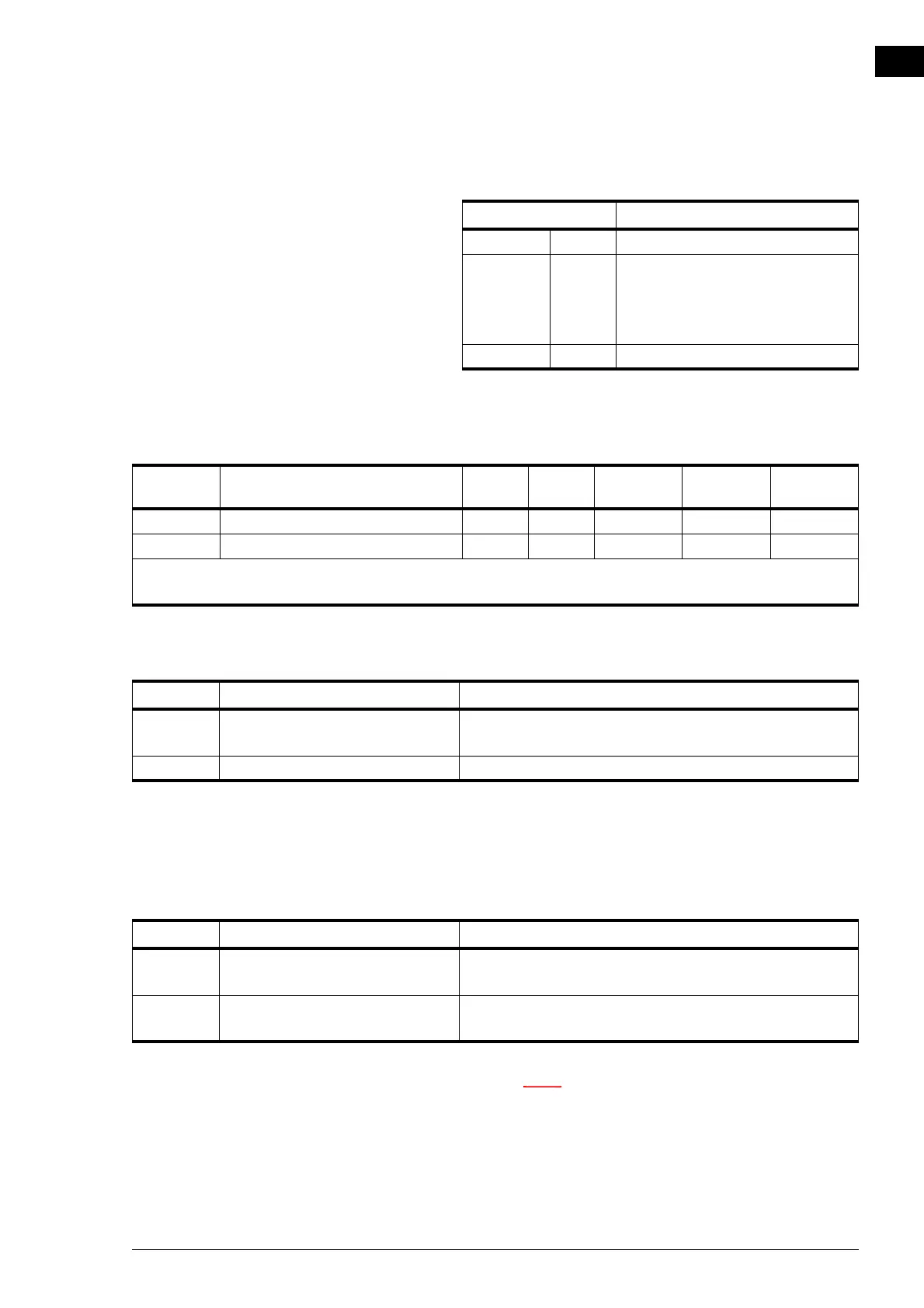
420 (0.1) Turning the unit ON and OFF
425 (0.6) Automatic or manual control The unit has an automatic mode and a manual mode. When
the unit is switched on, it will begin operating in the auto-
matic mode.
n Via register address 275 (1), it can be specified which
settings are allowed.
REGISTER ADDRESS DESCRIPTION
400 - 409 ro User functions: Current status
410 - 419 rw User functions: Changes via the b-
touch control panel:
0 = permitted (default)
1 = not permitted
420 - 429 rw User functions: Modbus setpoint
REGISTER
ADDRESS
DESCRIPTION RO
/RW* UNIT MINIMUM MAXIMUM DEFAULT
420 (0.1) Turning the unit ON and OFF rw-021
425 (0.6) Automatic or manual control rw-011
*ro = read only (read only)
*rw = read & write (read and write)
VALUE OPTION DESCRIPTION
0 off Switching the unit OFF.
• Special functions (register address 337) are still working.
1 on Switching the unit ON (normal operation).
VALUE OPTION DESCRIPTION
0 manual The unit is operating in various settings (can be switched
manually).
1 automatic The unit automatically operates at the correct fan and
damper settings.



 To Next Page