BF (E1) 05/2016 page 19/58
6. Press
button to return to normal display / actual value display (automatically after approx. 30
seconds).
Adjust the temperature safety device following any changes of the set-point (chap. 7).
6.3 Time functions: Continuous operation and Timer operation
Press the time management button .
The timer indicates its current time function. There are two possible time functions:
Continuous operation
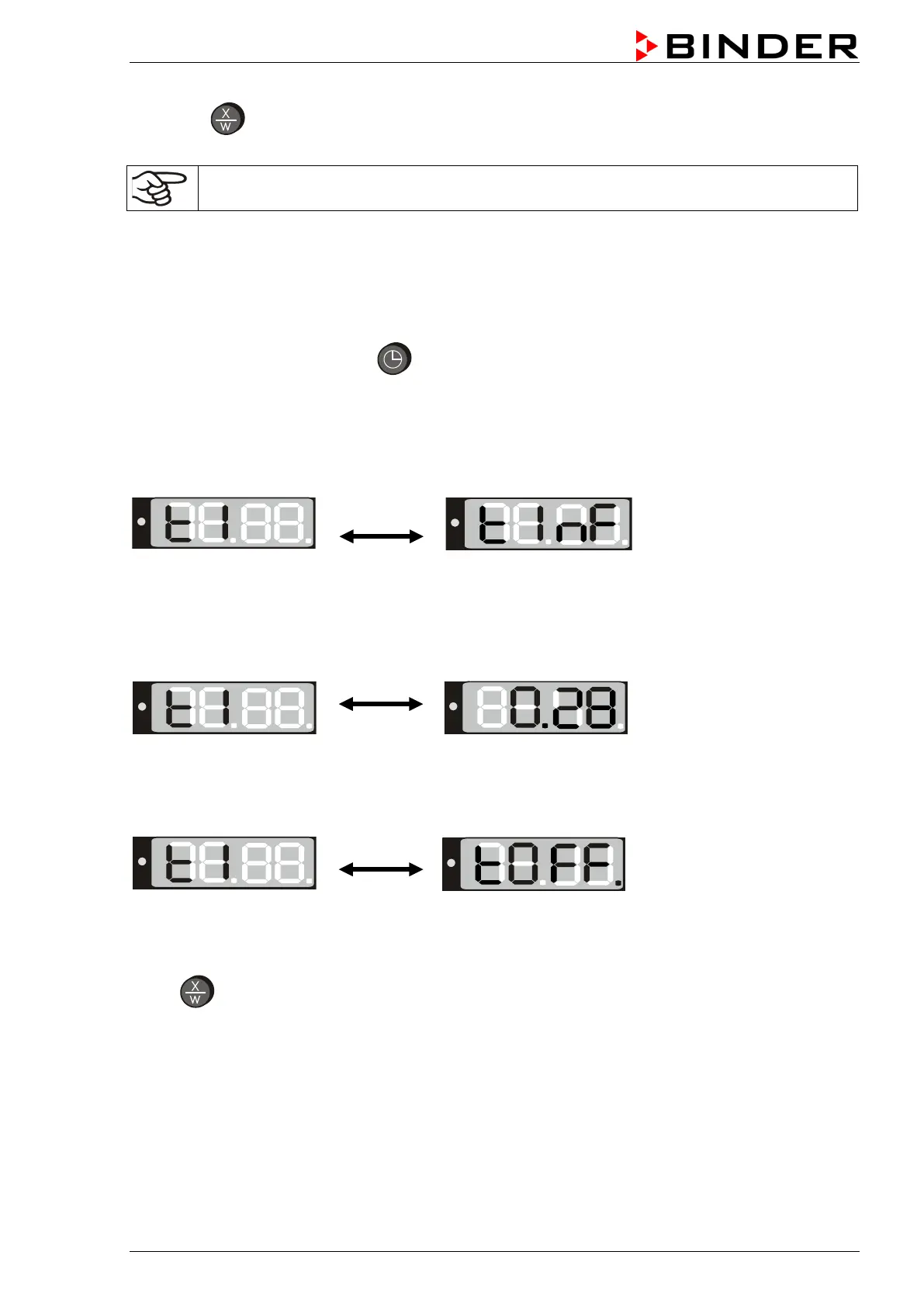
The display shows alternately “t1” (time function) and the time function “Continuous operation” “t inf”:
The heating is permanently active, independent of the timer setting.
Timer operation
The display shows alternately “t1” (time function) and the running-down time or “tOff”:
or
Remaining time (example: 28 Min.) –
down
Heating activity depending on the entered time value and
the timer function selected in the user menu (chap.6.4.4)
Timer not programmed or run-down “t off”
If the timer has run-down, the chamber’s behavior depends
on the pre-selected timer function (chap. 6.4.4).
Press
button to return to normal display (actual value display) (automatically after approx. 30
seconds).






 To Next Page