BF (E1) 05/2016 page 25/58
4. Set the required address with buttons
.
You can enter address values between 1 and 30.
5. The set value is automatically adopted after 2 seconds.
6.4.4 Selecting the timer function
The chamber provides three different timer functions:
• Delayed off (setting “0”)
After the defined time has elapsed, the heating is turned off.
• Temperature-controlled delayed off (setting “1”)
The defined time only begins to run when the current value is 1 °C below the set point. After the
defined time has expired, the heating is turned off.
• Delayed on (setting “2”)
After the time set has passed, the heating is turned on and remain in continuous operation.
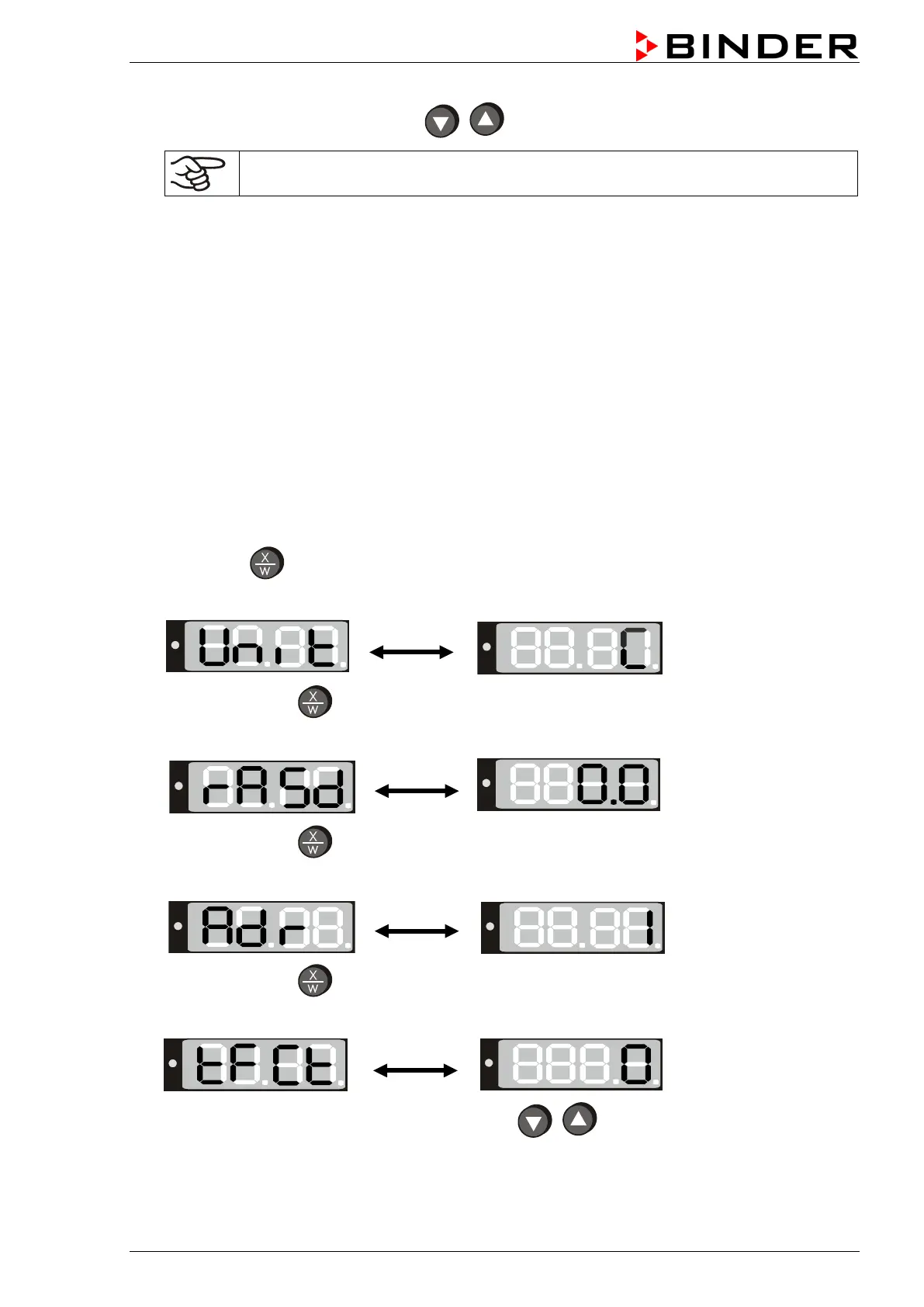
1. Press down
button for approx. 5 seconds.
The display alternately shows “unit” and the temperature unit:
2. Press again button
.
The display alternately shows “rASd” and the set-point gradient:
3. Press again button
.
The display alternately shows “Adr” and the chamber address:
4. Press again button
The display alternately shows “tFCt” and the actual setting of the timer function:
5. Set the desired timer function 0, 1 or 2 with buttons
.
6. The set value is automatically adopted after 2 seconds.






 To Next Page