EasyManua.ls Logo

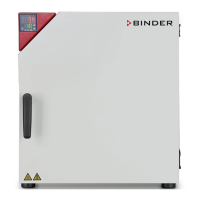
Binder APT.line BD 53 - User Manual

Default Icon
55 pages
Print Icon
To Next Page IconTo Next Page
Loading...
Issue 11/2010 Art. No. 7001-0026
Operating Manual
APT.line™ BD (E2)
Incubators with gravity (natural) convection
APT.line™ ED (E2)
Heating ovens with gravity convection
APT.line™ FD (E2)
Heating ovens with forced convection
with R3 Controller
BINDER GmbH
Address Post office box 102
D-78502 Tuttlingen
Tel. +49 7462 2005 0
Fax +49 7462 2005 100
Internet http://www.binder-world.com
E-mail info@binder-world.com
Service Hotline +49 7462 2005 555
Service Fax +49 7462 2005 93 555
Service E-Mail service@binder-world.com
Service Hotline USA +1 866 885 9794 or +1 631 224 4340
Service Hotline Spain +34 9492 677 23
Service Hotline Asia Pacific +852 39070500 or +852 39070503
Service Hotline Russia and CIS +7 495 98815 17

Table of Contents

Questions and Answers

  • J
    Jesse BurgessAug 17, 2025
    What to do if my Binder APT.line BD 53 unit has no function?
    • G
      goodmonicaAug 17, 2025
      If your Binder unit isn't functioning at all, start by checking the power supply connection. If that's okay, inspect the unit fuse and replace it if necessary. If the fuse blows again, contact BINDER service.
  • Z
    zbridgesAug 20, 2025
    Why is the set-point temperature not reached in my Binder APT.line BD 53?
    • C
      Christopher MillerAug 20, 2025
      If the set-point temperature in your Binder Accessories unit isn't reached after the specified time, make sure the unit door is completely closed. Also, check if the door gasket is defective and replace it if needed. Ensure that the controller is calibrated and adjusted correctly, and verify that the power supply matches the voltage requirements (115V or 230V).
  • D
    dianehigginsAug 22, 2025
    How to turn on Binder APT.line BD 53 unit if only the green stand-by LED is lit?
    • D
      debra56Aug 23, 2025
      If your Binder unit is only showing the green “stand-by” LED, it's likely in stand-by mode. Press and hold the ON/OFF button until the display illuminates.
  • U
    usmithAug 25, 2025
    What to do if temperature is too high and the red alarm pilot lamp is lit in Binder Accessories?
    • D
      Daniel OrtizAug 26, 2025
      If the temperature inside the chamber of your BD, option ED, FD Binder Accessories unit is too high and the red alarm pilot lamp of safety device is lit, check the temperature set-point and the safety device class 3.1 settings.
  • J
    Jeffrey StrongAug 28, 2025
    What to do if Binder APT.line BD 53 unit doesn't function and the red alarm pilot lamp is lit?
    • M
      Margaret BellAug 28, 2025
      If your ED, FD Binder Accessories unit isn't working and the red alarm pilot lamp is lit, the safety device class 2 may have shut down the chamber. Allow the chamber to cool down, then press the RESET button. Check the temperature set-point and the safety device class 2 settings, and select a suitable limit value if necessary.
  • J
    Jennifer CherryAug 30, 2025
    What to do if Binder APT.line BD 53 chamber doesn’t heat up and the red light is off?
    • W
      Wendy RoseAug 31, 2025
      If the chamber in your Binder Accessories unit isn't heating up, and the red heating control light in the display is not lit but the controller display is working, ensure the timer is correctly programmed or set to continuous operation.
  • M
    Michael ArnoldSep 2, 2025
    Why are there deviations from heating-up times in Binder APT.line BD 53 Accessories?
    • B
      Brandy HarveySep 3, 2025
      To address deviations from the indicated heating-up times in your Binder oven, reduce the oven load or allow for longer heating-up times.
  • L
    Laura TurnerSep 5, 2025
    Why is my Binder APT.line BD 53 chamber heating permanently?
    • H
      Henry SmithSep 5, 2025
      If the chamber in your Binder Accessories unit is heating permanently and the set-point isn't being held, calibrate and adjust the controller.
  • J
    johnsonheatherSep 8, 2025
    Why does the Binder Accessories controller return to Normal Display?
    • S
      Susan DavisSep 8, 2025
      If the controller returns to the Normal Display from any level, repeat entries and enter the values rapidly, because no button was hit for more than 60 sec.
  • M
    michaelcareySep 12, 2025
    What to do if fan doesn’t turn in Binder APT.line BD 53?
    • J
      Jeffrey FosterSep 12, 2025
      If the fan in your FD Binder Accessories unit isn't turning or is turning too slowly, contact BINDER service.

Summary

Safety Guidelines and Precautions

General Operating and Installation Safety

Crucial safety guidelines that must be followed during installation and operation.

Delivery, Storage, and Installation

Safe Lifting and Transportation

Guidelines for safely moving and transporting the unit to prevent damage or injury.

Installation Location and Environment

Requirements for the installation site and ambient conditions for optimal operation.

Equipment Installation Procedures

Electrical Connection Procedure

Detailed steps for correctly connecting the unit to the power supply.

Unit Start-up and Initial Operation

Powering On the Unit

Steps for turning on the unit and initiating its basic operation.

Controller Settings and Operation

Temperature Set-Point Entry

How to set and adjust temperature parameters without using ramp functions.

Temperature Set-Point Entry with Ramp

Guide to setting temperature set-points when a ramp function is selected.

Time Functions and Timer Operation

Explains continuous and timer operation modes for controlling the unit's duration.

User Level Settings Overview

Accessing and modifying user-configurable parameters and settings.

Programming Temperature Ramps

Guide to programming temperature ramps for specific heating profiles.

Safety Devices and Features

Temperature Safety Device Class 2

Details on the Class 2 safety device for ED and FD units for over-temperature protection.

Temperature Safety Device Class 3.1

Information on the Class 3.1 safety device for BD units for over-temperature protection.

Maintenance, Cleaning, and Service

Maintenance Intervals and Service

Recommended schedule and procedures for regular unit maintenance.

Cleaning and Decontamination Procedures

Steps for cleaning and decontaminating the unit's interior and exterior surfaces.

Troubleshooting Guide

Binder APT.line BD 53 Specifications

General IconGeneral
BrandBinder
ModelAPT.line BD 53
CategoryAccessories
LanguageEnglish

Related product manuals