CB (E6.1) 07/2017 Page 82/145
11.6 Zero-voltage relay alarm output
The chamber is equipped with a zero-voltage relay output which permits the transmission of some alarm
messages to a central monitoring system.
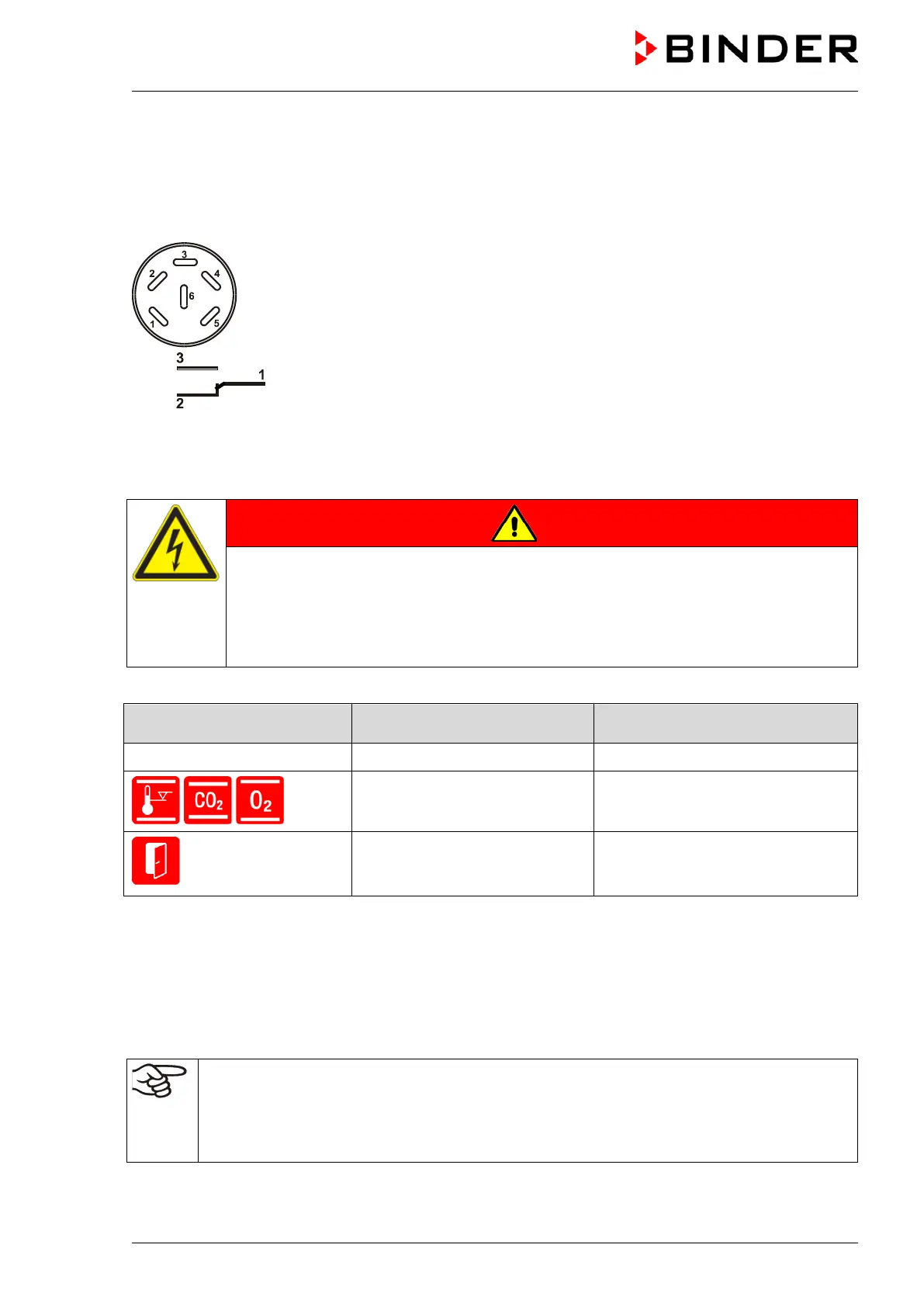
The connection is realized as a DIN socket (9) on the chamber rear. A suitable DIN plug is enclosed.
Figure 17: Pin configuration of the DIN socket (9) on the chamber rear
ALARM
Pin 1: Pole, Pin 2: Break relay, Pin 3: Make contact
In case there is no alarm, contact 1 closes with contact 3.
Closing contact 1 with contact 2 switches the zero-voltage relay alarm output.
Maximum loading capacity of the switching contacts: 24V AC/DC – 2.5A
DANGER
Electrical hazard.
Danger of death.
Damage to switching contacts and connection socket.
∅ Do NOT exceed the maximum switching load of 24V AC/DC – 2.5A.
∅ Do NOT connect any devices with a higher loading capacity.
The zero-voltage relay alarm output switches at the following events:
Error / event when icon is
displayed
Switching the alarm contact
Power failure immediately
Tolerance range alarm of
temperature, CO
2
, or O
2
(chamber with O
control)
after 10 min from error
Door open for more than the set
alarm delay time (chap. 11.5.5,
factory setting: 1 minute)
after 10 minutes from door opening
In case of a tolerance range alarm or a door open alarm, the alarm message on the controller display
remains on during the alarm transmission via the zero-voltage relay outputs.
As soon as the cause of the alarm is identified and resolved, you can reset the alarm transmission via the
zero-voltage relay outputs together with the alarm message on the controller display by hitting the
“RESET” key.
In case of a power failure, transmission of the alarm via zero-voltage relay outputs remains active for the
duration of the power failure. After power returns, contact 1 closes automatically with contact 3.
When using the communication software APT-COM™ 3 DataControlSystem (option, chap.
15.1) via the Ethernet interface or optional RS 422 interface of the chamber for data
acquisition, only the alarm message is recorded in the APT-COM™ protocol.
Set the tolerance limits for limit alarms by APT-COM™ 3 separately in the APT-COM™ 3
measuring window.



 To Next Page