EasyManua.ls Logo

Binder M Series - 6 Controller Mb1 Settings; Selection of the Menu Language

Default Icon
71 pages
Print Icon
To Next Page IconTo Next Page
To Previous Page IconTo Previous Page
Loading...
M (E2) 04/2019 page 18/71
6. Controller MB1 settings
6.1 Selection of the menu language
The display program controller MB1 controls the temperature inside the chamber. The controller com-
municates by a menu guide using real words in German, English and French.
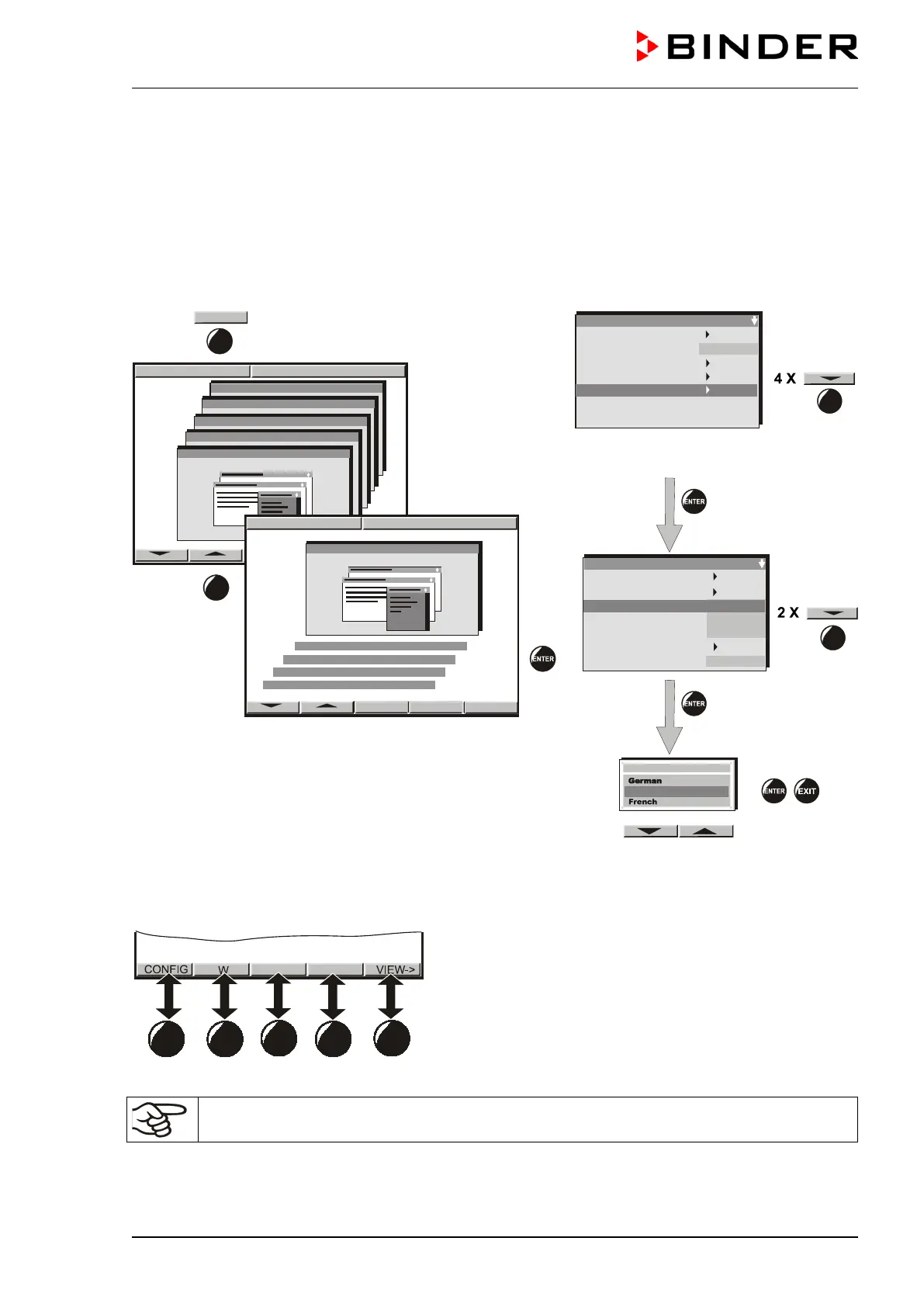
The selection of the desired menu language is located in the sub-menu “User-Level” of the “User-
Settings” menu. Select menu point “Language“.
User-Settings
08:43:55 15.12.13
Configuration 2
Configuration 1
Parameters
Choose variation
08:43:55 15.12.13
Configuration 2
Parameters
Choose variation
Configuration 1
User-Settings
CONFIG
4 X
User-settings
Instrument data
Contrast
Displ. Power down
Contin. operation
User Level
Safety control. Act + 36.8°C
Safety control. Set. 38.5
°C
29
User level code no. 1 (factory setting)
User Level
Date and time
Summer time
Language
Temperature unit
Buzzer
Safety controller
User-code No.
English
°C
1
Active
Sollwert Art
Offset
Language
English
The row of buttons below the display is context-sensitive. The inscription above the buttons on the display
defines the button’s function.
Do NOT change the temperature unit from °C to °F.

Table of Contents

Related product manuals