M (E2) 04/2019 page 19/71
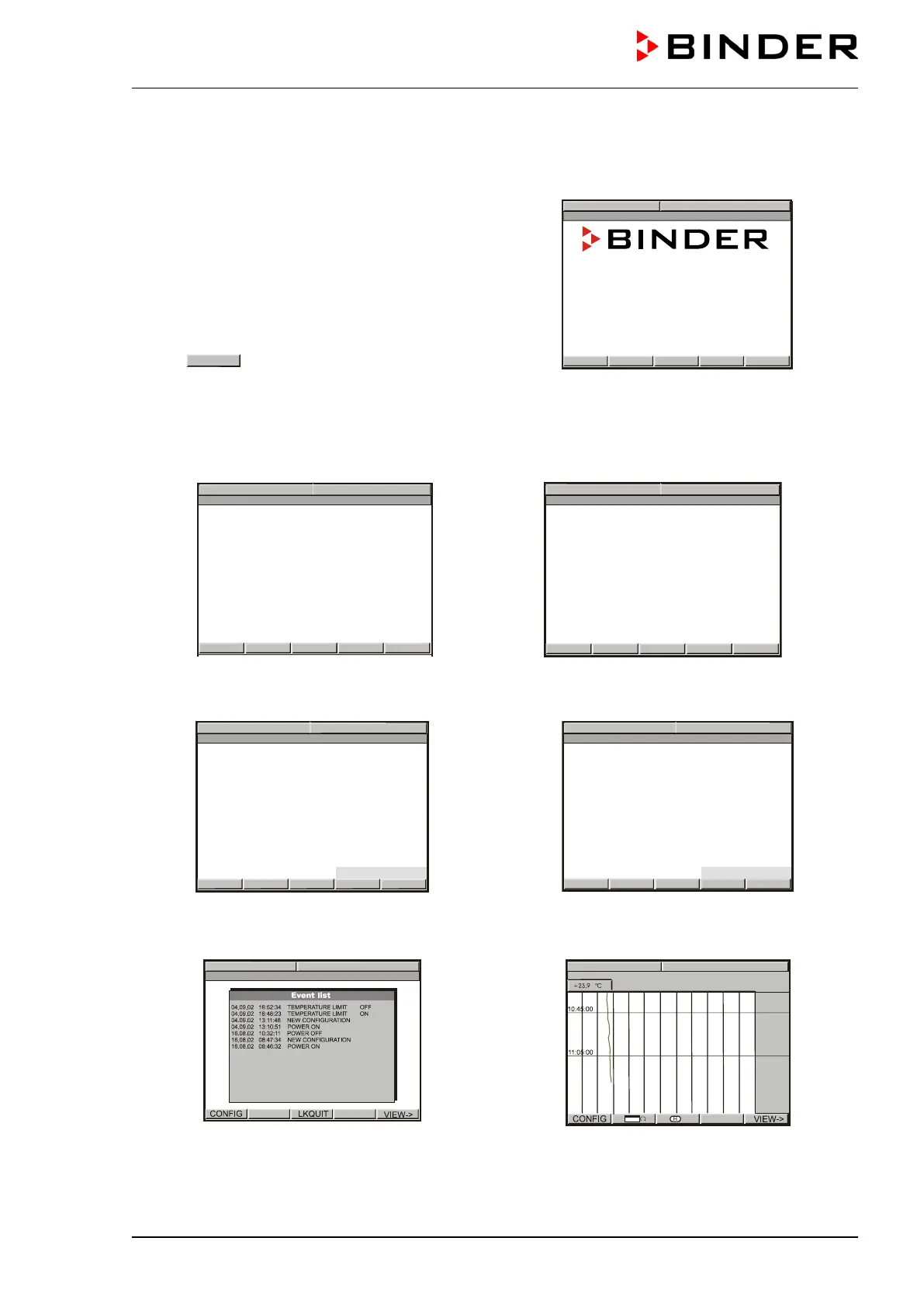
6.2 Overview of program controller MB1 displays
The main operation level contains the following
different displays:
• Normal display
(Idle Mode or Manual Mode or
Program Mode)
• Event List
• Chart recorder function
• Contact page
Button
allows toggling between the dis-
plays.
The NORMAL DISPLAY enables comparison of the
current temperature (W) to the set-point value (X) or
shows the fan working rate.
BINDER Service contact display.
or
No heating. The actual value (X) approximates ambient temperature. Fan operates at a 50% rate.
NORMAL DISPLAY Manual Mode
The temperature value is main
tained according to
the previous entered set-point (W).
NORMAL DISPLAY Program Mode
08:43:55 15.12.
13
PROGRAM 01/SEC1 00:09:59
A temperature program entered before via a pro-
Overview over the last 16 events or error occur-
rences of the chamber.
Graphical display of the current temperature val-
ues and review of the previous meas
a historical display. A memory interval of 5s corre-
sponds to a supervision period of 2.5 days.
International: +49 7462 205 555
USA Toll Free: +1 866 885 9794
Best conditions for your success



 To Next Page