M (E2) 04/2019 page 27/71
9.1 Menu-based program entry
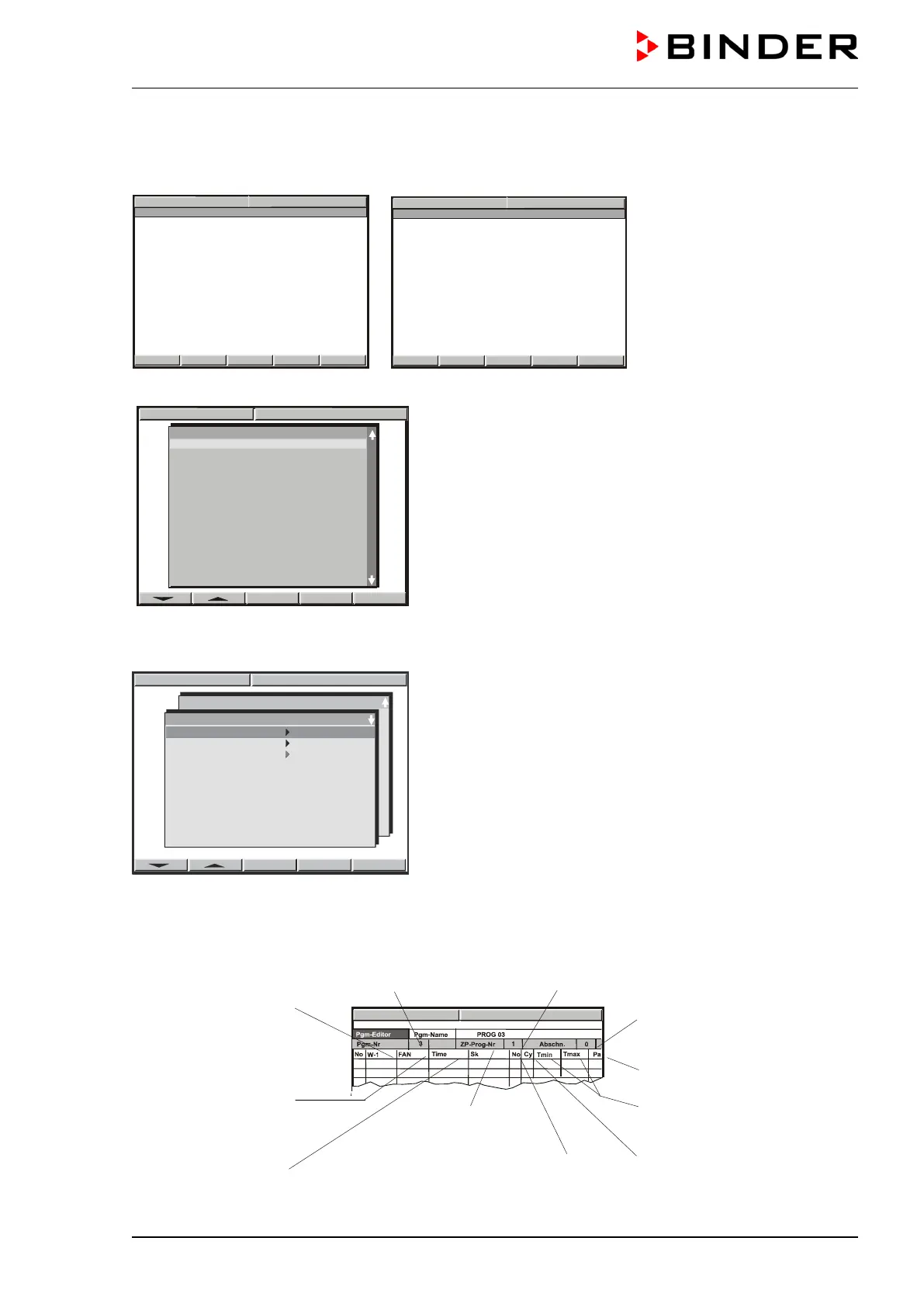
Displays showing the initial normal display in Idle Mode
Hit button PGM. The window program selection appears
Select a program via the arrow keys and confirm by pressing “ENTER”
The following display serves to select a subroutine:
Select the first subroutine “TP-Program 1” (TP-Program 2 und TP-Program 3 are without function) and
confirm by pressing “ENTER”.
A program table will appear, which is initially empty until you enter the temperature values. You can now
enter the temperature program.
Temperature at the beginning
of the program section
Fan speed in %
Factory setting:
50% in Idle Mode
100 % in Manual Mode and
Program Mode
Subprogram TP-Program No. 1
sections
Parameter set (preselected)
Tolerance band limits tem-
perature (maximum and min-
imum temperature)
Operation line 1
(air flap)
section
Number of start section in case
of repeat cycles
Number of duplicates in case
of repeat cycles
PROG 02
PROG 03
PROG 04
PROG 05
PROG 06
PROG 07
PROG 08
PROG 09
PROG 10
PROG 11
PROG 12
PROG 13
PROG 14
PROG 15
PROG 16



 To Next Page