M (E2) 04/2019 page 25/71
8. Manual Mode
In Manual Mode (HAND) you can enter a temperature set-point, the fan speed (0% to 100%), and the
switching-state of up to 8 operation lines. Operation line 1 is used to control the air flap position. The oth-
er operation lines are non-functional. All settings remain valid in Manual Mode (HAND) until the next
manual change, if the chamber had been turned off or in case of toggling to Idle Mode or Program Mode
(AUTO).
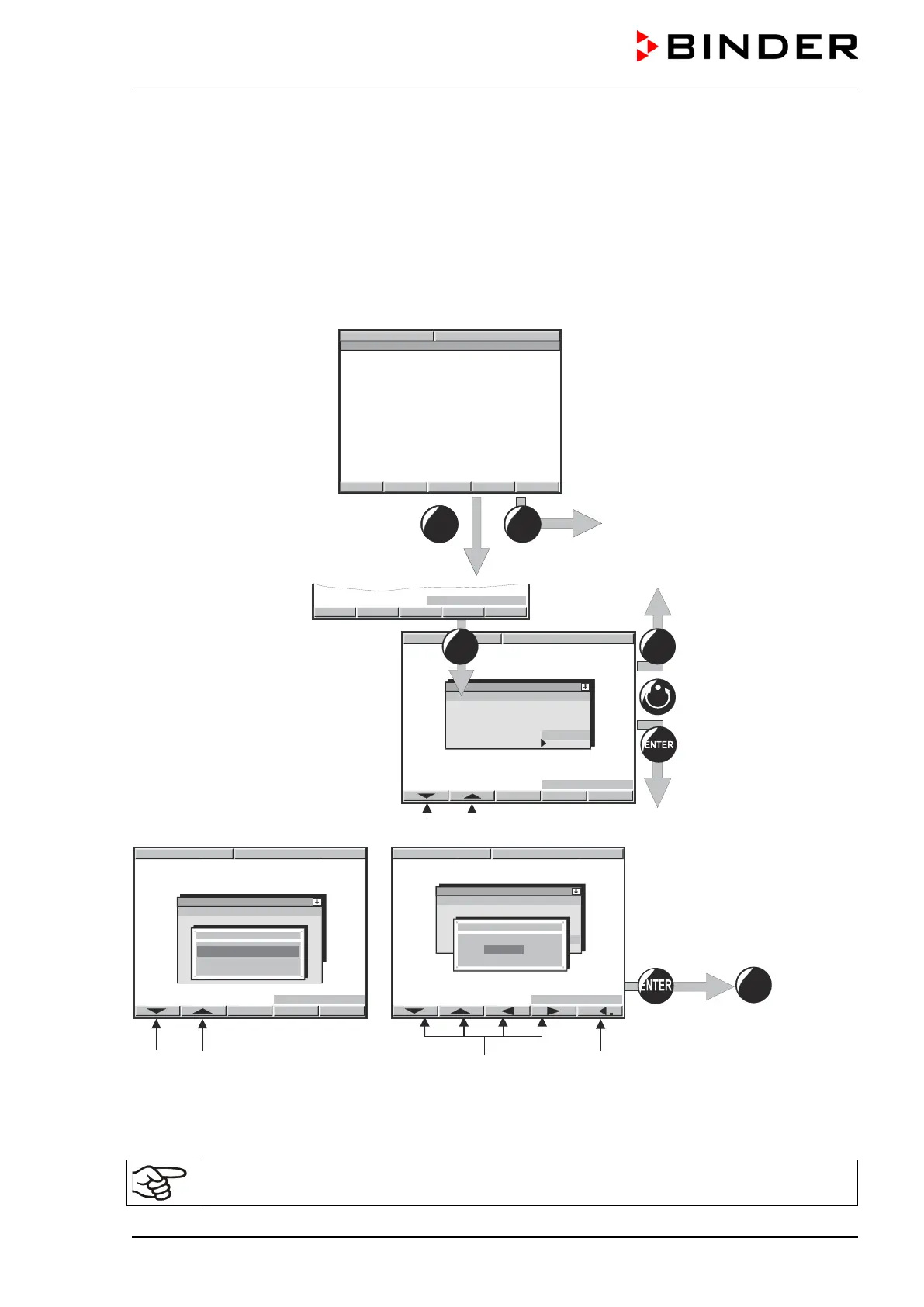
8.1 Entering the set point values
Idle Mode
No heating function.
Fan working at 50% rate (factory set-
ting).
Toggling to Manual Mode
Change of page
Toggling between temperature set-point, fan speed, and operation lines.
Arrow buttons to select the operation
lines (Operation line 1 = air flap)
ON = air flap open
to enter the val-
ue
Button to move the decimal point
Unlock the keyboard locking (option, chap. 11.10) via the key switch to enter the set-point.
29.3 °C



 To Next Page