MK / MKT (E5) 03/2019 page 68/158
11.1.2 Alarm messages
Condition Alarm message
Start after
condition occurred
Open chamber door “Door open” after 5 minutes
Exceeded setpoint of the safety controller class 2 “Safety controller” immediately
Exceeded maximum or minimum temperature (option
temperature safety device class 2)
“Temperature safety
device”
immediately
Temperature sensor defective
e.g. “- - - - ” or
“<-<-<” or “>->->”
immediately
Safety controller temperature sensor defective
“Safety controller sen-
sor”
immediately
MK/MKT 115, 240, 720:
Fault in refrigerating machine. Contact BINDER ser-
vice.
Compressor
overcurrent
immediately
Alarm messages are displayed in the list of active alarms until acknowledging them. They are also shown
in the event list.
11.2 State of alarm
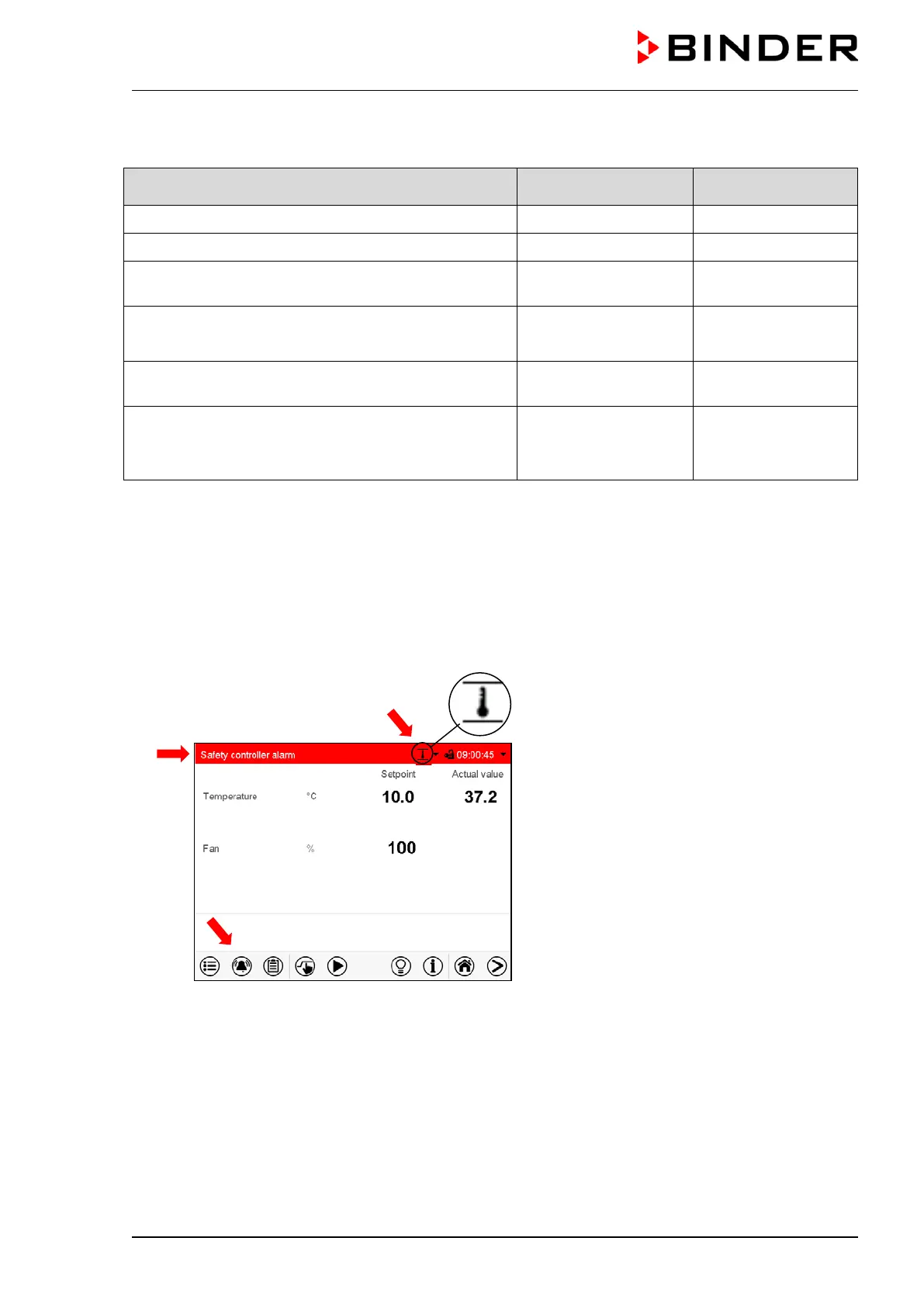
1. Visual indications in Normal display: alarm message, screen header flashing in red color
2. Audible alert, if the buzzer is enabled (chap. 11.4).
Normal display in state of alarm (example).
(a)
Screen header flashing in red color and
showing the alarm message
(b) Alarm icon on the bottom of the screen:
change to the list of active alarms and alarm
acknowledgement
(c) If applicable, information icon in the screen
header. Indication of a certain condition



 To Next Page