Biodom C15 | instructions for use, maintenance and installation | February 2019
37
DESCRIPTION AND OPERATION OF CONTROL DEVICE
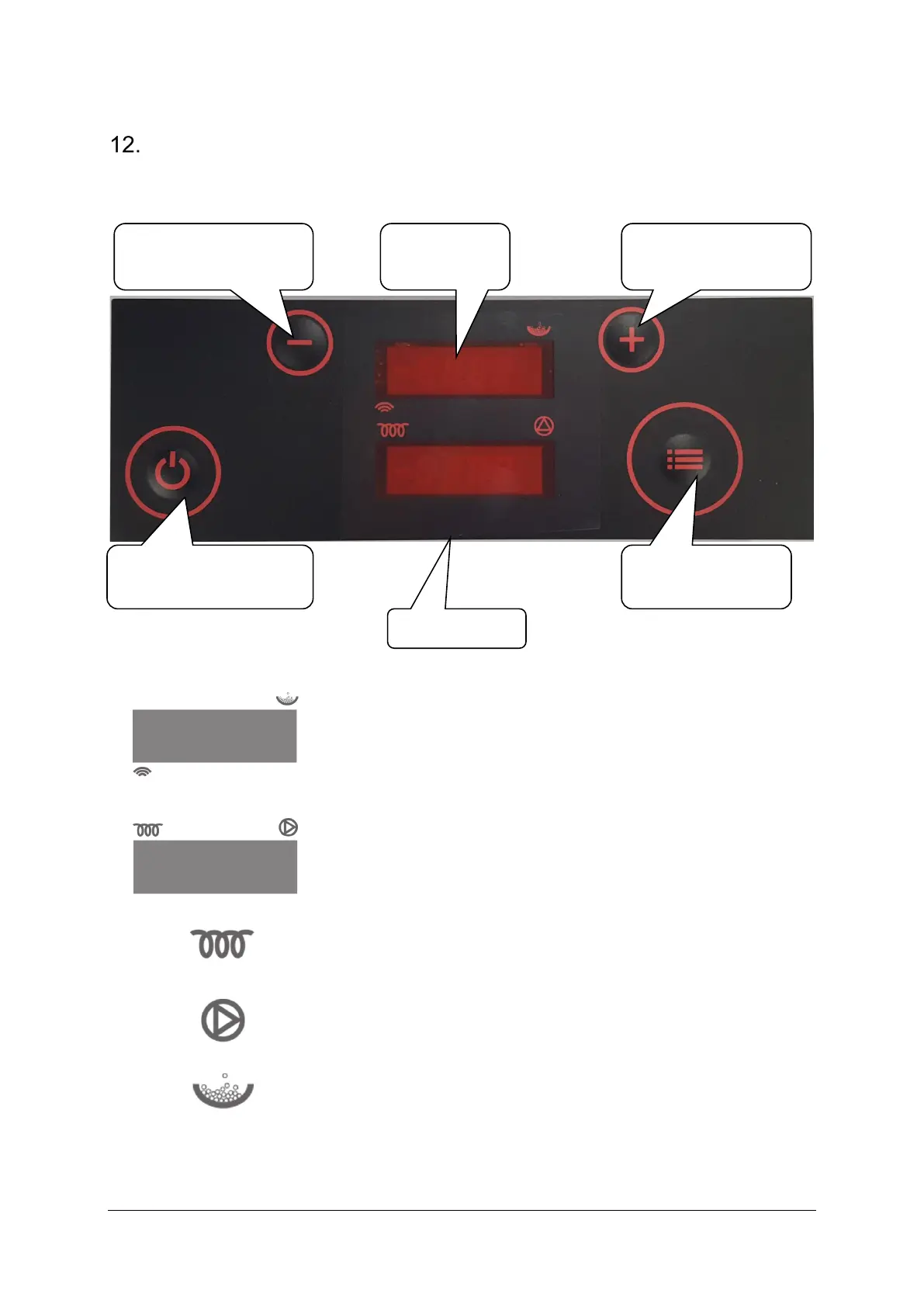
DESCRIPTION OF KEYBOARD WITH DISPLAY (plastic keyboard)
upper display shows boiler status, chosen menu and indicates dosing
operation and operation in time programme
lower display shows current time, value of settings and parameters
and warning names
spark plug operation indicator
pump operation indicator
dosing operation indicator


 To Next Page