LifePro Thermal Cycler Instruction for operation
-13-
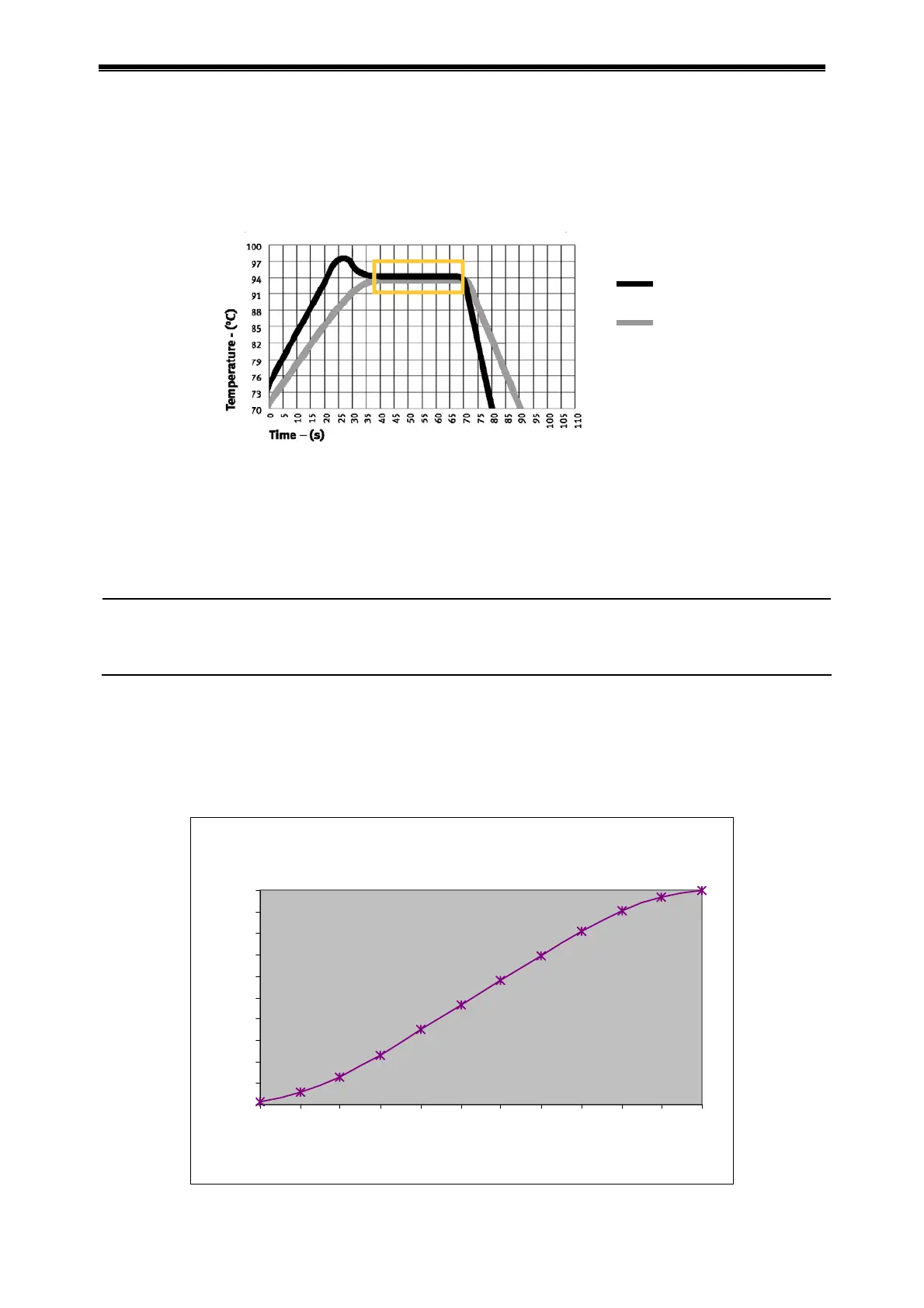
b) “Tube” mode considers the temperature rise/fall of reagent that lags behind the module.
There is an overshoot when it reaches the set temperature so that the reagent reaches
the set temperature faster. At the set time same with “Block” mode, obviously the actual
time that reagent reaches set temperature is prolonged. (See figure below for relation
between module temperature and reagent temperature.
1.2.4 “Hotlid” indicates the on/off status of hot-lid.
1.2.5 “Key Sound” and “Run End Sound” indicate the sound to press key and the sound at program
finish respectively.
See attachment 2 (Value and Meaning of Parameter Setting) of this manual for specific index
of each parameter above
Caution: 1. Press “Save” to confirm the system parameter setting, or the system parameter
won’t change.
2. It calibrates the clock inside the instrument as per Beijing time upon ex-factory.
3. It is recommended to check the date and time again for the first time to use.
1.3 Gradient module temperature distribution features
The gradient module uses 3-line temperature control unit. The gradient temperature is distributed as
curve, as shown in figure below (the set temperature is 40°C and the set gradient temperature is
20°C.) The temperature gradient in each hole row on module is nor uniform. The temperature
difference on hole rows at center is higher than the that at outside. Therefore, at gradient module
operation, the temperature of each hole row shown on instrument governs.
Gradient graphs
40
42
44
46
48
50
52
54
56
58
60
123456789101112
Column(left to right)
Temperature[
℃
]
module
reagent



 To Next Page