User’s Manual of LifePro Thermal Cycler Connection to computer
-16-
Chapter V Connection to computer
1. Software installation
Click “Setup.exe” in accompanied disc; install the LifePro computer connection program, which is
able to control 30 LifePro instruments on one computer.
2. Online setting
LifePro is equipped with embedded online module inside and tools for setting are available.
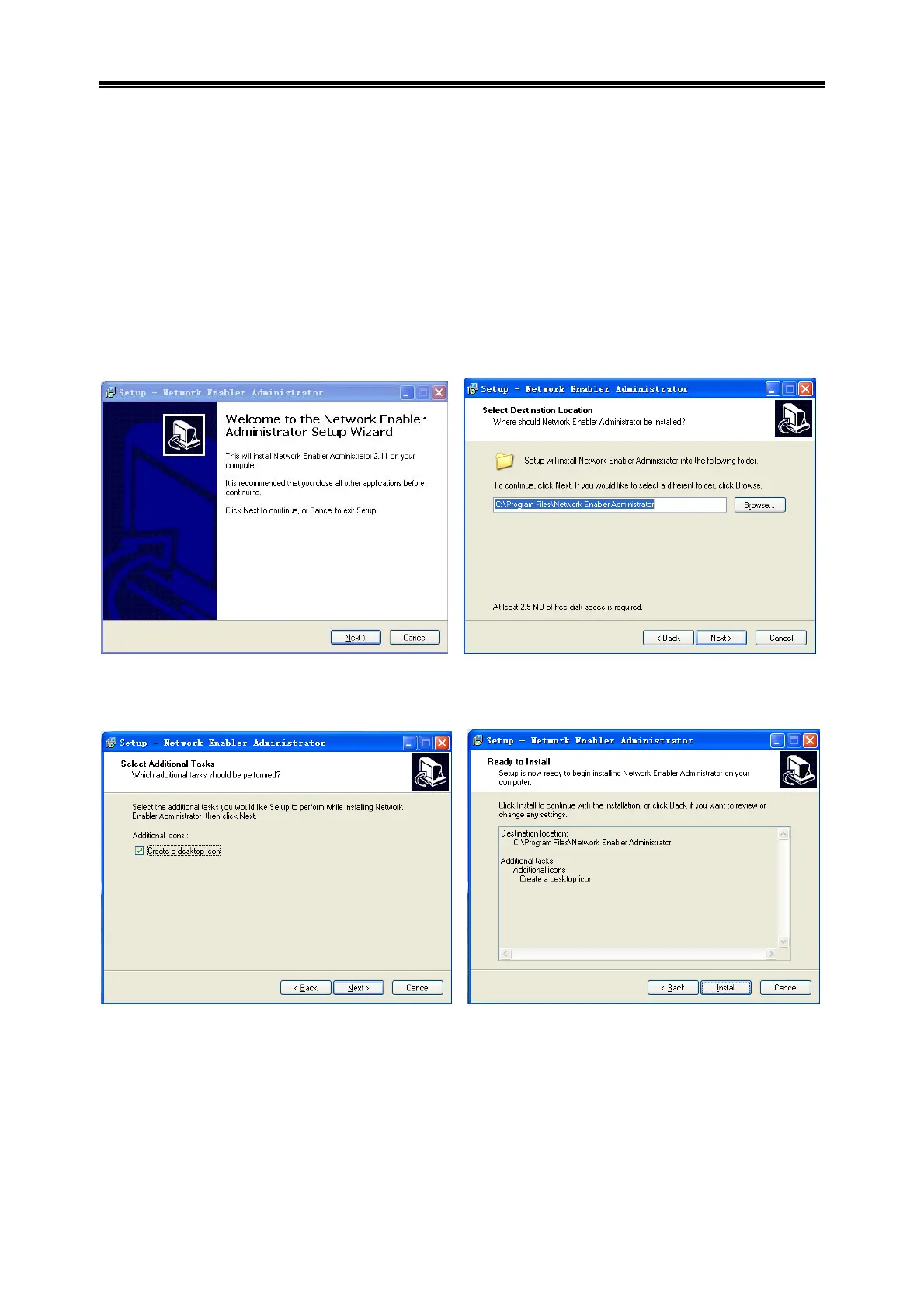
2.1 Tool software installation
Step 1, click and run nead_setup.exe. Step 2, click Next.
Step 3, select destination location, click Next. Step 4, Click Next.
Step 5, click Install. Step 6, complete installation, click Finish.



 To Next Page