User’s Manual of LifePro Thermal Cycler Connection to computer
-21-
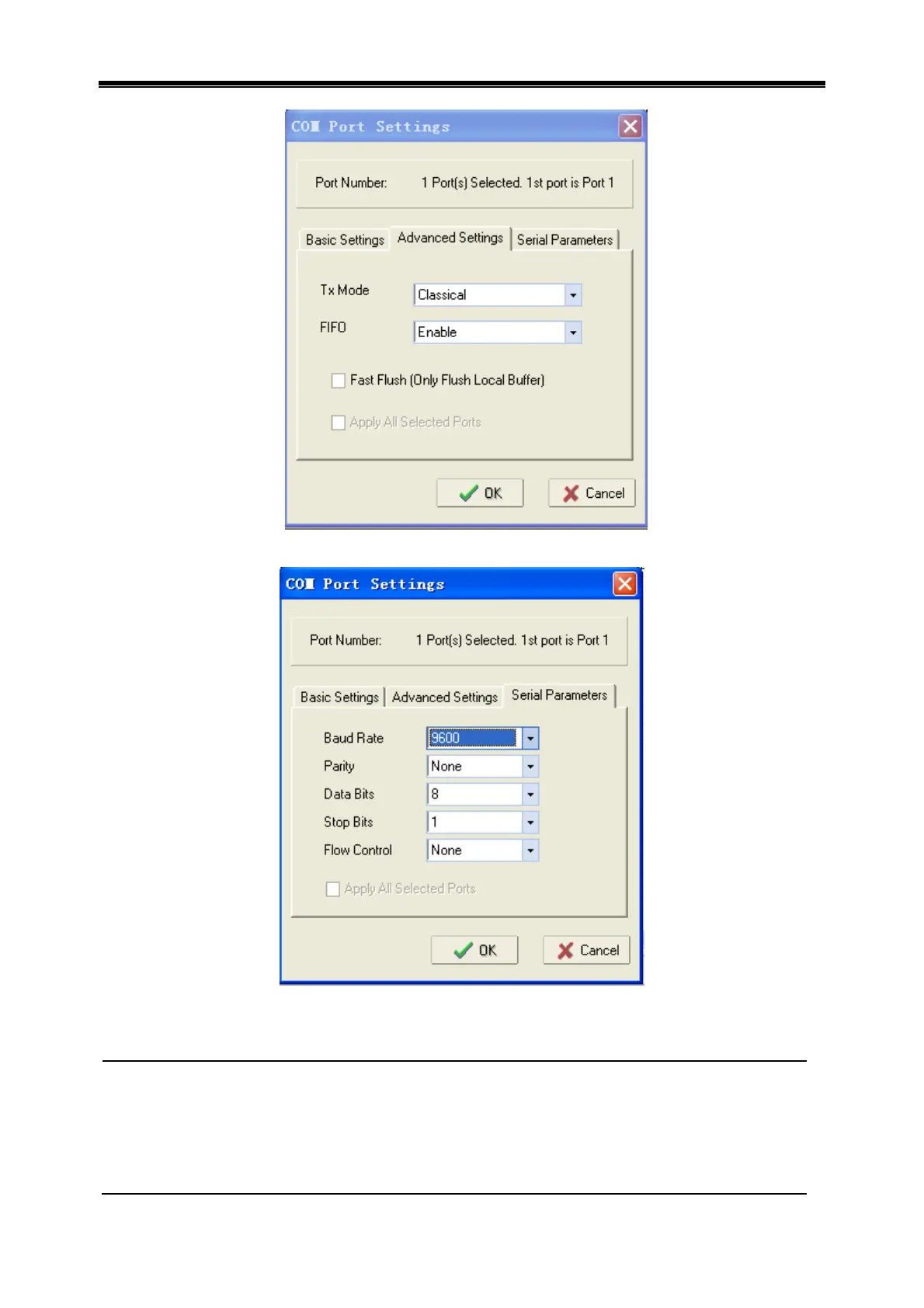
Select Serial Parameters, setting as shown below.
Click OK, click “confirmation”, apply the setting, finally click “remove device” and complete mapping
setting.
Caution: 1. Several devices online can’t use a same IP address.
2. Configure the device again if this instrument is used for the first time.
3. Set same subnet for several devices online.
4. The device doesn’t support the function of acquiring IP address
automatically.
5. Use switch to connect for several devices online, use cross network cable to
connect if HUB is used.



 To Next Page