E80/E70 Digital Electrocardiograph User’s Manual
3-9
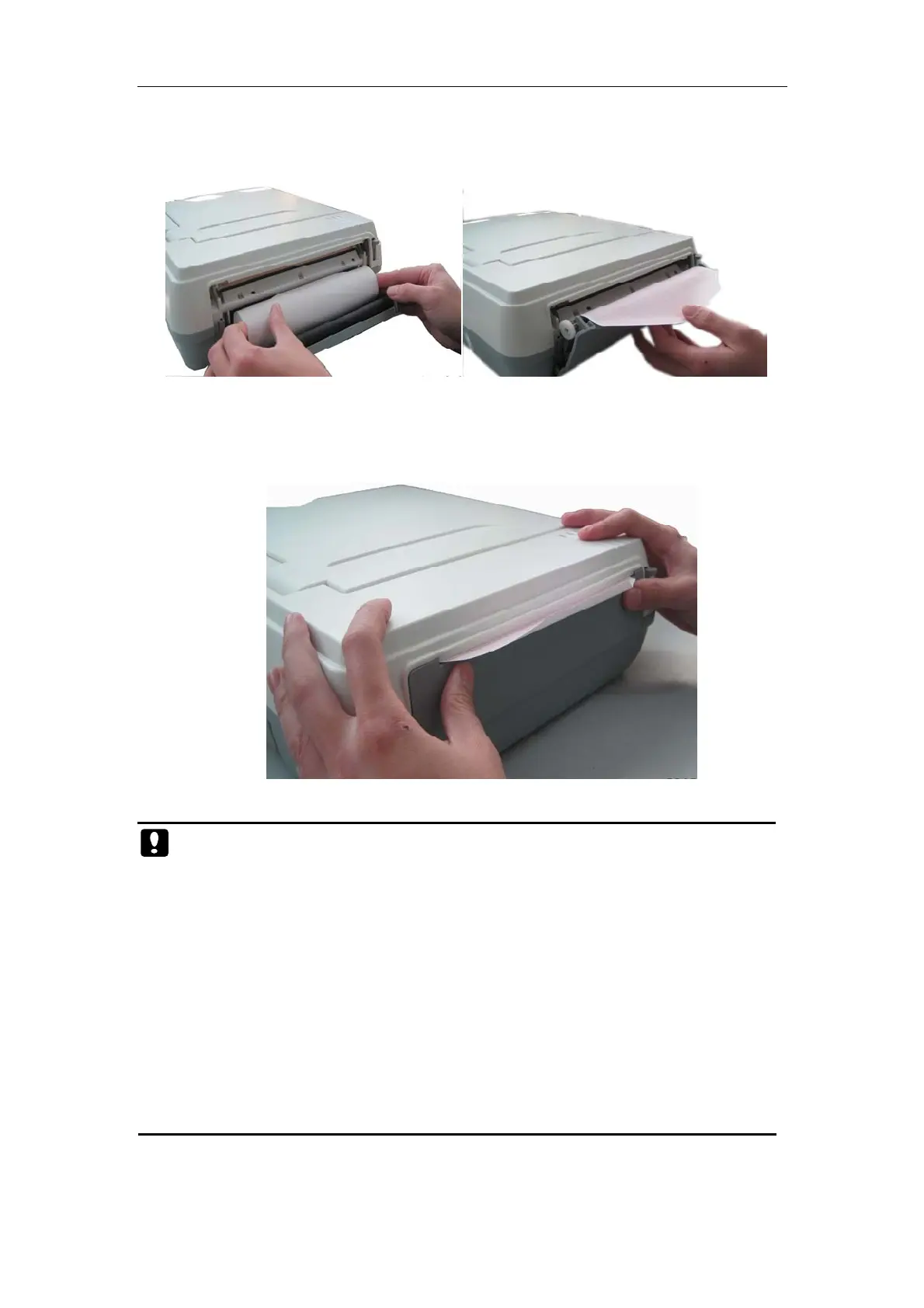
gently place the chart paper into the paper slot, and pull out about 2cm
chart paper from the paper outlet of recorder;
Fig. 3-5 Install reel paper
4) Close the box cover of recorder. At this time, the installation is
completed.
Fig. 3-6 Install reel paper
Caution: The storage of chart paper shall meet the following
requirements:
Chart paper shall be stored at a dry cool place to prevent from high
temperature, humidity and direct sunlight.
Do not overlap for long period the chart paper with recorded
waveform; otherwise, the recorded waveforms will blot each other.
Printing may start only after ECG waveform appears on screen.
Please use the chart paper provided by the manufacturer; otherwise,
the lifespan of thermosensitive recording head of printer will be
shortened.



 To Next Page